Bitte beachte, dass andere Webseiten eine Datei mit einer direkten URL verlinken können. Diese könnte daher hier aufgelistet sein, obwohl diese in aktiver Verwendung ist.
Unten werden bis zu 50 Ergebnisse im Bereich 3.501 bis 3.550 angezeigt.
-
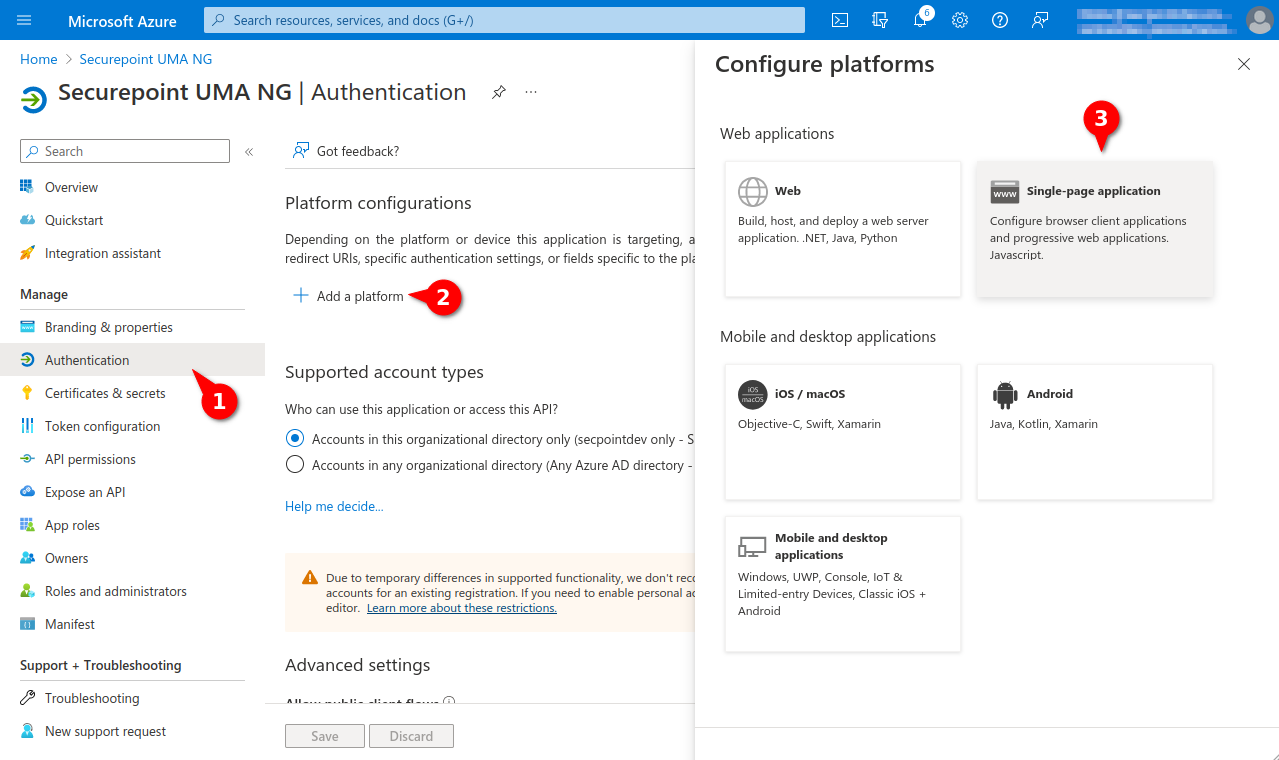 UMA v3.3.1 Azure redirect-URI-en.png 1.279 × 760; 176 KB
-
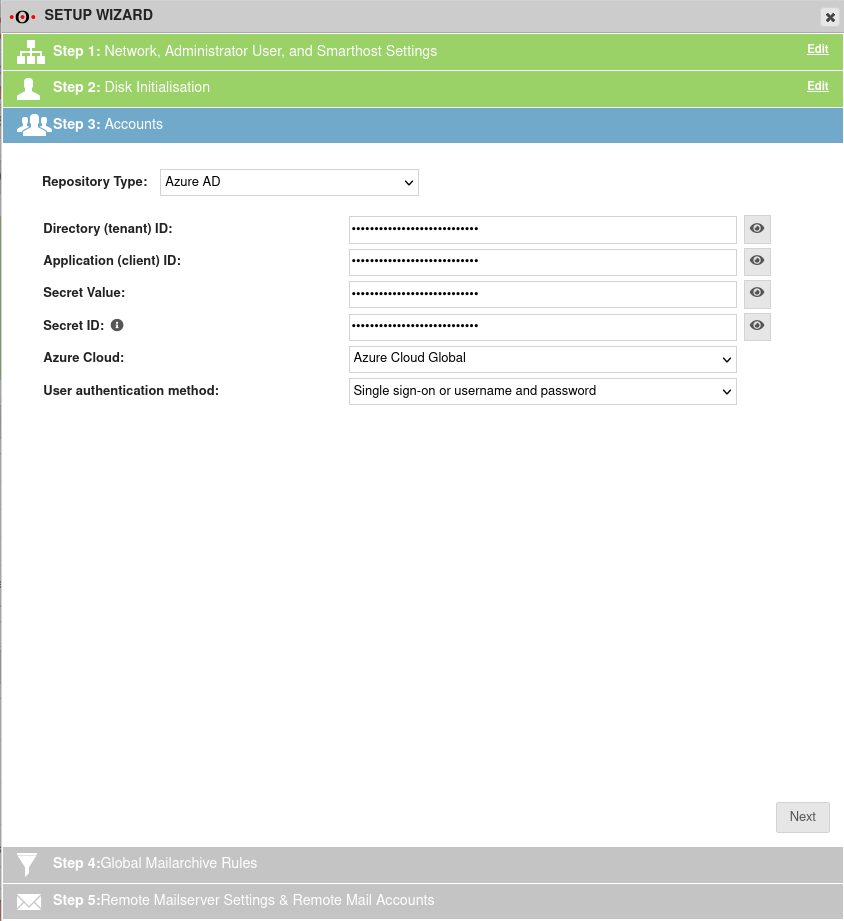 UMA v3.3.1 Einrichtungsassistent Schritt3 Azure AD-en.png 844 × 921; 65 KB
-
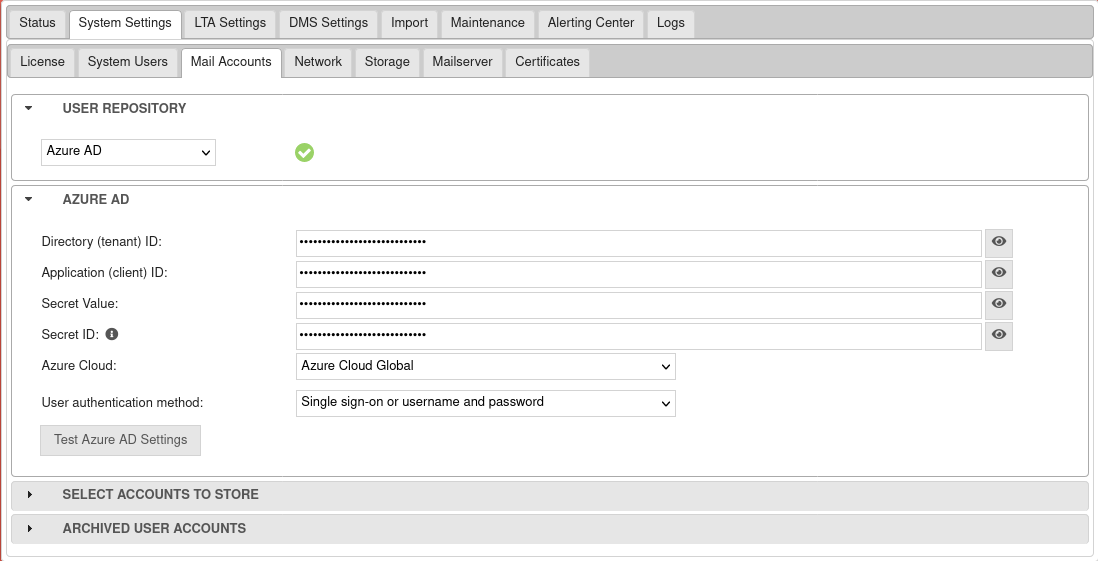 UMA v3.3.1 System-Einstellungen E-Mail-Konten-en.png 1.098 × 561; 60 KB
-
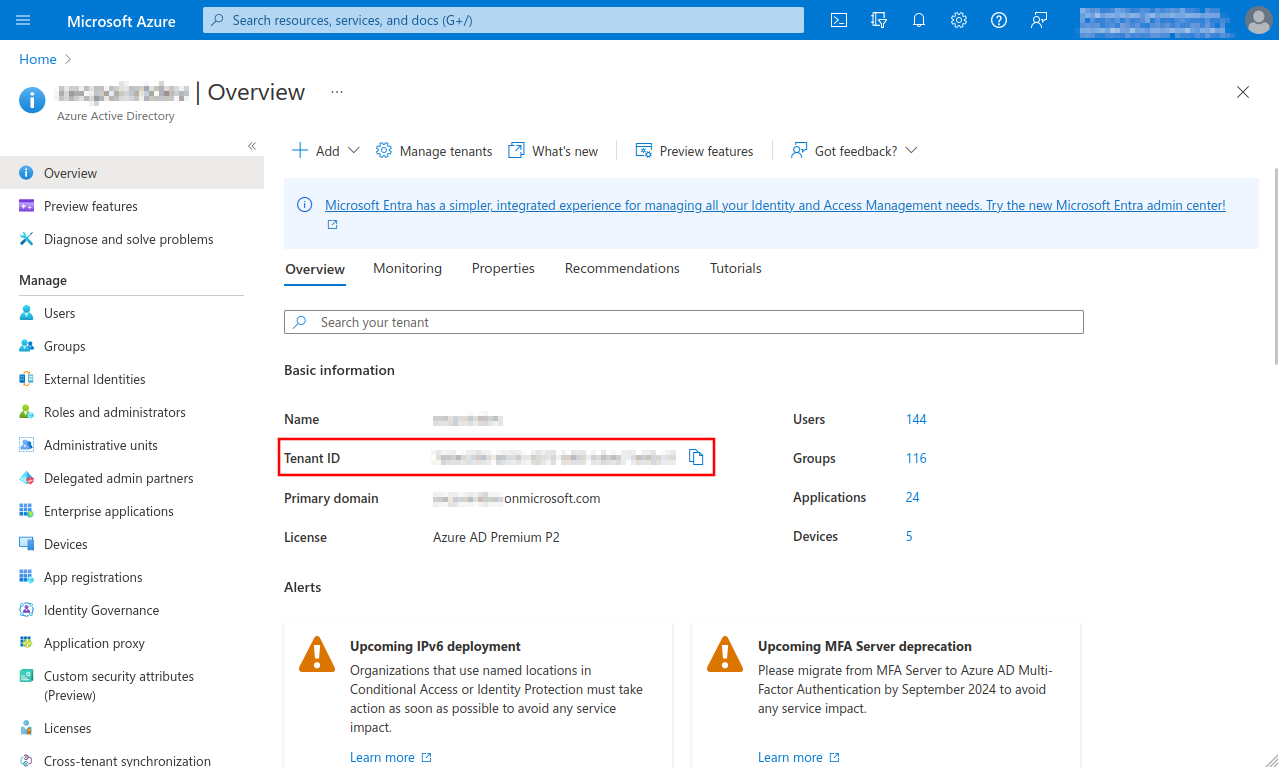 Azure Actice Directory-en.png 1.279 × 767; 143 KB
-
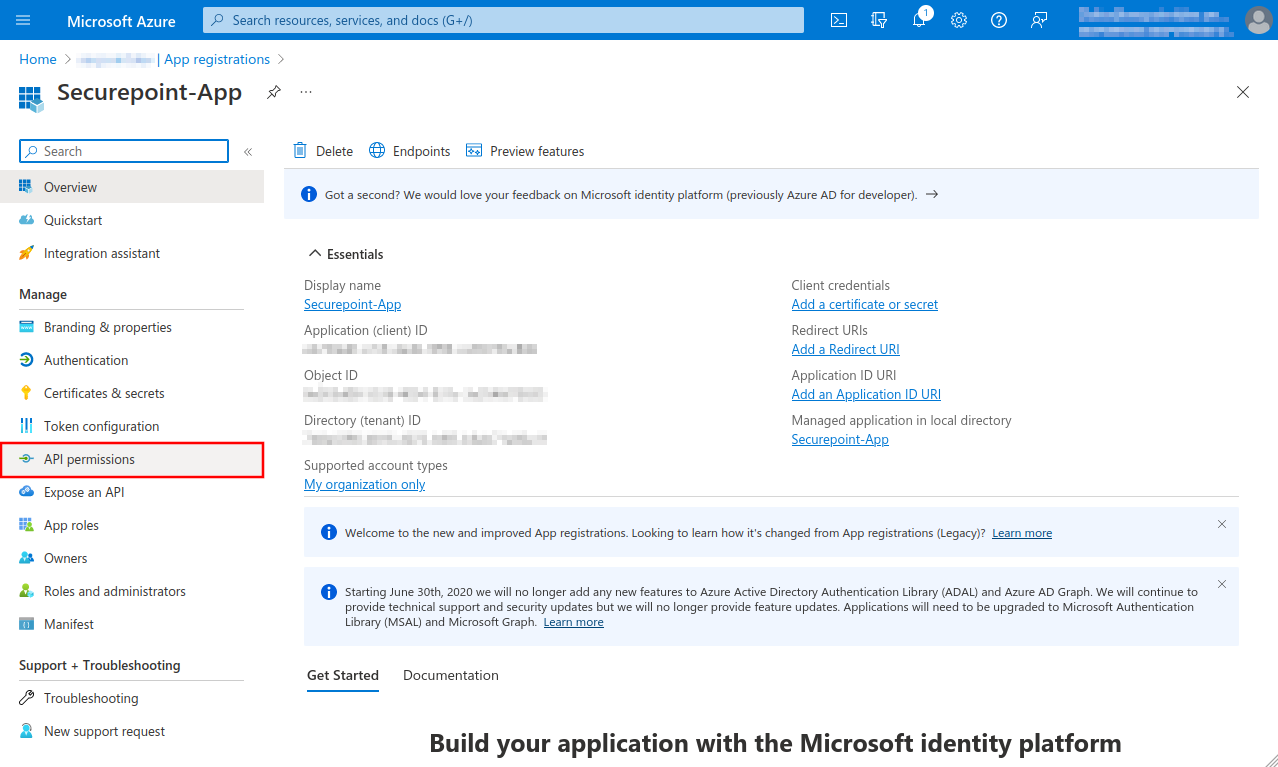 Azure API permissions-en.png 1.278 × 767; 154 KB
-
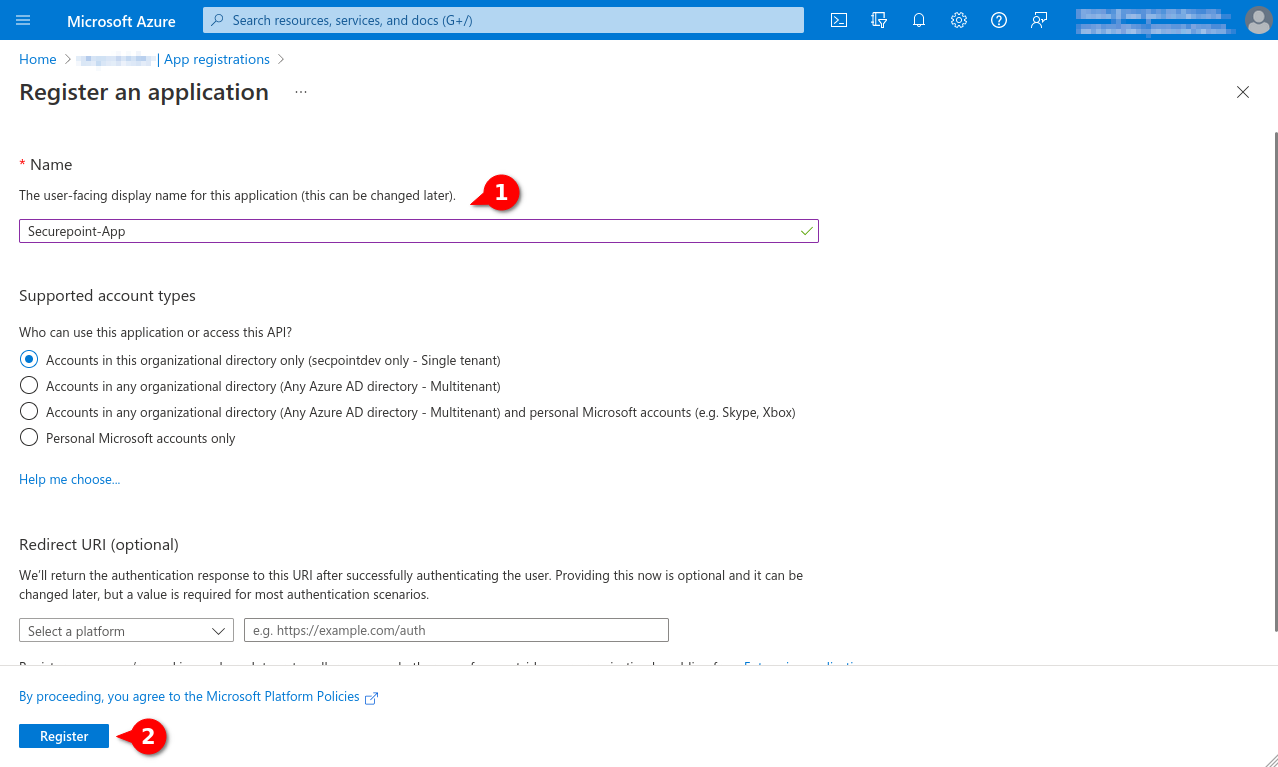 Azure App Namen vergeben-en.png 1.278 × 767; 99 KB
-
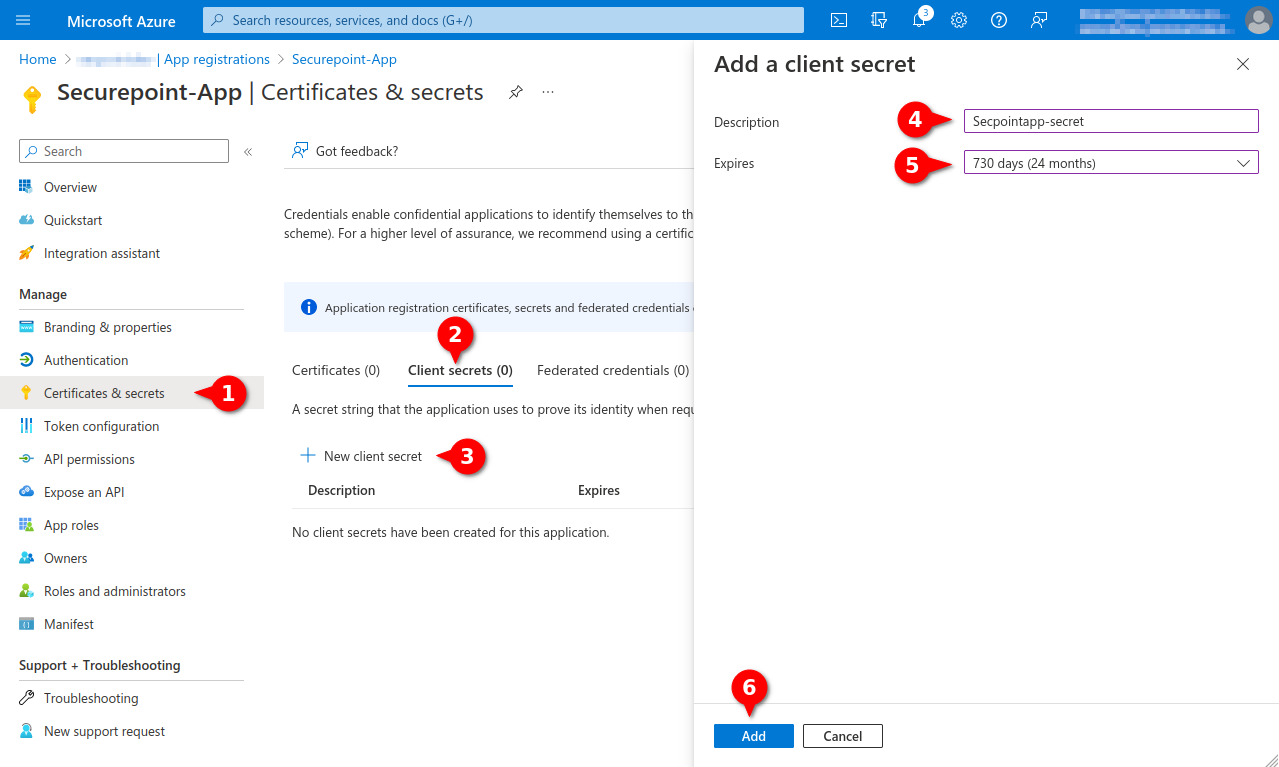 Azure MC Add Client Secret-en.png 1.279 × 767; 133 KB
-
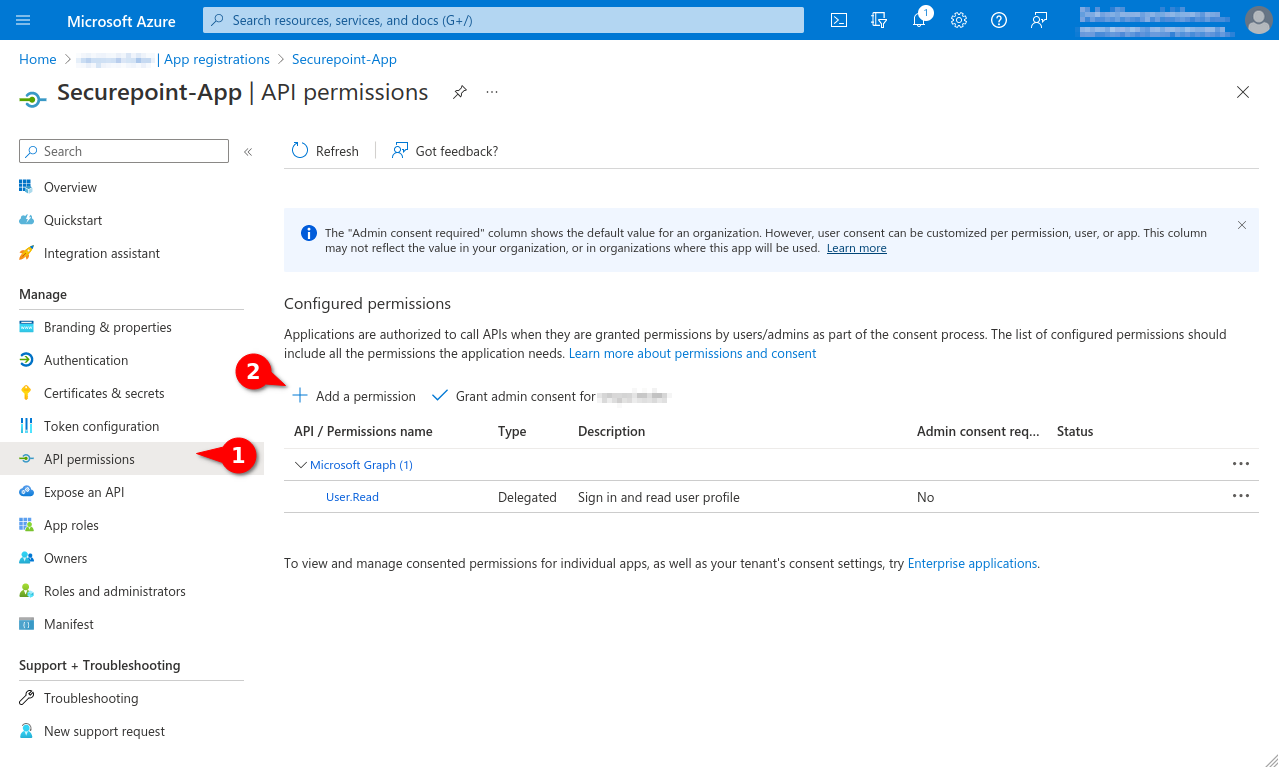 Azure MC Api permission hinzufügen-en.png 1.279 × 767; 129 KB
-
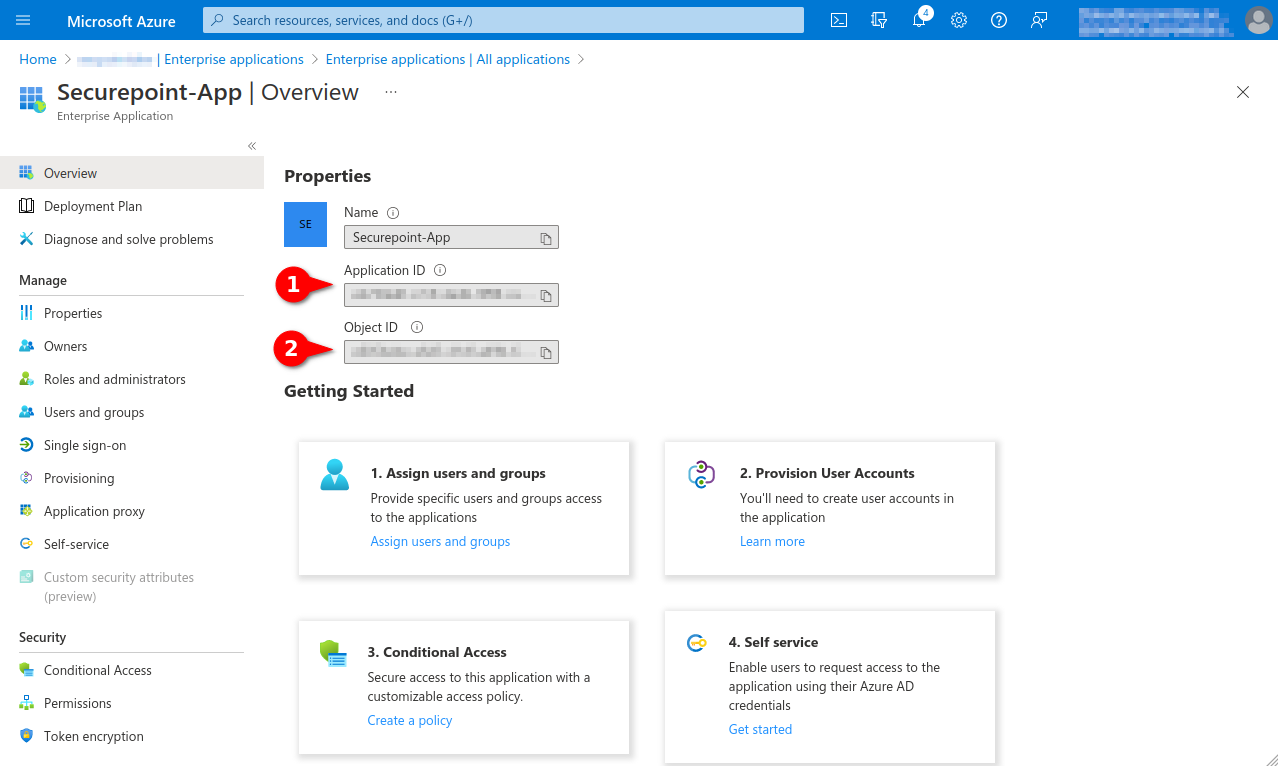 Azure MC App Eigenschaften-en.png 1.278 × 766; 124 KB
-
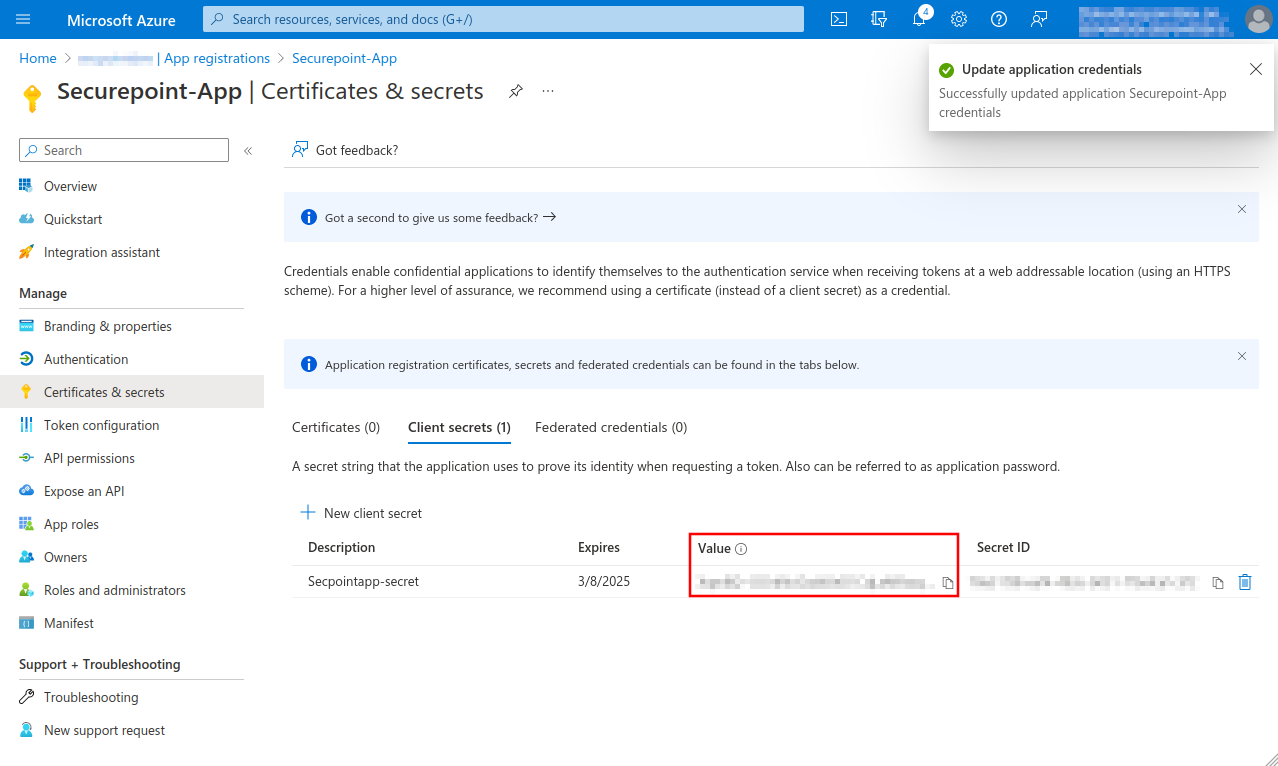 Azure MC App Secret-en.png 1.278 × 766; 141 KB
-
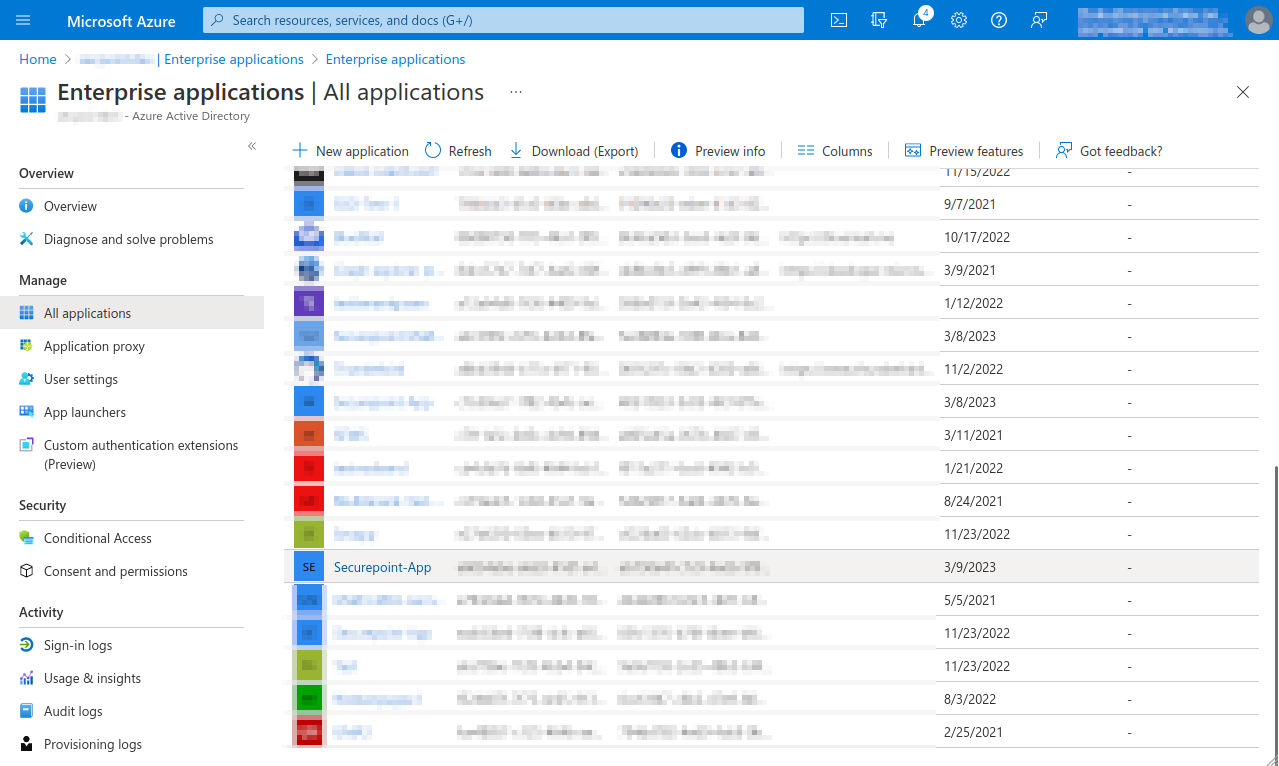 Azure MC Enterprise All applications-en.png 1.279 × 766; 127 KB
-
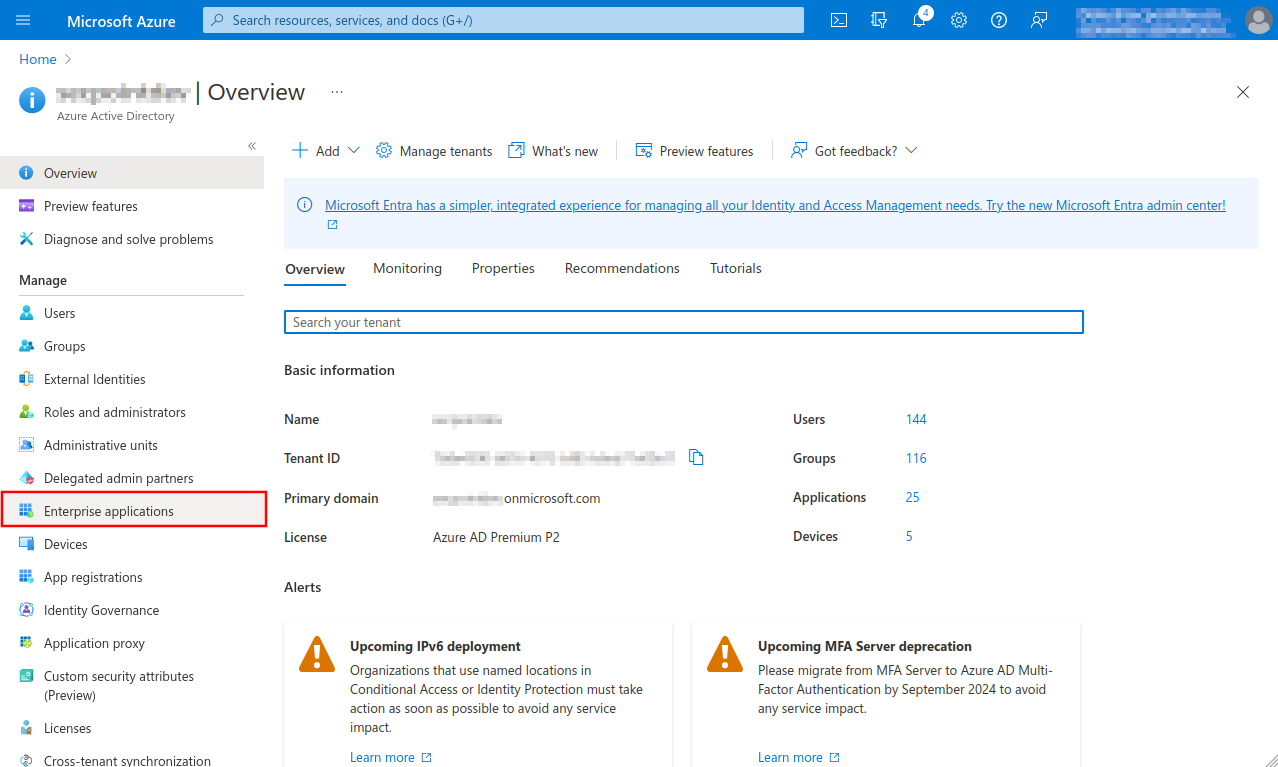 Azure MC Enterprise applications-en.png 1.278 × 767; 143 KB
-
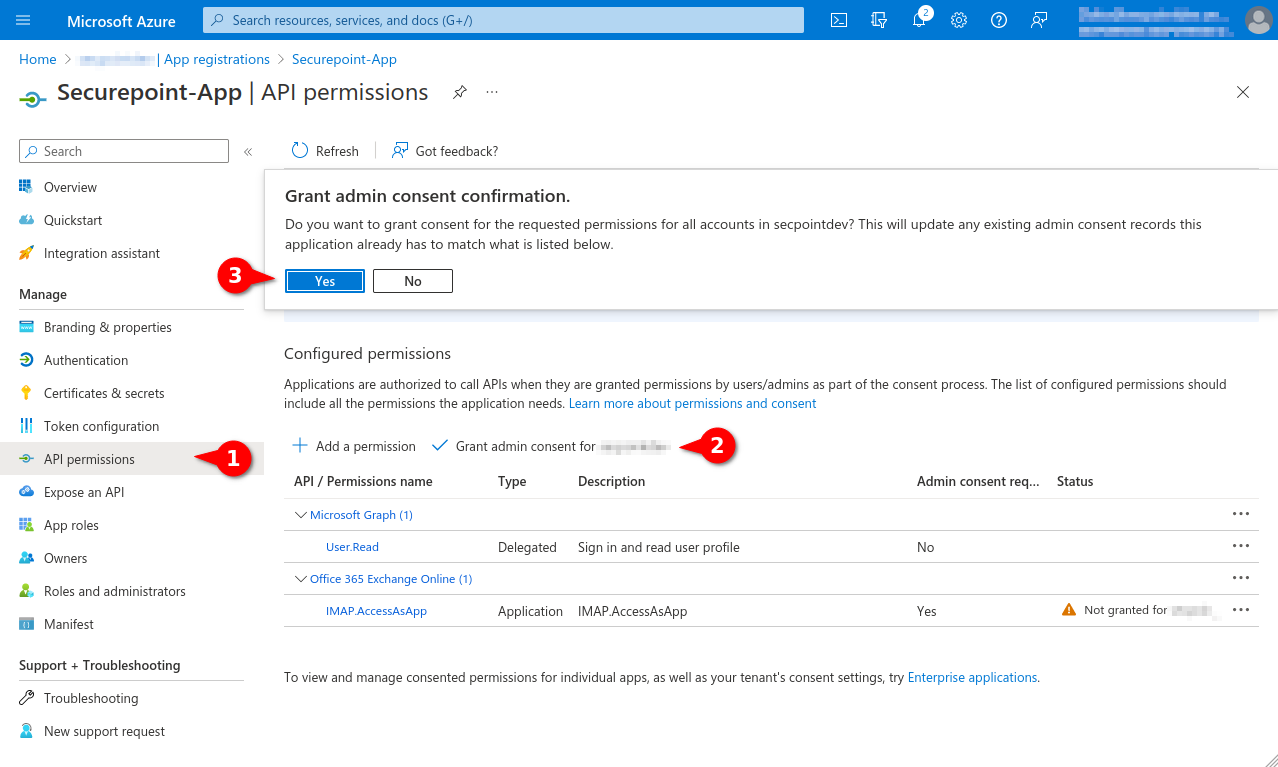 Azure MC Grant admin consent-en.png 1.278 × 767; 146 KB
-
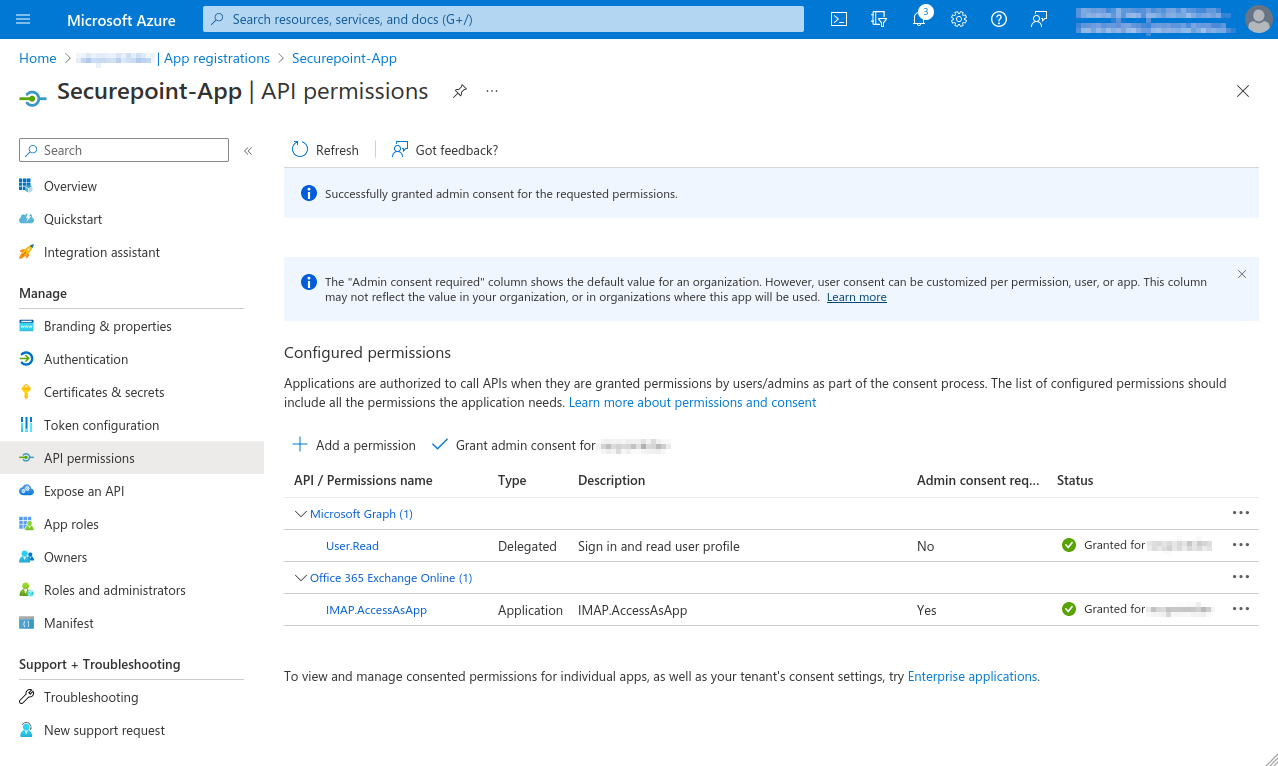 Azure MC Granted admin consent-en.png 1.278 × 766; 148 KB
-
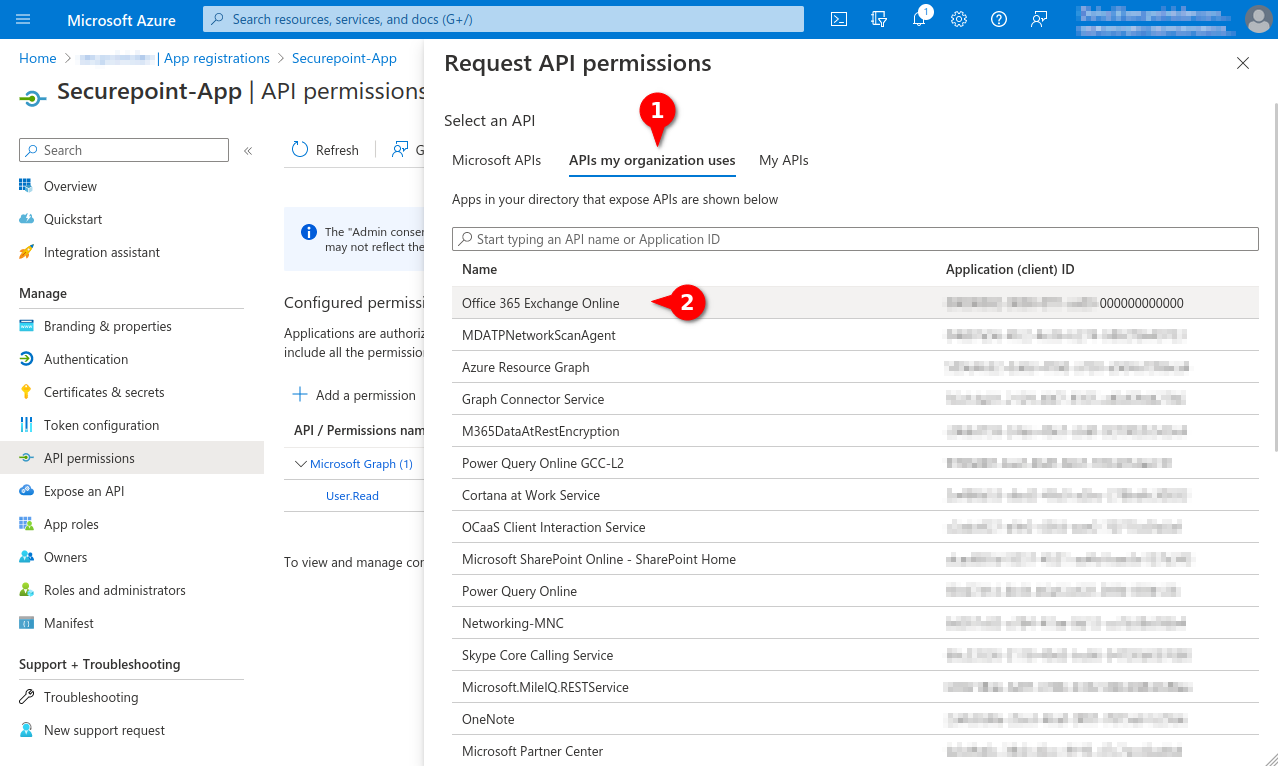
 Azure MC Integration assistant-en.png 1.278 × 767; 141 KB
-
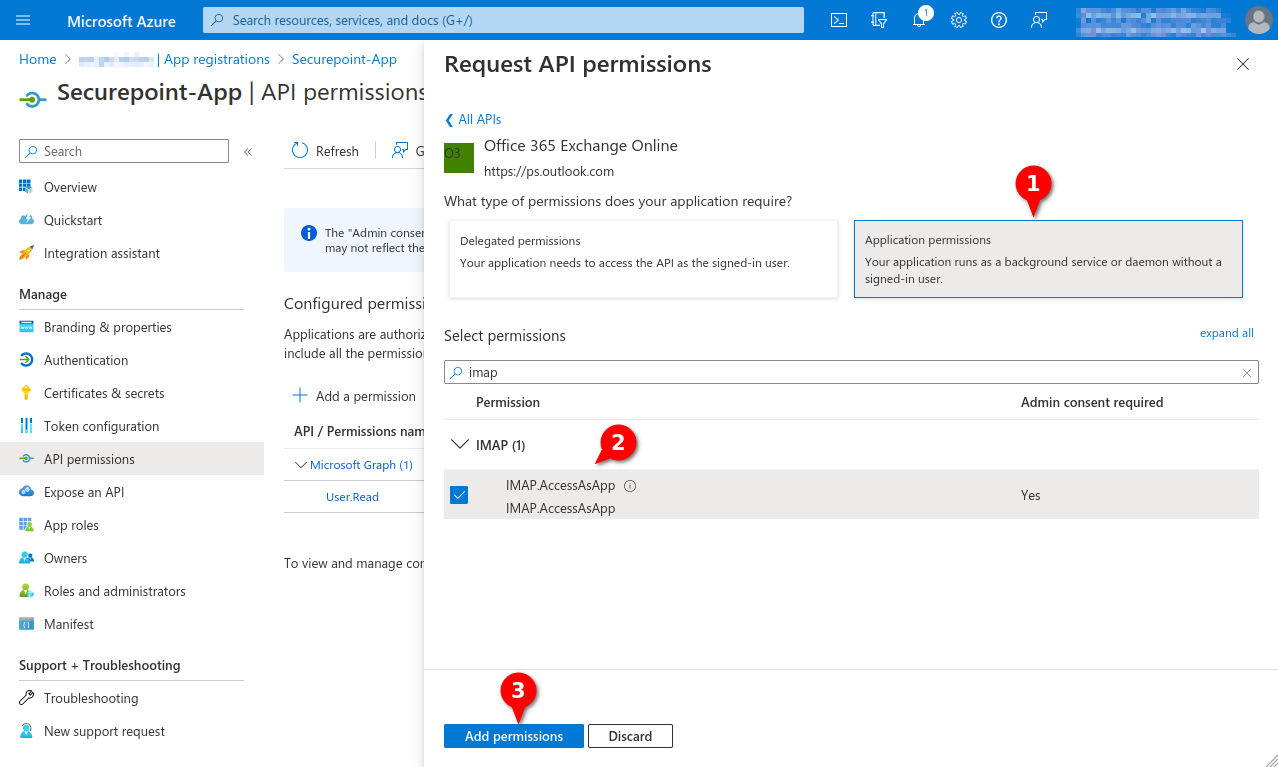
 Azure MC Permission Office 365-en.png 1.278 × 766; 161 KB
-
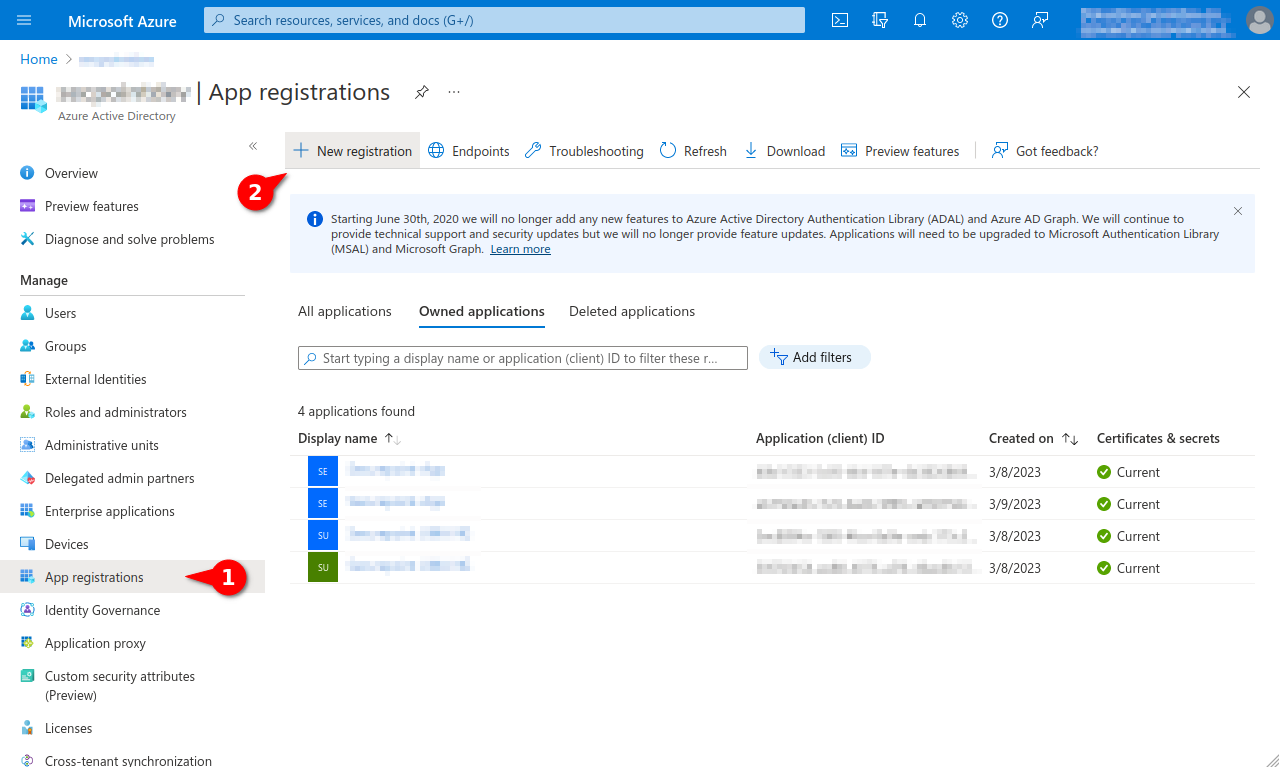 Azure New Registration-en.png 1.280 × 767; 138 KB
-
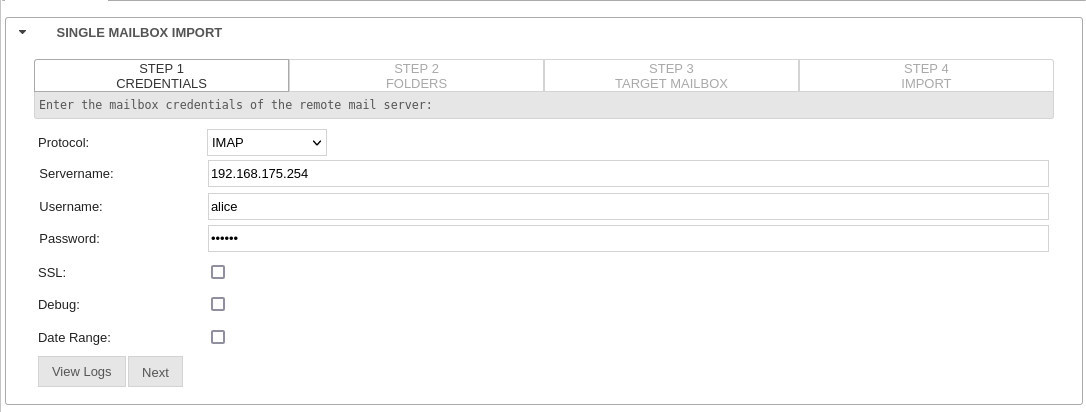 UMA3.3 Mailbox-Importieren lokale-UMA-UMAaaS-en.png 1.086 × 412; 35 KB
-
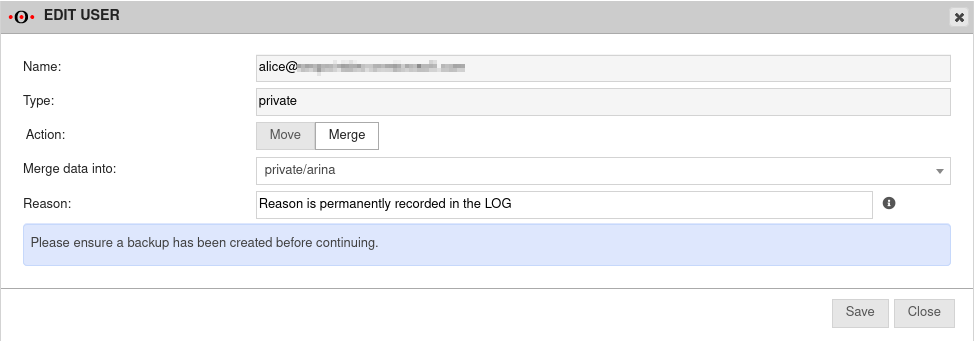 UMAv3.3 Benutzer Zusammenführen-en.png 974 × 341; 32 KB
-
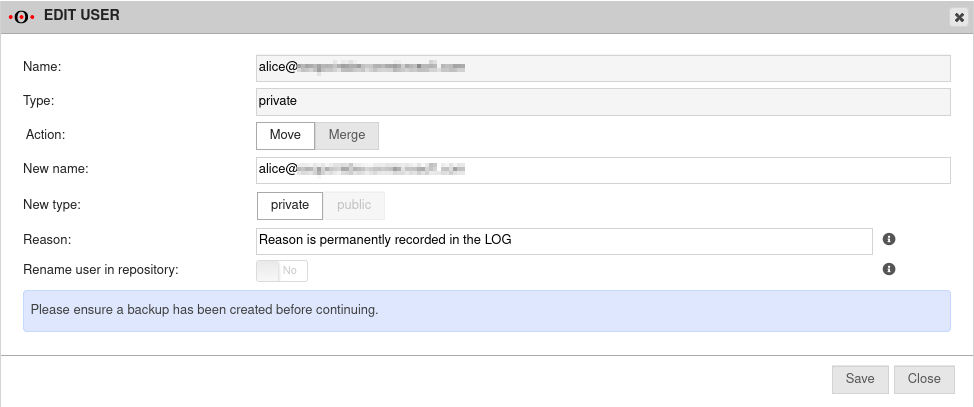 UMAv3.3 Konten LDAP Benutzer verschieben-en.png 974 × 407; 38 KB
-
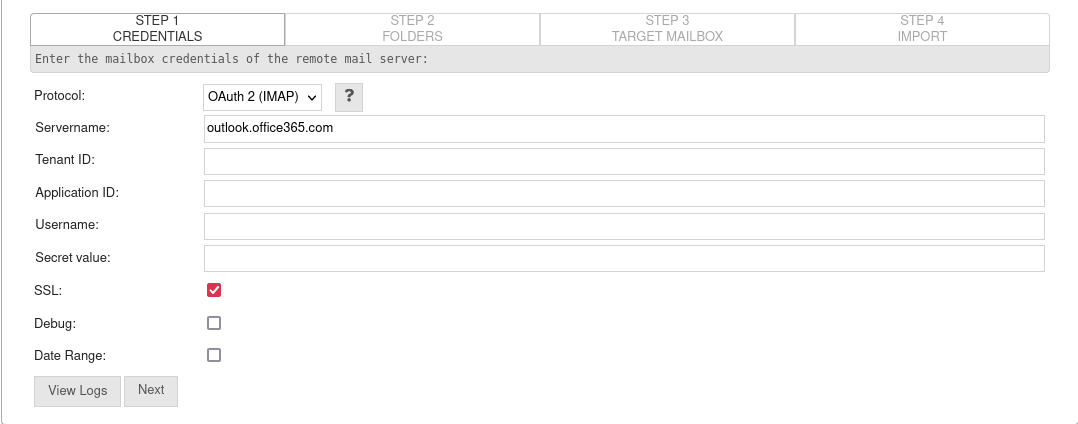 UMAv3.3.1 Importieren Mailbox Einzel Schritt1 OAuth2-en.png 1.078 × 424; 38 KB
-
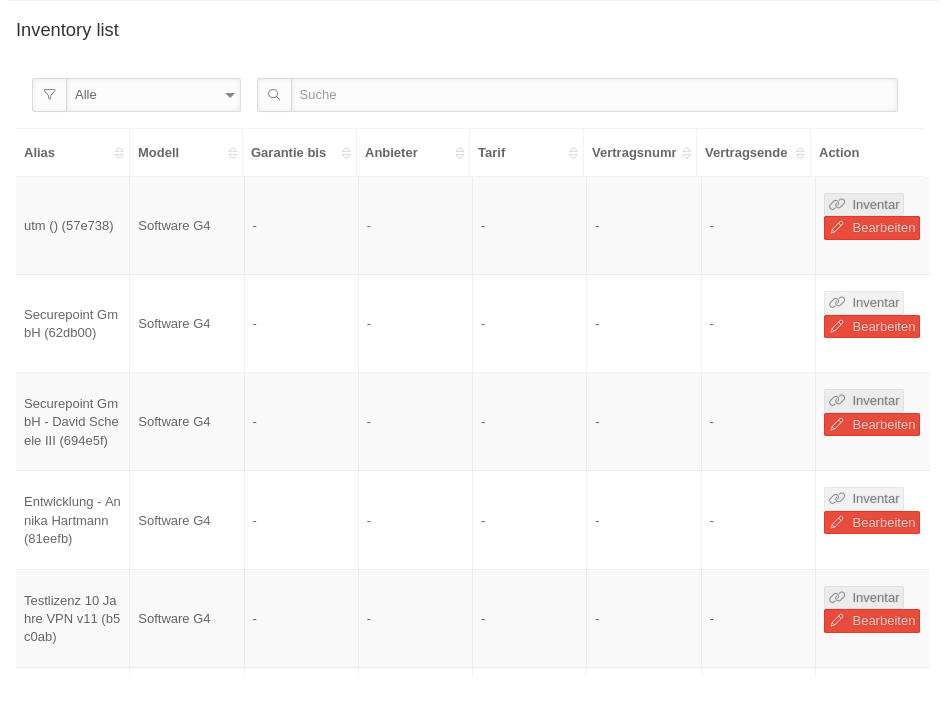 MS 1.12 Inventar Inventory-list.png 946 × 713; 77 KB
-
 MS 1.12 Inventar Productselection.png 946 × 105; 7 KB
-
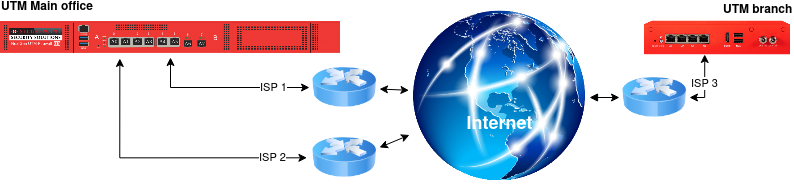 SSL-VPN Site-to-Site Fallback-en.png 794 × 188; 89 KB
-
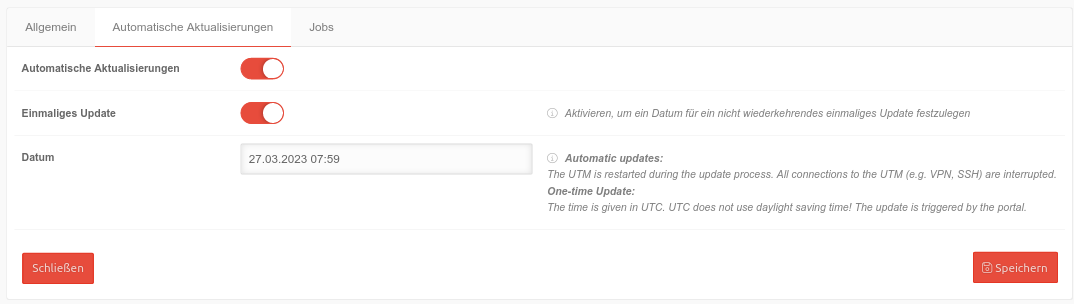 USC v1.13 Profile einmalig.png 1.074 × 304; 41 KB
-
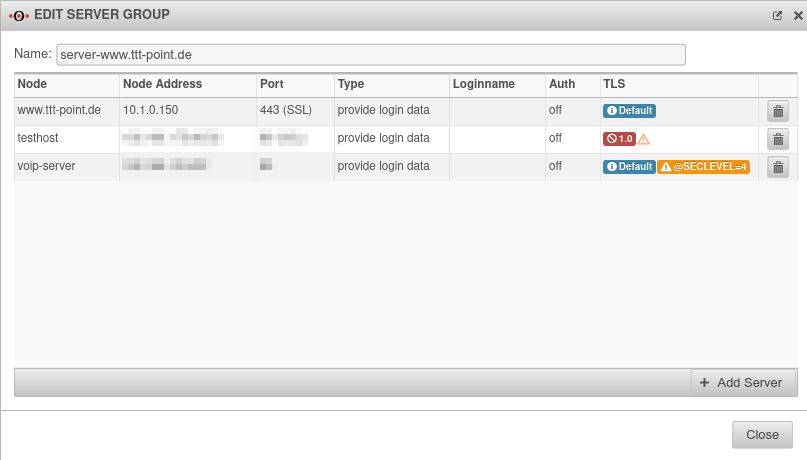 UTM v12.3.6 Reverse-Proxy Servergruppe bearbeiten-en.png 807 × 460; 35 KB
-
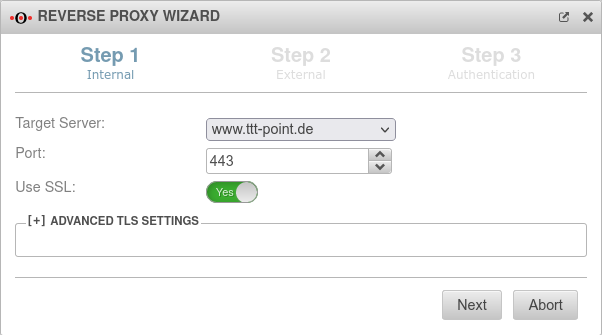 UTM v12.3.6 Reverse-Proxy Assistent Schritt 1-en.png 602 × 335; 28 KB
-
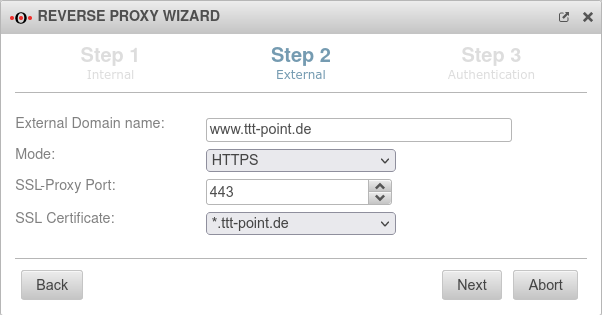 UTM v12.3.6 Reverse-Proxy Assistent Schritt 2-en.png 602 × 315; 29 KB
-
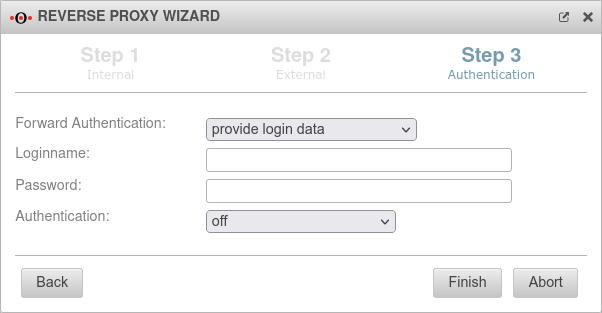 UTM v12.3.6 Reverse-Proxy Assistent Schritt 3-en.png 602 × 313; 27 KB
-
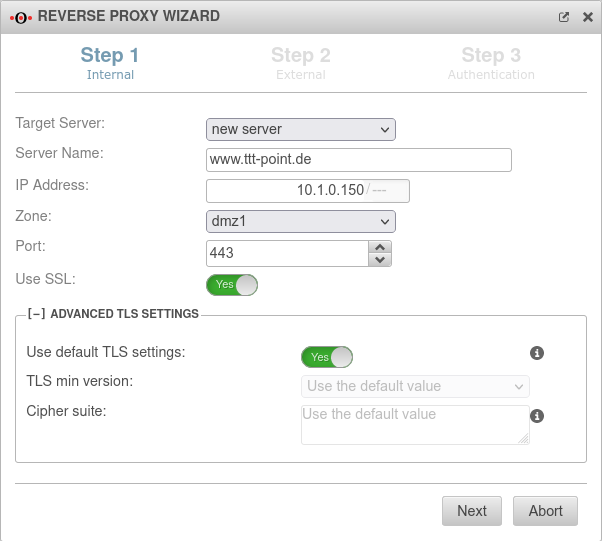 UTM v12.3.6 Reverse-Proxy Assistent Schritt 1 Server anlegen-en.png 602 × 541; 49 KB
-
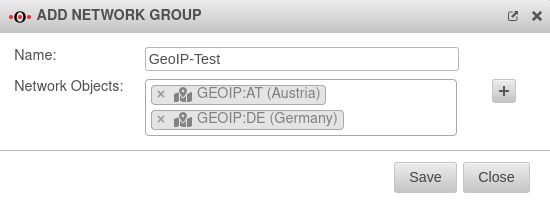
-
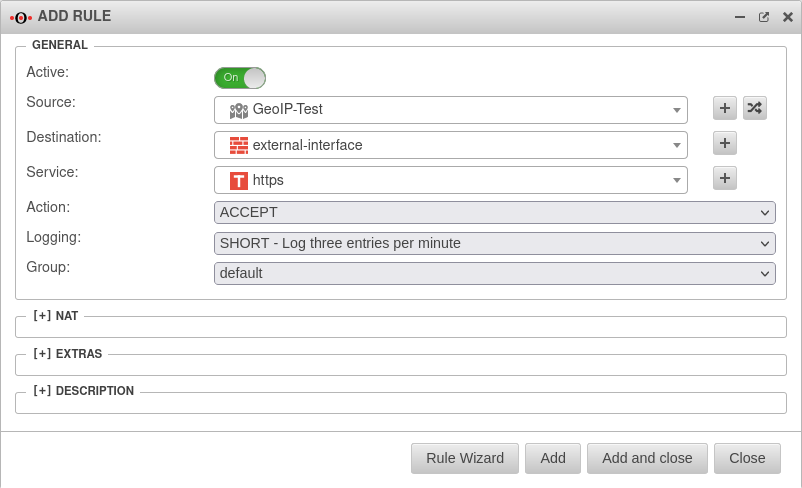 UTM v12.3.5 Firewall Portfilterregel hinzufügen GeoIP-en.png 802 × 488; 44 KB
-
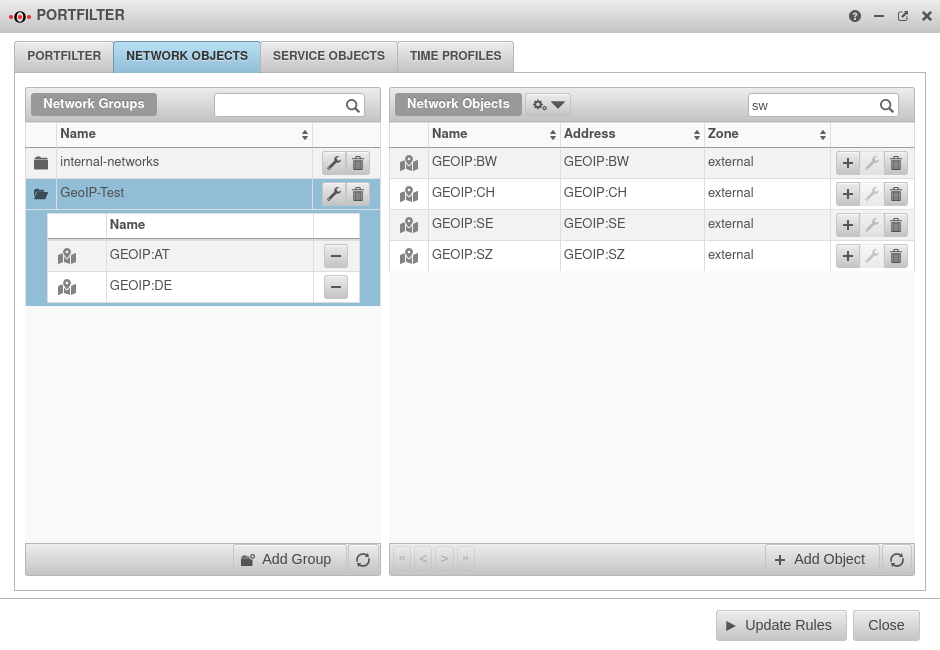 UTM v12.3.5 Firewall Portfilter Netzwerkobjekte schw-en.png 940 × 650; 69 KB
-
 Video GeoIP.png 512 × 276; 110 KB
-
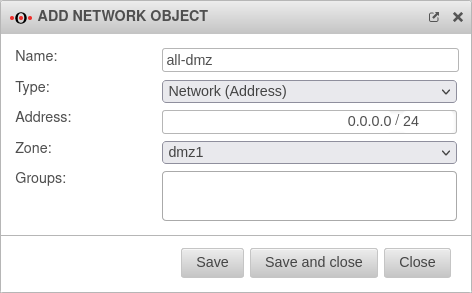 UTM v12.3.5 Firewall Portfilter Netzwerkobjekte hinzufügen-en.png 472 × 293; 21 KB
-
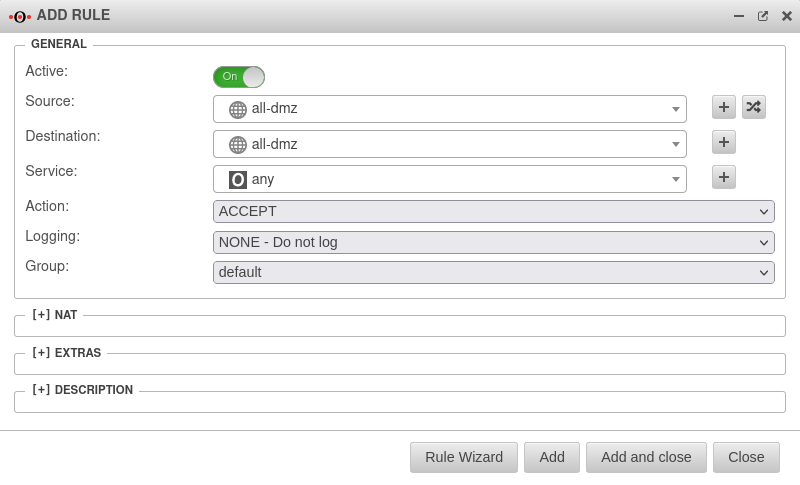 UTM v12.3.5 Firewall Portfilterregel hinzufügen all-dmz-en.png 800 × 485; 41 KB
-
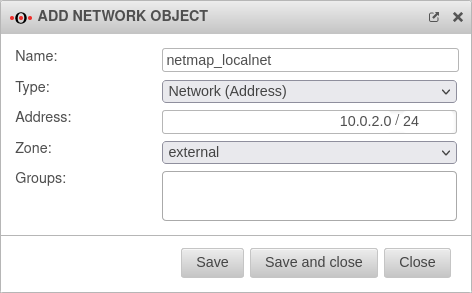
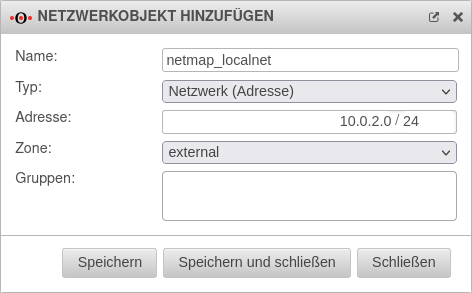 UTM v12.4.0 Firewall Portfilter Netzwerkobjekt Filiale localnet.png 472 × 293; 25 KB
-
-
-

-
-
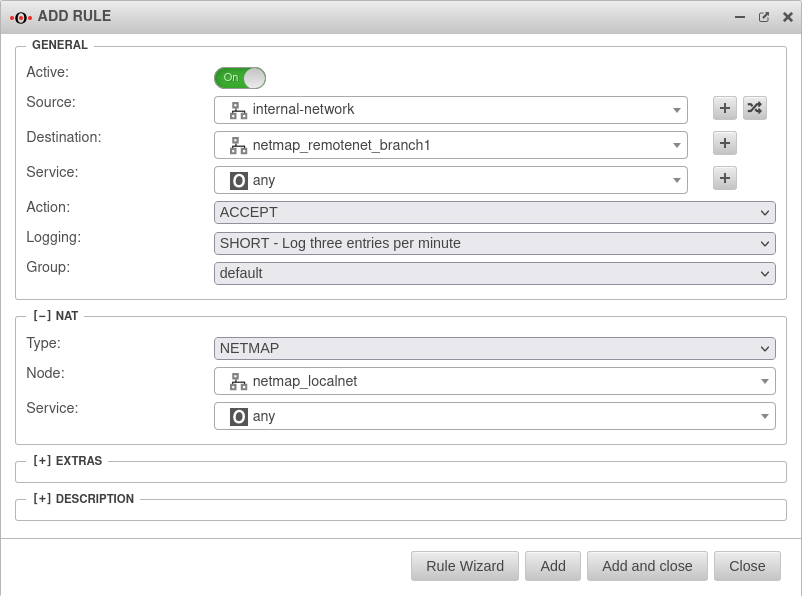 UTM v12.4.0 Firewall Portfilter Regel Zentrale-en.png 802 × 596; 54 KB
-
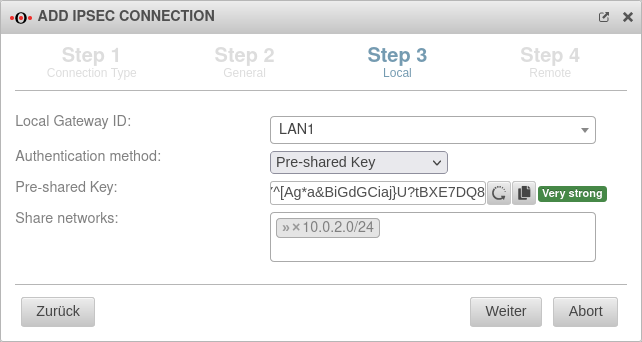 UTM v12.4.0 VPN IPSEC-Verbindung Filiale Schritt3-en.png 642 × 342; 37 KB
-
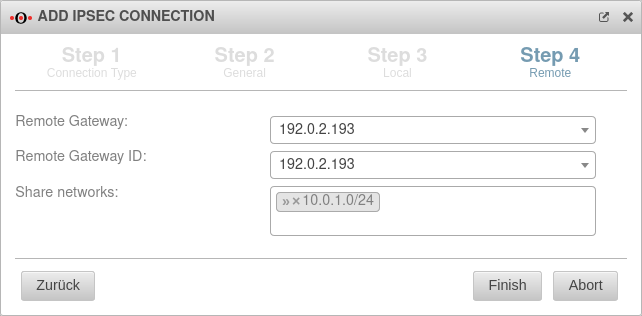 UTM v12.4.0 VPN IPSEC-Verbindung Filiale Schritt4-en.png 642 × 316; 29 KB
-
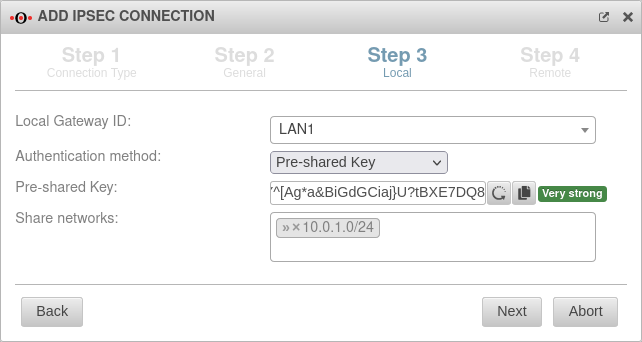 UTM v12.4.0 VPN IPSEC-Verbindung Zentrale Schritt3-en.png 642 × 342; 36 KB
-
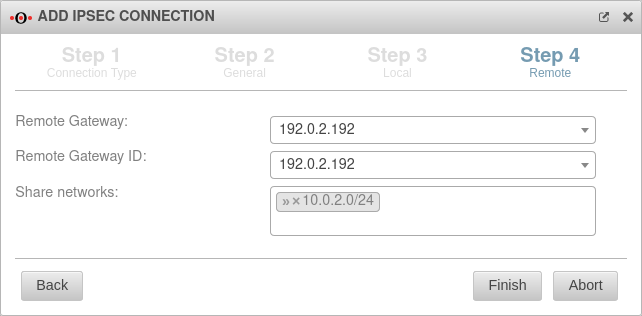 UTM v12.4.0 VPN IPSEC-Verbindung Zentrale Schritt4-en.png 642 × 316; 29 KB
-
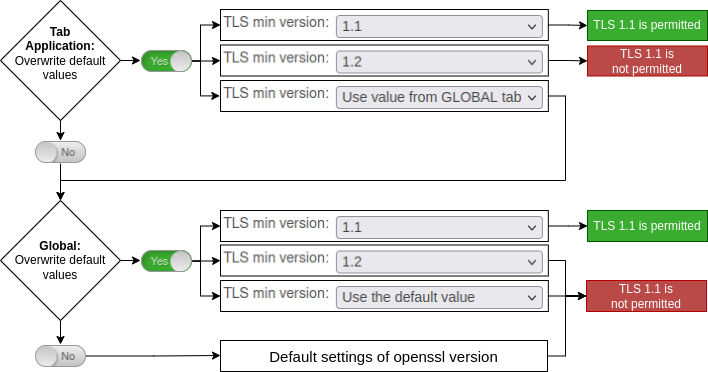 Verschluesselung-en.png 708 × 372; 62 KB
-
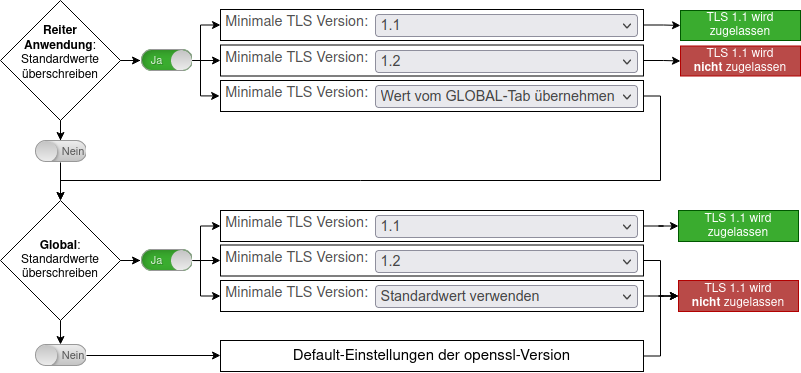 Verschluesselung.png 801 × 373; 69 KB
-
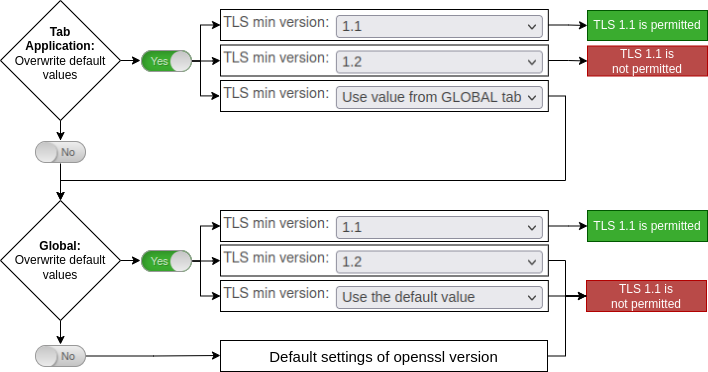 UTM v12.3.6 Verschluesselung-en.png 708 × 372; 62 KB
-
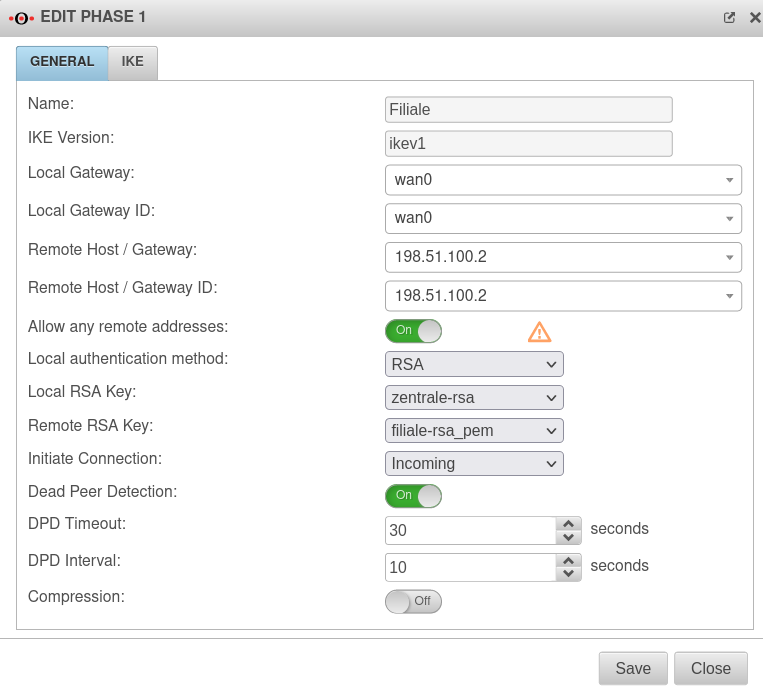 UTM v12.3.6 IPSec Phase 1 multipath genattet Filiale-en.png 763 × 690; 79 KB


