Bitte beachte, dass andere Webseiten eine Datei mit einer direkten URL verlinken können. Diese könnte daher hier aufgelistet sein, obwohl diese in aktiver Verwendung ist.
Unten werden bis zu 50 Ergebnisse im Bereich 4.101 bis 4.150 angezeigt.
-
 Video UTM Reverse-Proxy.png 507 × 287; 42 KB
-

-
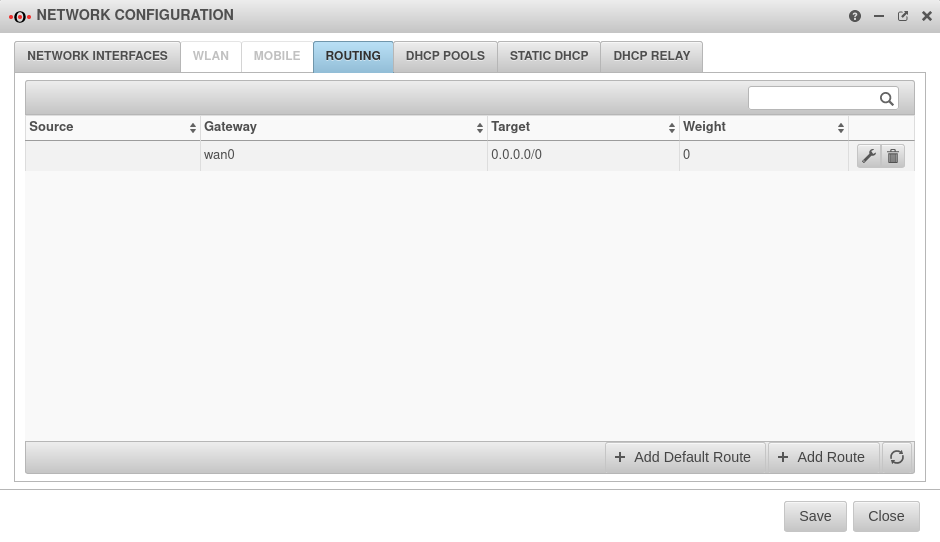 UTM v12.2.5.1 Netzwerk Netzwerkkonfiguration Routing wan0-en.png 940 × 542; 40 KB
-
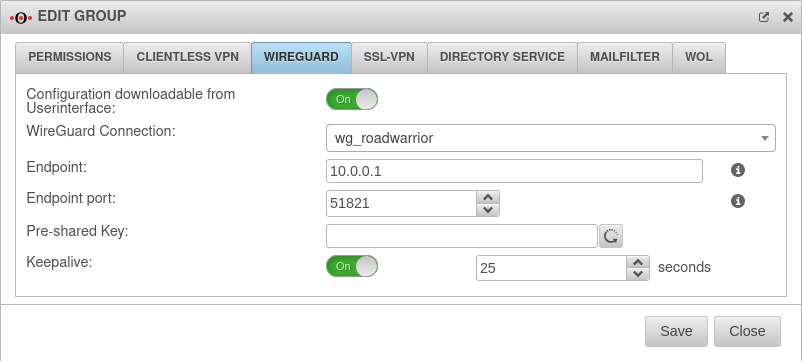 UTM v12.5 Authentifizierung Gruppe WireGuard-en.png 802 × 361; 45 KB
-
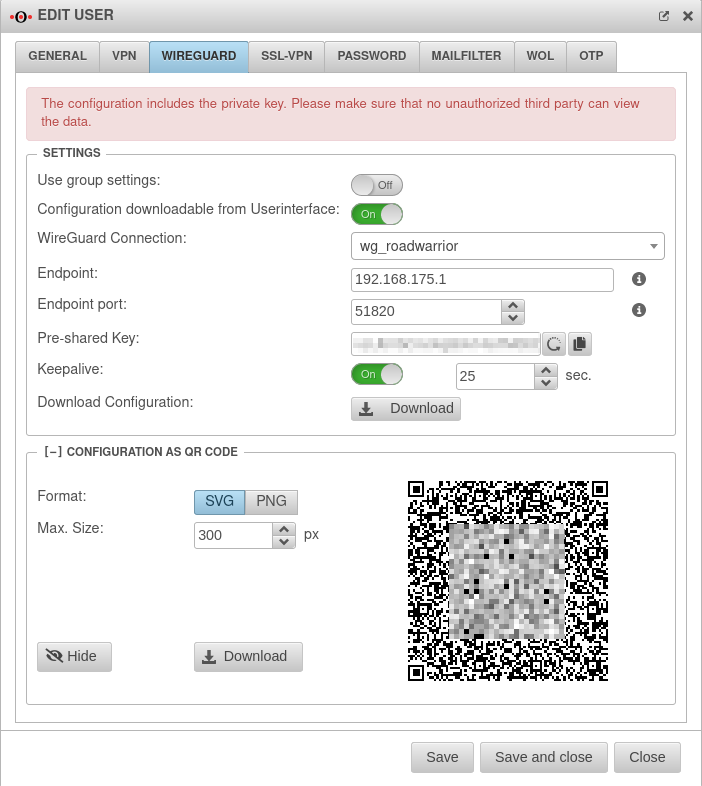 UTM v12.5 Authentifizierung Benutzer WireGuard-en.png 702 × 786; 81 KB
-
 Key-skeleton-gear-white.svg 507 × 487; 5 KB
-
 Save-and-restart.svg 585 × 481; 3 KB
-
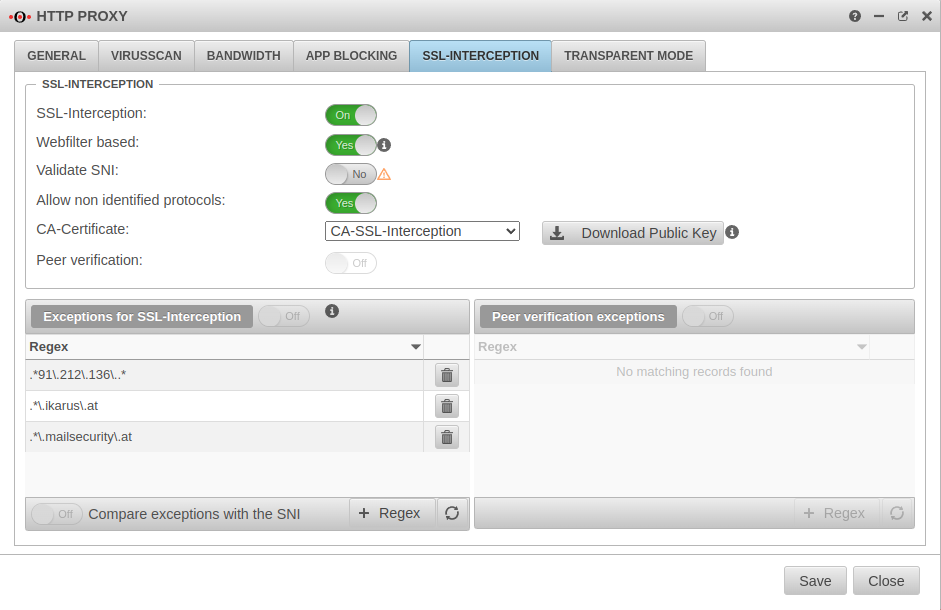 UTM v12.5.2 HTTP-Proxy SSL-Interception-en.png 941 × 610; 81 KB
-
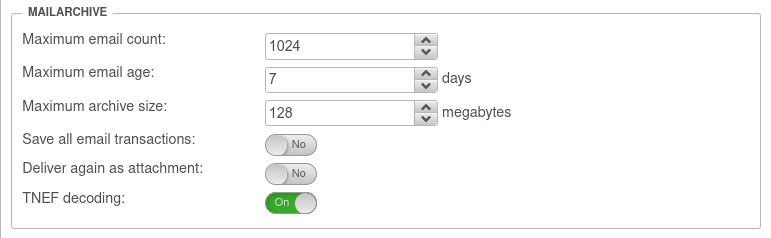 UTM v12.5.2 Mailfilter Einstellungen Mailarchiv-en.png 771 × 238; 27 KB
-
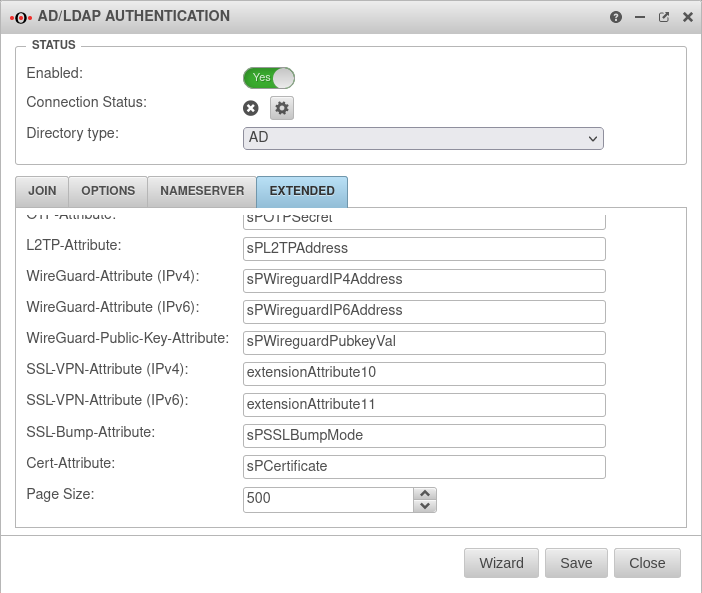 UTM v12.5.1 AD-LDAP Erweitert SSL-VPN-Attribut-en.png 702 × 593; 69 KB
-
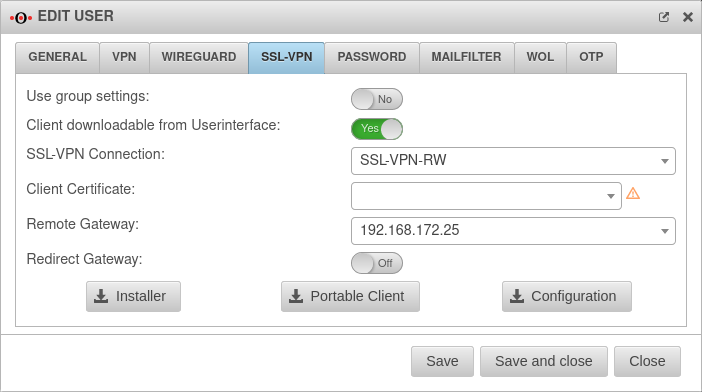
-
-
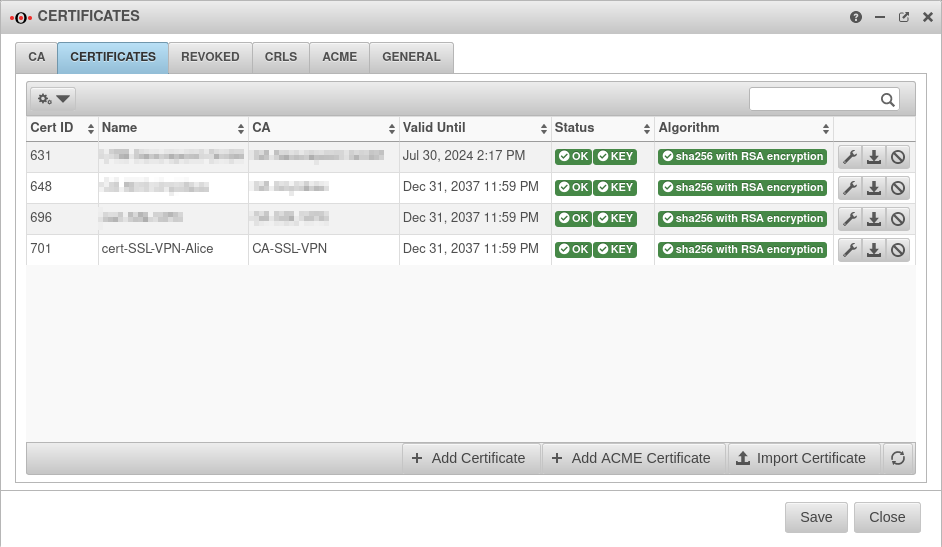 UTM v12.5.1 Zertifikat SSL-VPN Zertifikat Benutzer-en.png 942 × 547; 81 KB
-
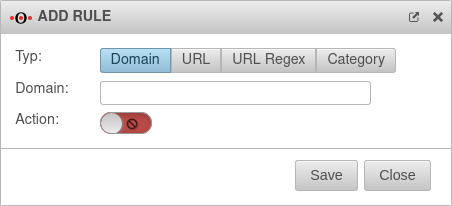 UTM v12.2.2 Webfilter Regel hinzufügen-en.png 452 × 206; 16 KB
-
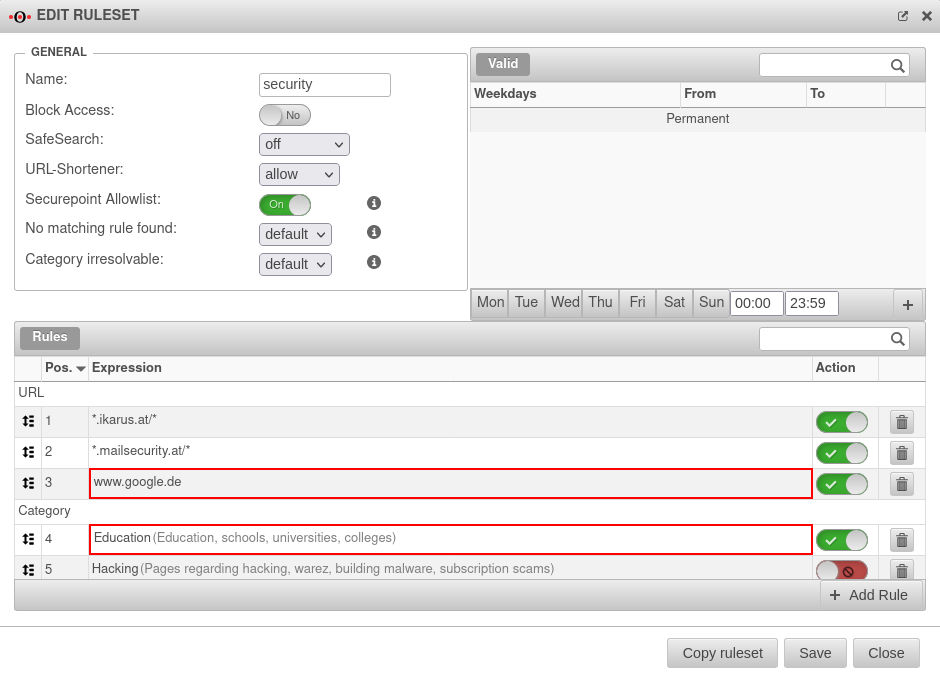 UTM v12.5 Anwendungen Webfilter Whitelist Beispiel-en.png 940 × 679; 89 KB
-
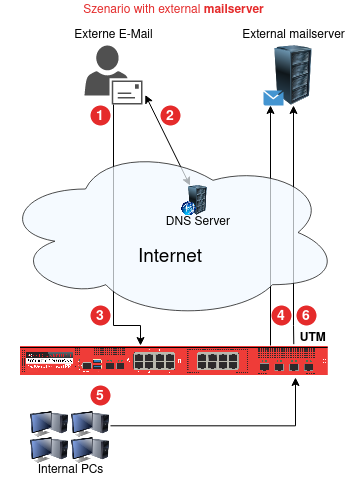 UTM Mailrelay Mailserver extern-en.png 345 × 477; 44 KB
-
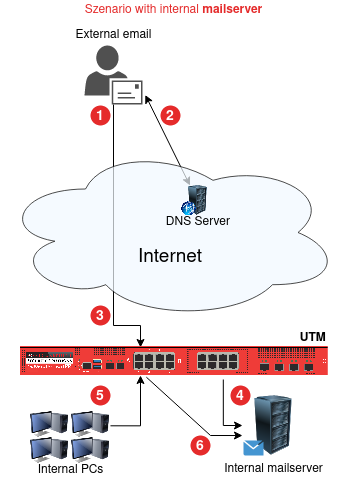 UTM Mailrelay Mailserver intern-en.png 342 × 477; 43 KB
-
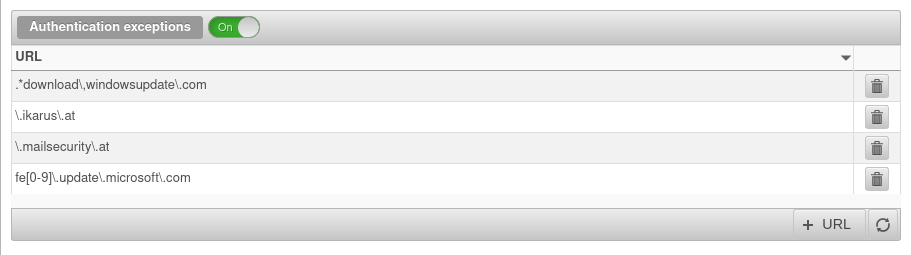 UTM v12.5 HTTP-Proxy Authentifizierungsausnahmen ms-update-en.png 911 × 255; 27 KB
-
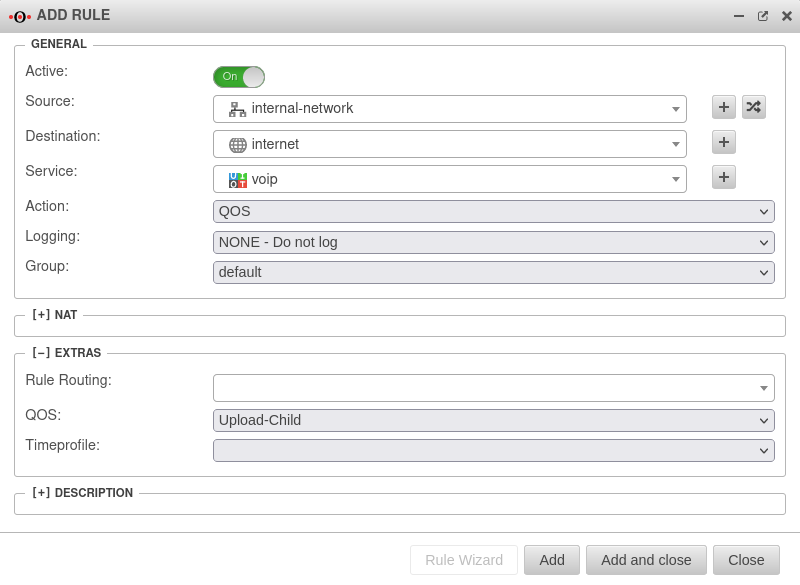 UTM v12.5.1 Firewall Portfilterregel hinzufügen QOS-en.png 800 × 585; 50 KB
-
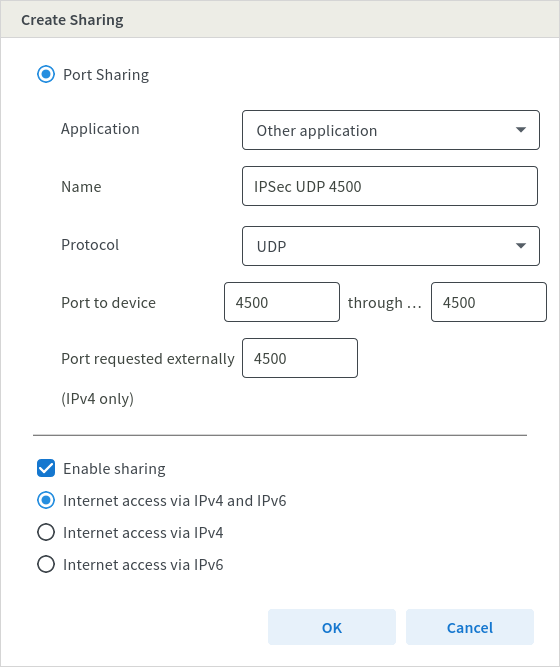 Fritz!Box Internet Freigaben Portfreigaben Freigaben UDP4500-en.png 560 × 667; 47 KB
-
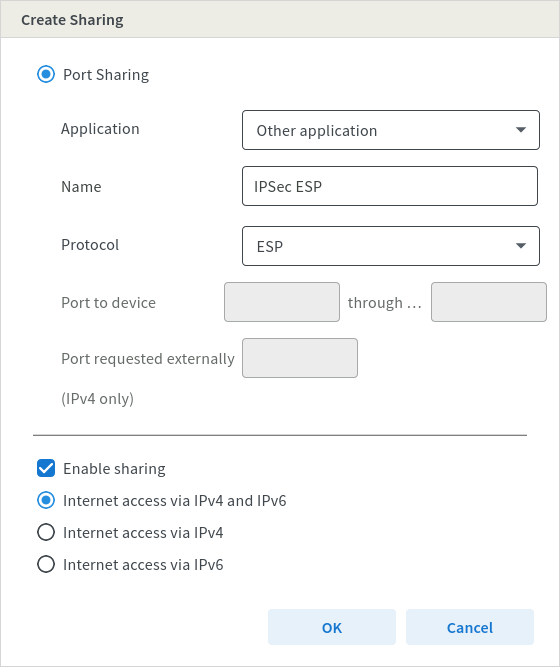 Fritz!Box Internet Freigaben Portfreigaben Freigaben ESP-en.png 560 × 667; 44 KB
-
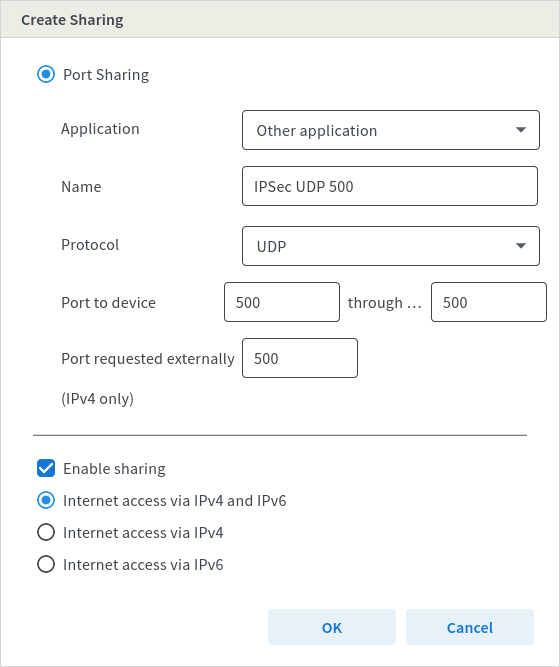 Fritz!Box Internet Freigaben Portfreigaben Freigaben UDP500-en.png 560 × 667; 47 KB
-
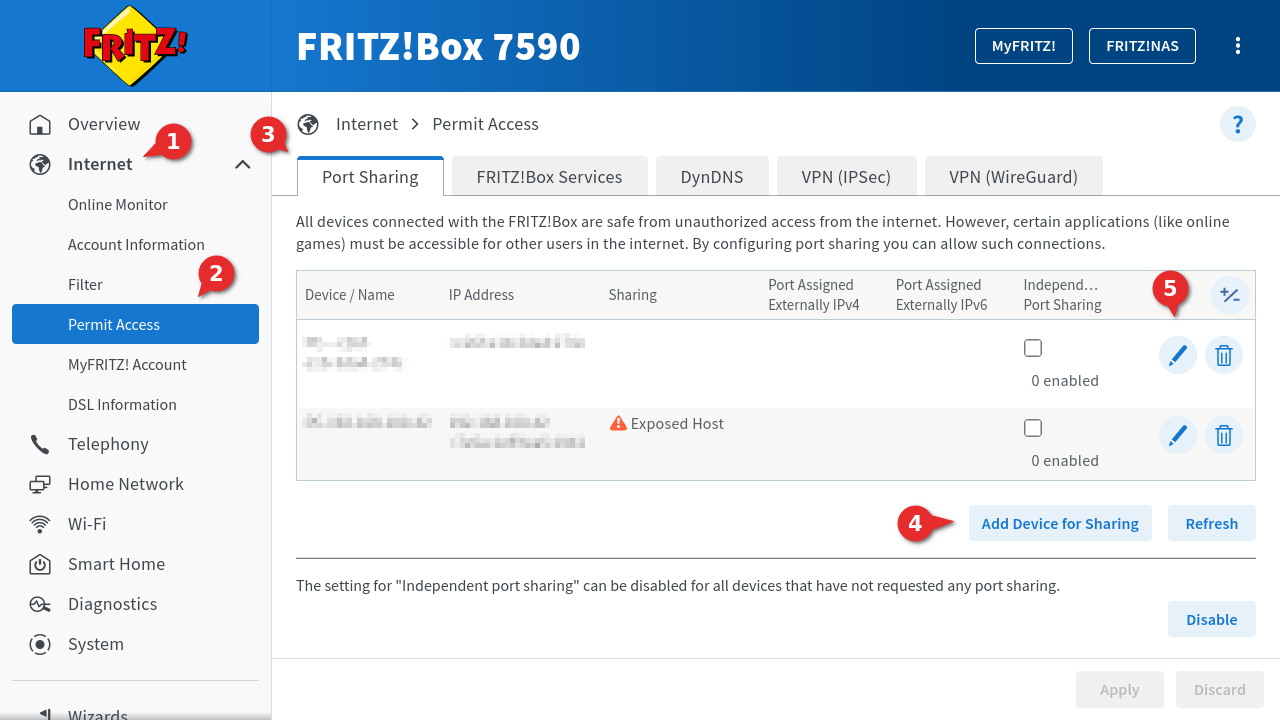 Fritz!Box Internet Freigaben Portfreigaben hinzufügen-en.png 1.280 × 720; 136 KB
-
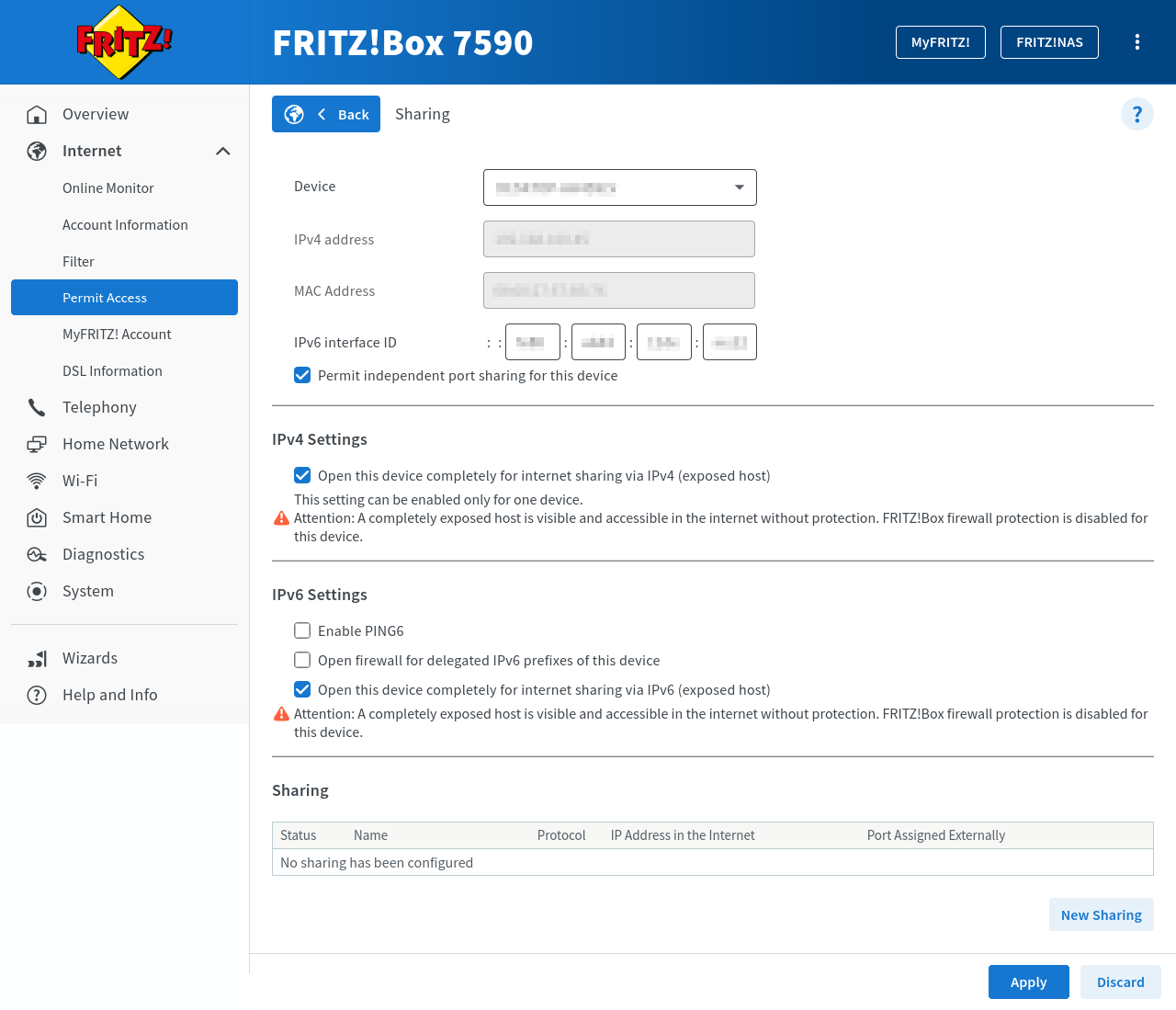 Fritz!Box Internet Freigaben Portfreigaben konfig-en.png 1.280 × 1.099; 130 KB
-
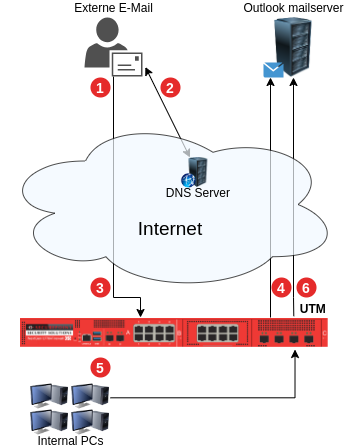 UTM Mailrelay Outlook-Office365-en.png 344 × 448; 706 KB
-
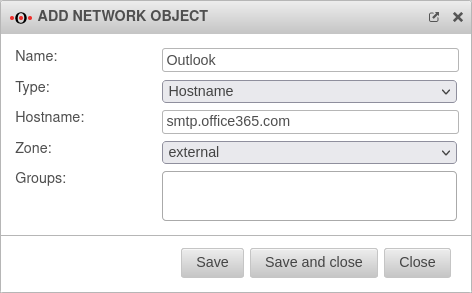 UTM v12.5.1 Firewall Netzwerkobjekt Outlook-en.png 472 × 293; 22 KB
-
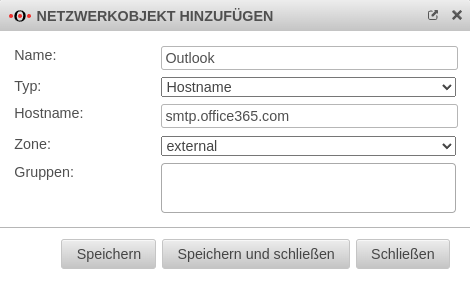 UTM v12.5.1 Firewall Netzwerkobjekt Outlook.png 470 × 283; 30 KB
-
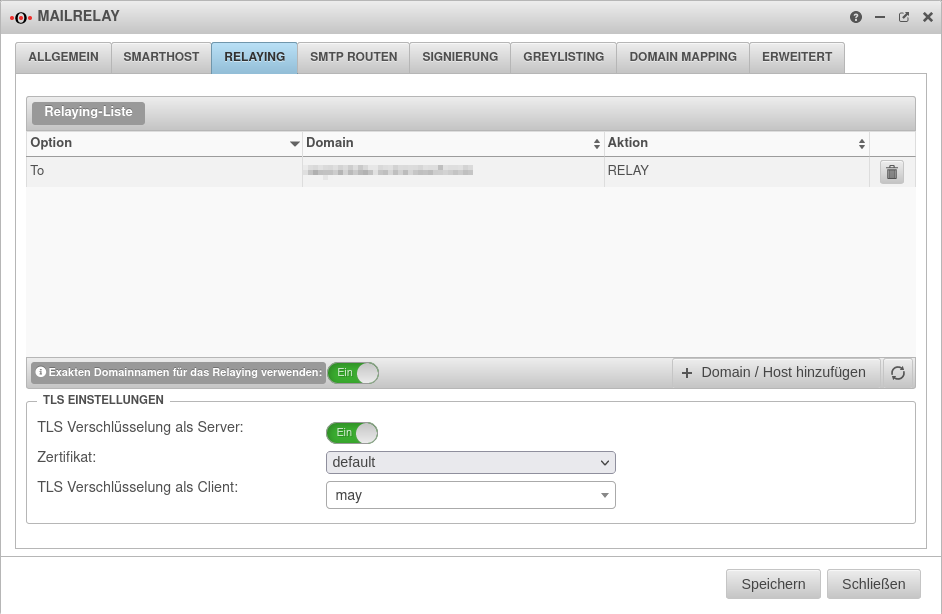 UTM v12.5.1 Mailrelay Relaying vor-Office365.png 942 × 614; 59 KB
-
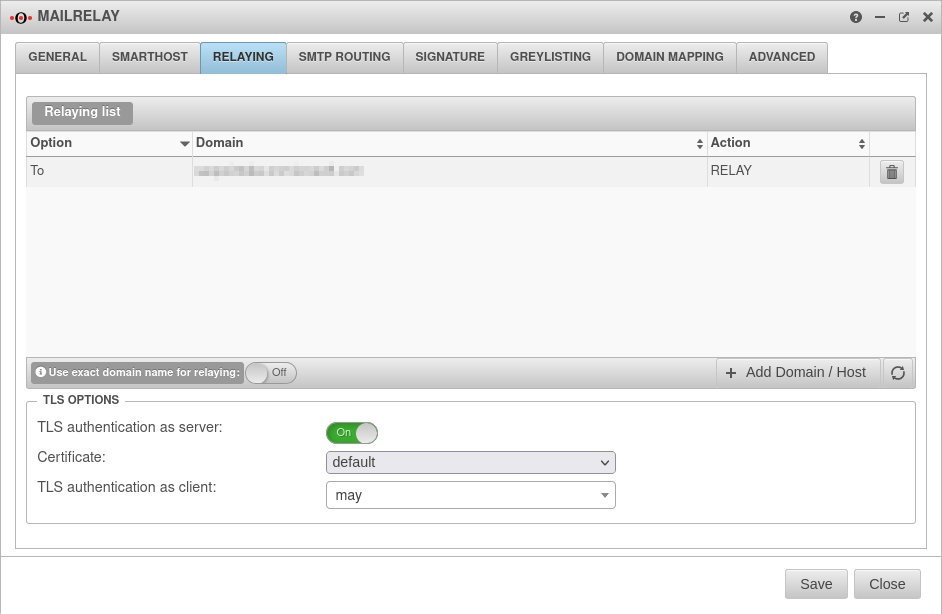 UTM v12.5.1 Mailrelay Relaying vor-Office365-en.png 942 × 614; 55 KB
-
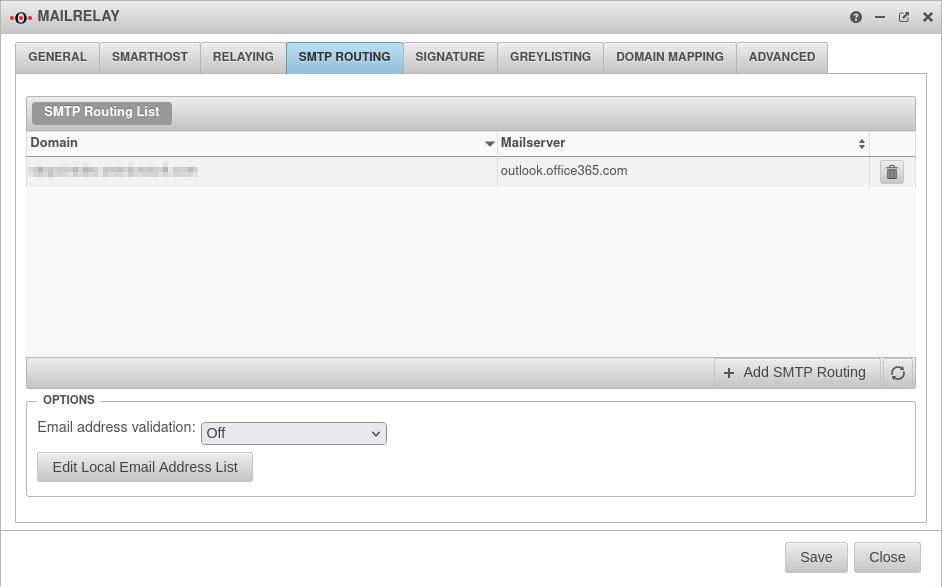 UTM v12.5.1 Mailrelay SMTP-Routen vor-Office365-en.png 942 × 587; 47 KB
-
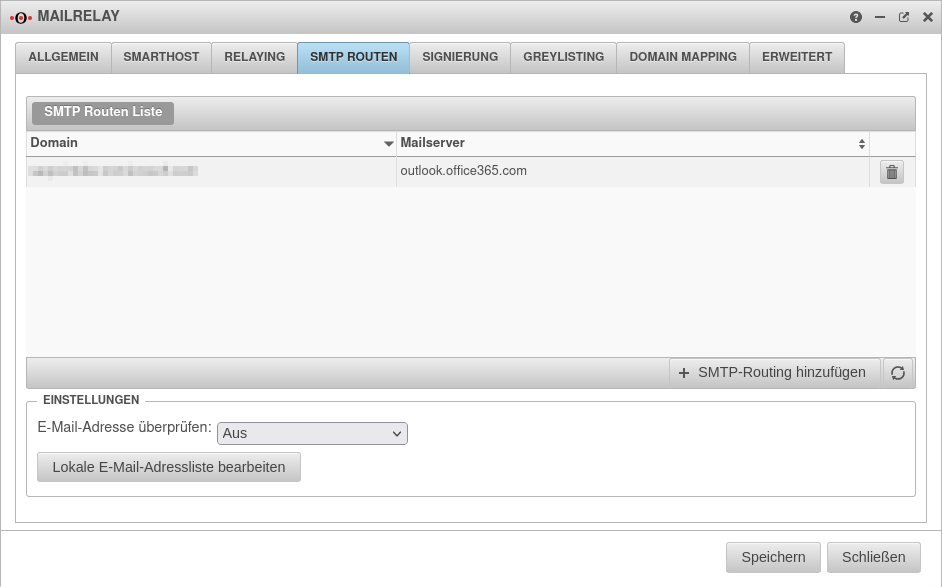 UTM v12.5.1 Mailrelay SMTP-Routen vor-Office365.png 942 × 587; 49 KB
-
 UTM v12.5.1 Portfilter Regeln Mailrelay-vor-Office365.png 889 × 119; 25 KB
-
 UTM v12.5.1 Portfilter Regeln Mailrelay-vor-Office365-en.png 889 × 119; 26 KB
-
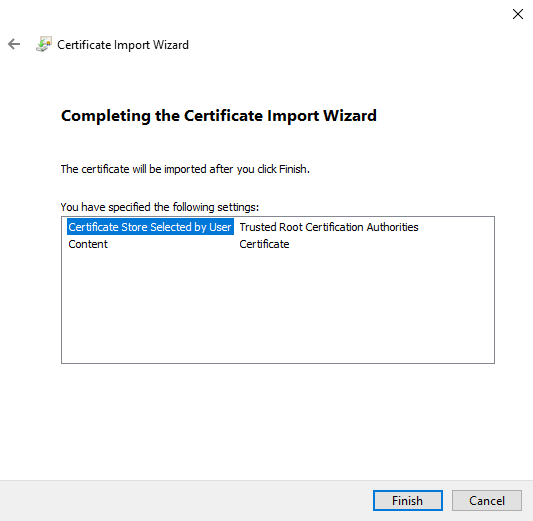 UTM Windows-Client Server-Zertifikat Install Schritt3-en.png 533 × 521; 20 KB
-
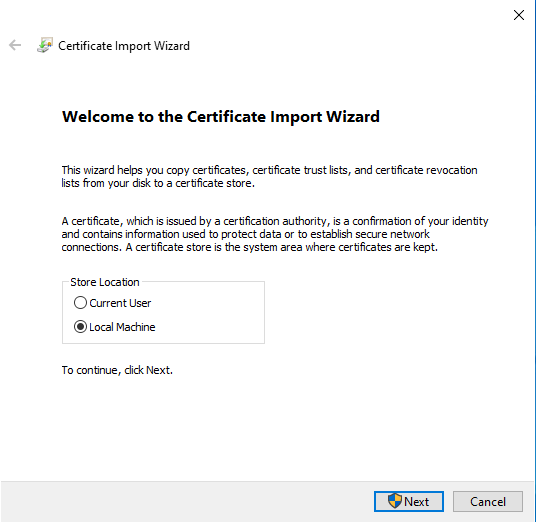 UTM Windows-Client Server-Zertifikat Install Schritt1-en.png 536 × 522; 27 KB
-
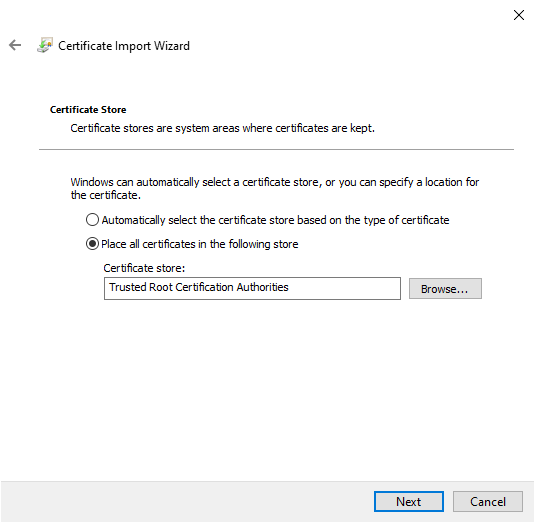 UTM Windows-Client Server-Zertifikat Install Schritt2-en.png 534 × 522; 23 KB
-
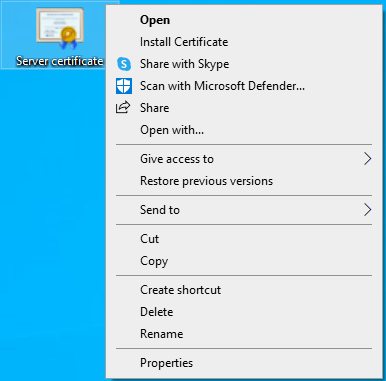 UTM Windows-Client Server-Zertifikat Import-Install-en.png 386 × 381; 34 KB
-
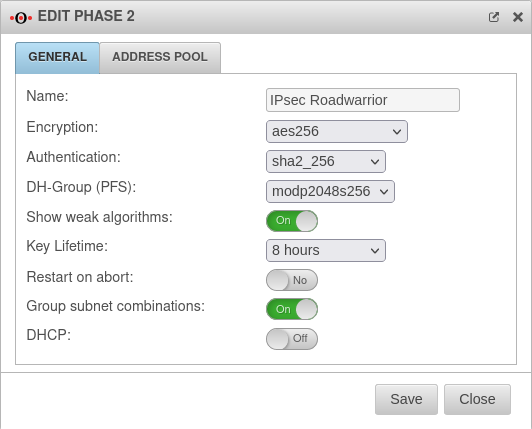 UTM v12.5.1 VPN IPSec-Windows RW IKEv2 Phase2-en.png 532 × 429; 43 KB
-
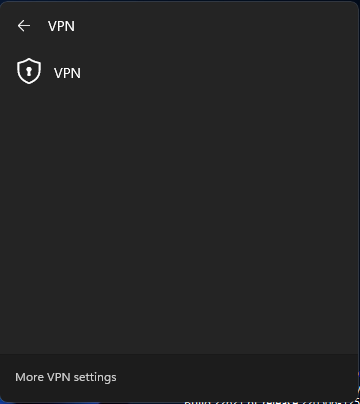 UTM Windows-Client VPN-Menü-en.png 360 × 404; 13 KB
-
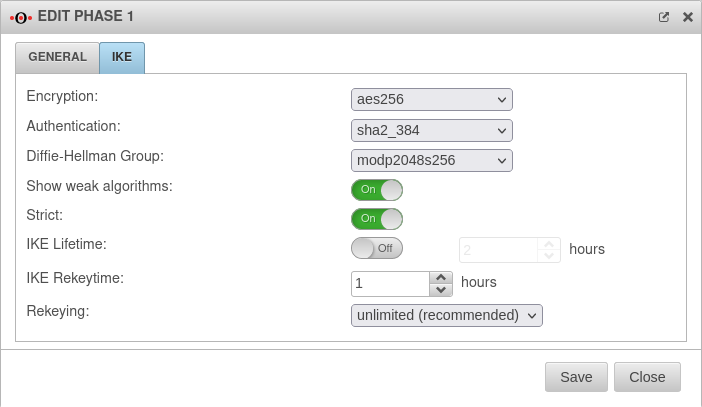 UTM v12.5.1 VPN IPSec-Windows RW IKEv2 Phase1-en.png 702 × 407; 42 KB
-
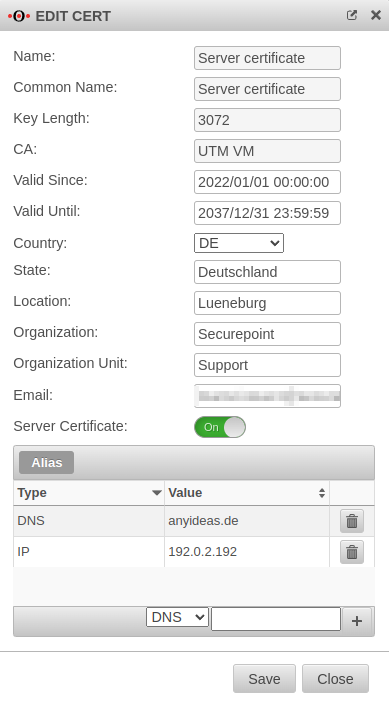
-
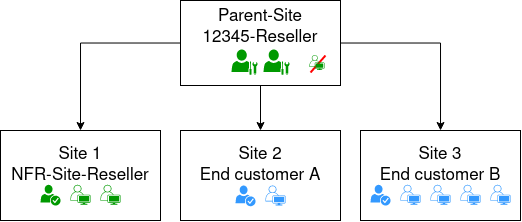 SUB v1 Vault-Account-en.png 522 × 222; 18 KB
-
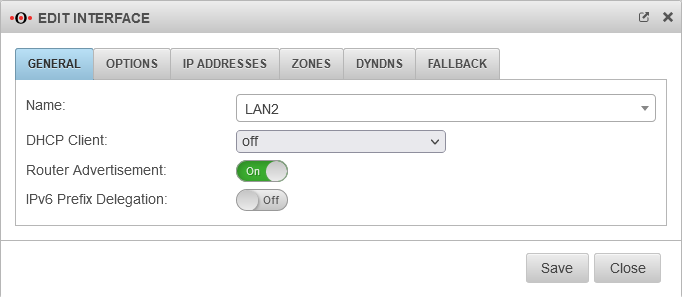
-
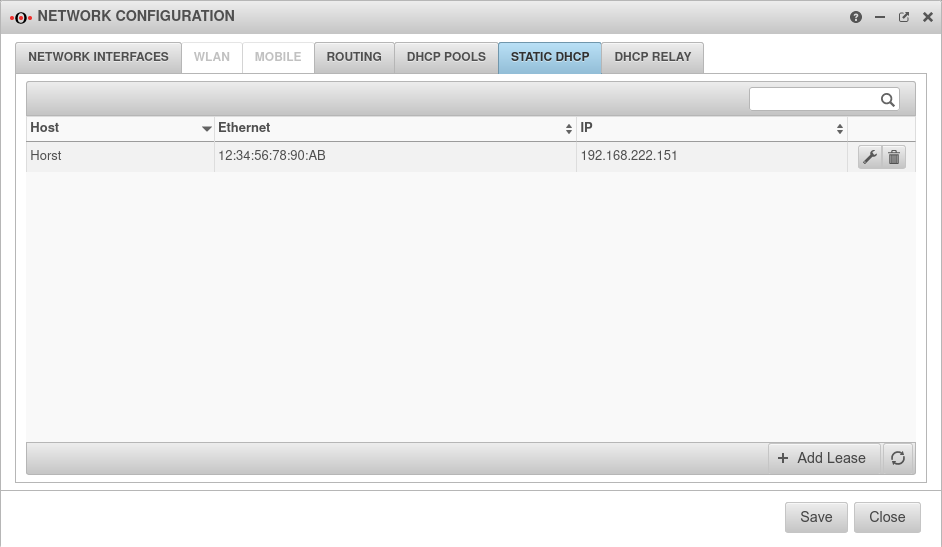 UTM v12.5 Netzwerk Netzwerkkonfiguration Statisches DHCP-en.png 942 × 547; 40 KB
-
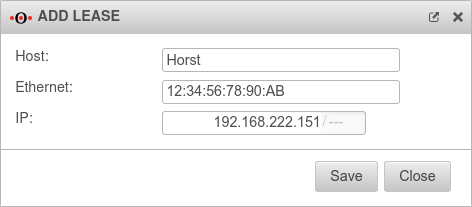
-
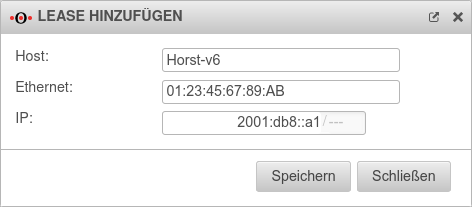
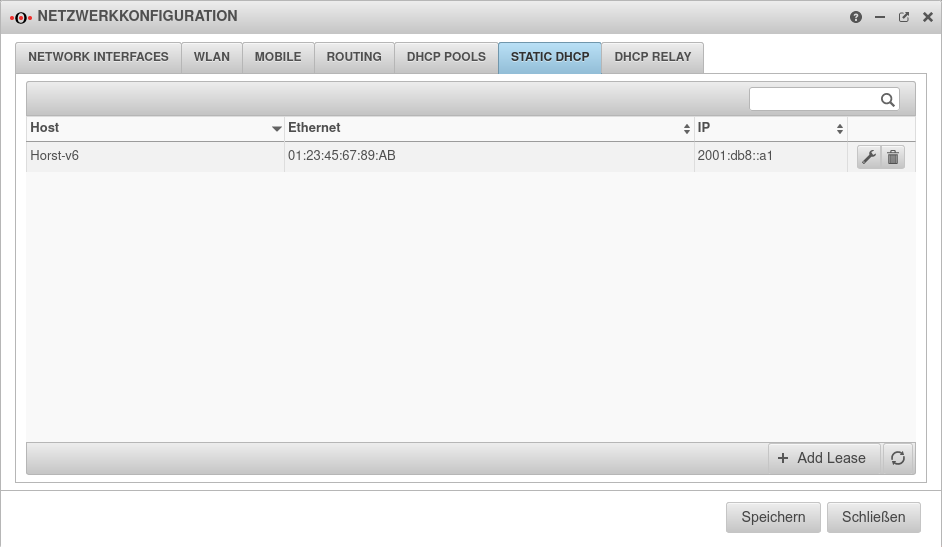 UTM v12.5 Netzwerk Netzwerkkonfiguration Statisches DHCPv6-en.png 942 × 547; 41 KB
-
-
 Fa-split.png 45 × 43; 2 KB
-
 Fa-shield-keyhole.png 41 × 44; 2 KB
-
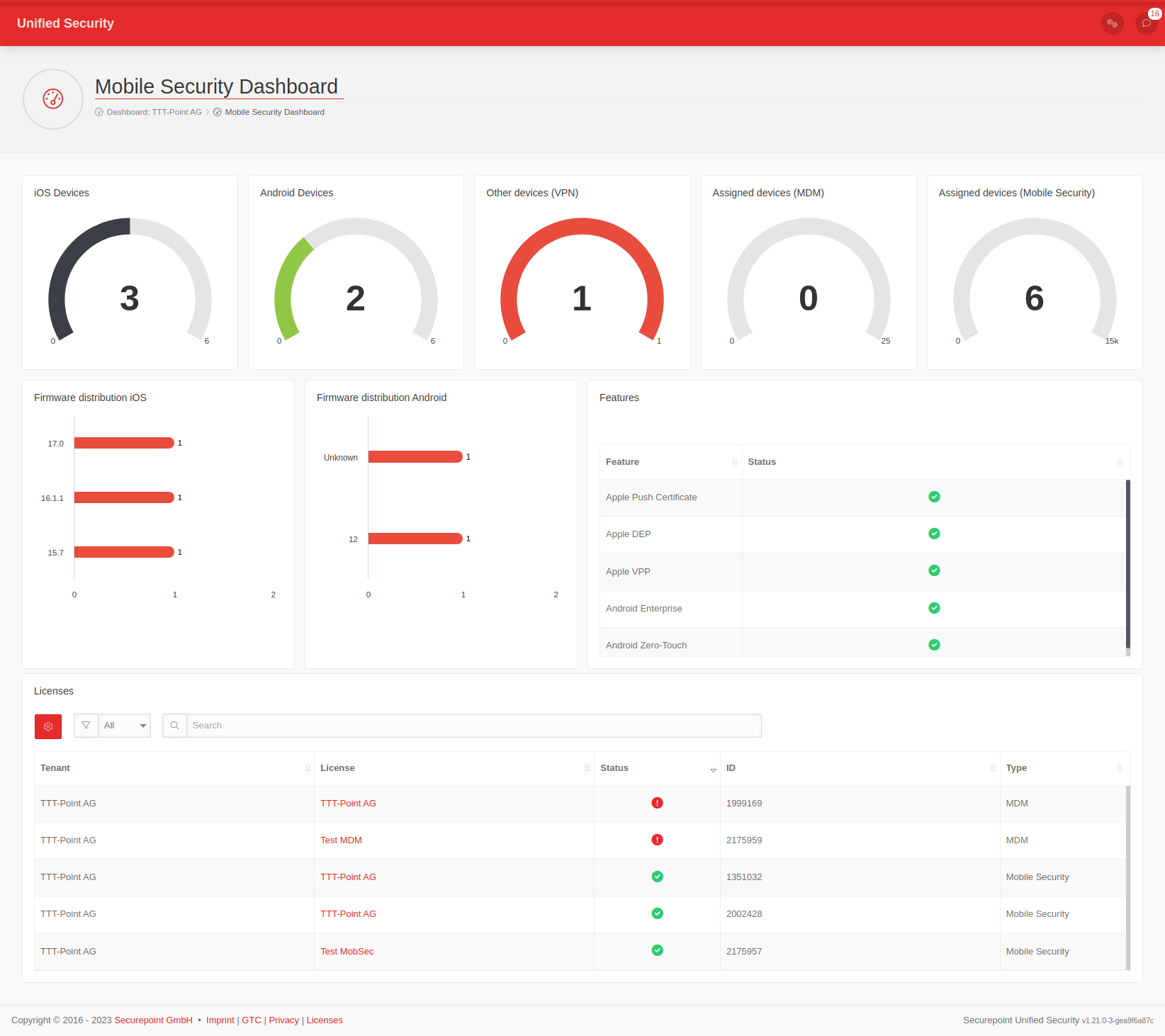 MS v1.21 Dashboard full-en.png 1.644 × 1.462; 111 KB


