Bitte beachte, dass andere Webseiten eine Datei mit einer direkten URL verlinken können. Diese könnte daher hier aufgelistet sein, obwohl diese in aktiver Verwendung ist.
Unten werden bis zu 50 Ergebnisse im Bereich 5.951 bis 6.000 angezeigt.
-
 VPN-Client v3.0 Konfigurations-Wizard SSLVPN Schritt 4-en.png 800 × 450; 39 KB
-
 VPN-Client v3.0 Konfigurations-Wizard SSLVPN Schritt 5-en.png 800 × 450; 47 KB
-
 VPN-Client v3.0 Konfigurations-Wizard SSLVPN Schritt 6-en.png 800 × 450; 43 KB
-
 VPN-Client v3.0 Konfigurations-Wizard WireGuard Schritt 3-en.png 800 × 450; 39 KB
-
 VPN-Client v3.0 Konfigurations-Wizard WireGuard Schritt 3b.png 800 × 450; 37 KB
-
 VPN-Client v3.0 Konfigurations-Wizard WireGuard Schritt 4-en.png 800 × 450; 46 KB
-
 VPN-Client v3.0 Konfigurations-Wizard WireGuard Schritt 5-en.png 800 × 450; 41 KB
-
 VPN-Client v3.0 Konfigurations-Wizard WireGuard Schritt 6-en.png 800 × 450; 38 KB
-
 VPN-Client v3.0 Log-en.png 800 × 450; 60 KB
-
 VPN-Client v3.0 Migration Schritt 1-en.png 800 × 450; 45 KB
-
 VPN-Client v3.0 Migration Schritt 2-en.png 800 × 450; 22 KB
-
 VPN-Client v3.0 Migration Schritt 3-en.png 800 × 450; 30 KB
-
 VPN-Client v3.0 Verbindungen Erweiterte Ansicht.png 802 × 452; 44 KB
-
 VPN-Client v3.0 Verbindungen Erweiterte Ansicht-en.png 800 × 450; 41 KB
-
 VPN-Client v3.0 Verbindungen Kontextmenu-en.png 286 × 407; 18 KB
-
 VPN-Client v3.0 Verbindungen Uebersicht-en.png 800 × 450; 32 KB
-
 VPN-Client v3.0 Verbindungen Uebersicht.png 800 × 450; 36 KB
-
 VPN-Client v3.0 Verbindungsknopf.png 120 × 124; 6 KB
-
 VPN-Client 3.0.0 Kompaktansicht.png 260 × 450; 33 KB
-
 VPN-Client 3.0.0 getrennt.png 257 × 410; 17 KB
-
 VPN Client v3.0 Fenster einblenden-en.png 366 × 147; 15 KB
-
 VPN-Client v3.0 Autostart aktivieren-en.png 800 × 450; 47 KB
-
 VPN-Client v3.0 Fenster anzeigen-en.png 366 × 147; 8 KB
-
 VPN-Client v3.0 Fenster anzeigen.png 386 × 143; 9 KB
-
 MaS 1.1 Mailsecurity Eingehend Route erstellen-en.png 500 × 788; 53 KB
-
 MaS 1.1 Mailsecurity Ausgehend Route erstellen-en.png 500 × 864; 54 KB
-
 MaS 1.1 Mailsecurity Eingehend Route erstellen.png 500 × 824; 58 KB
-
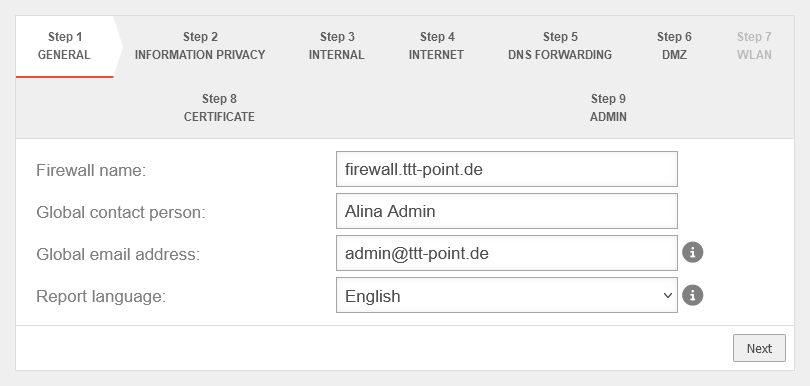 UTM v14.0.1 Installationsassistent Schritt 1-en.png 810 × 386; 24 KB
-
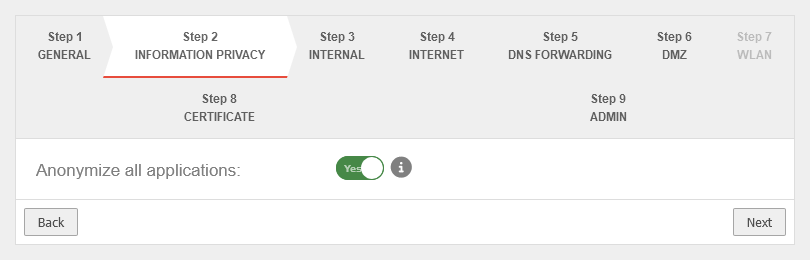 UTM v14.0.1 Installationsassistent Schritt 2-en.png 810 × 260; 16 KB
-
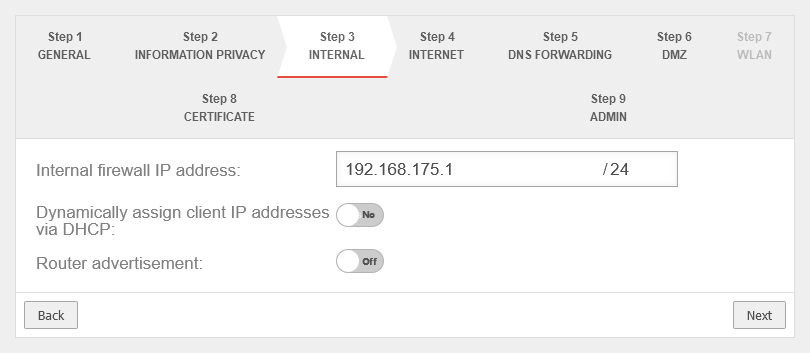 UTM v14.0.1 Installationsassistent Schritt 3a-en.png 810 × 353; 22 KB
-
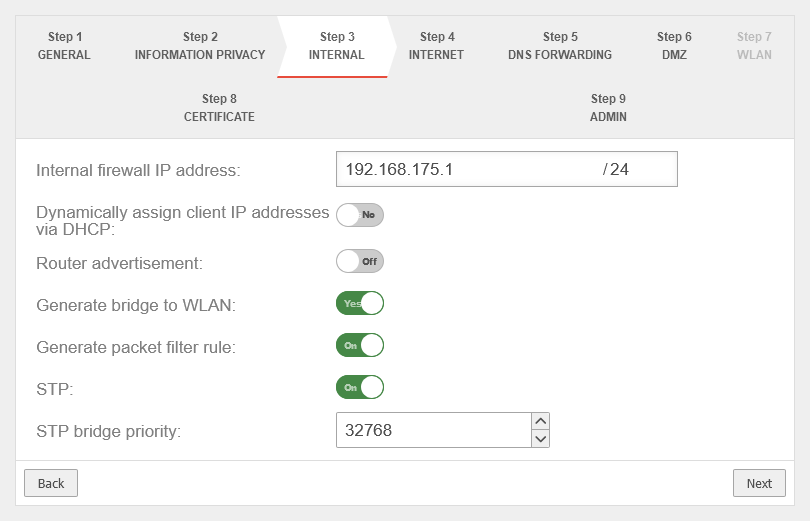 UTM v14.0.1 Installationsassistent Schritt 3b-en.png 810 × 521; 34 KB
-
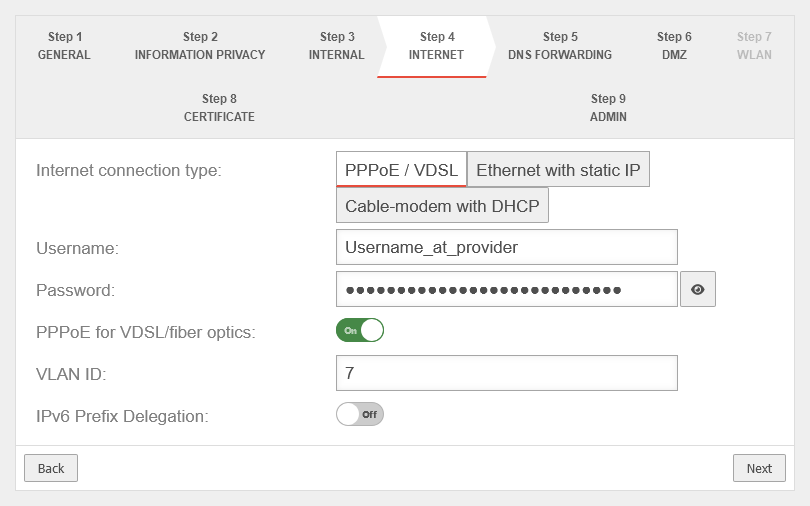 UTM v14.0.1 Installationsassistent Schritt 4a-en.png 810 × 506; 32 KB
-
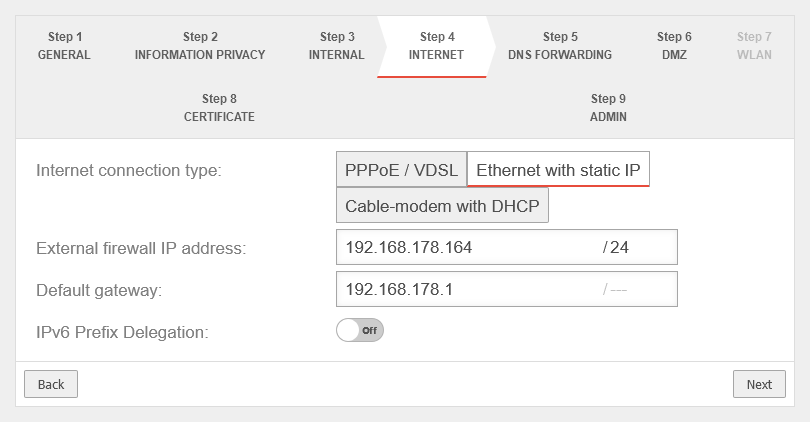 UTM v14.0.1 Installationsassistent Schritt 4b-en.png 810 × 422; 27 KB
-
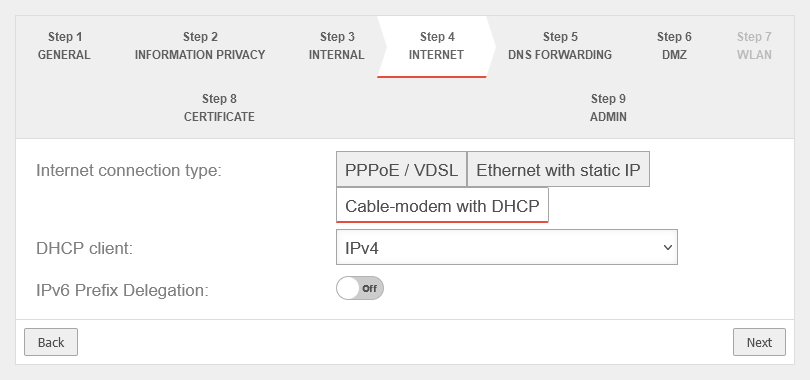 UTM v14.0.1 Installationsassistent Schritt 4c-en.png 810 × 380; 23 KB
-
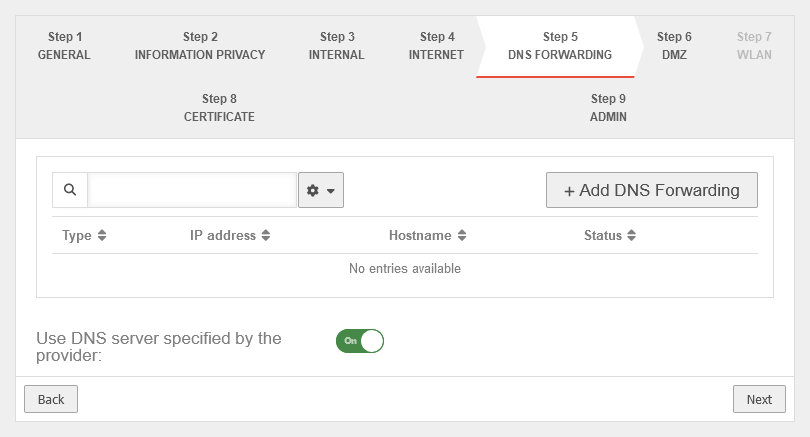 UTM v14.0.1 Installationsassistent Schritt 5-en.png 810 × 437; 25 KB
-
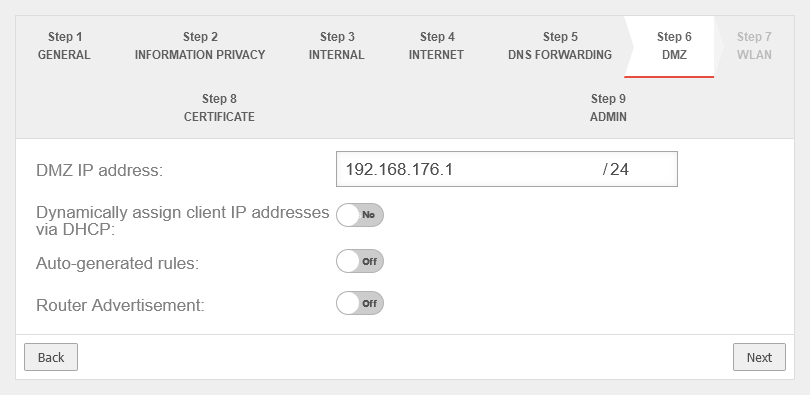 UTM v14.0.1 Installationsassistent Schritt 6a-en.png 810 × 395; 25 KB
-
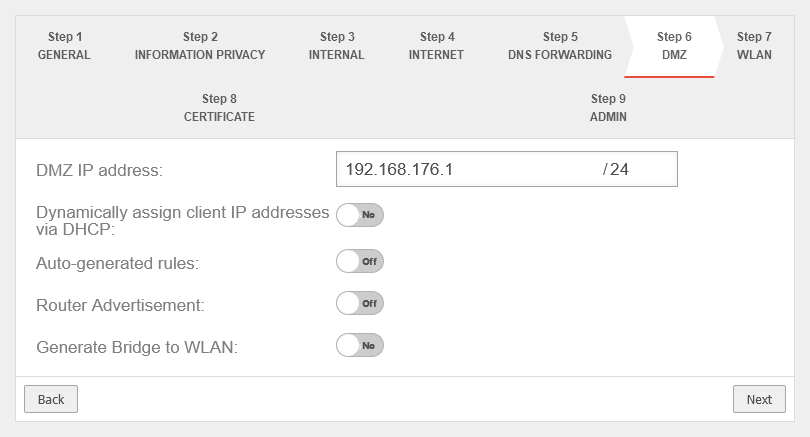 UTM v14.0.1 Installationsassistent Schritt 6b-en.png 810 × 437; 27 KB
-
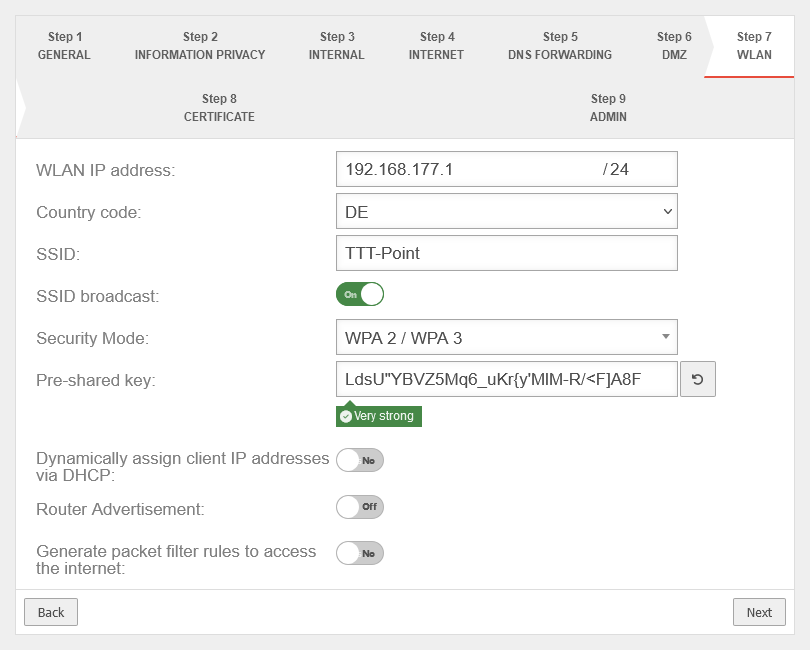 UTM v14.0.1 Installationsassistent Schritt 7a-en.png 810 × 650; 42 KB
-
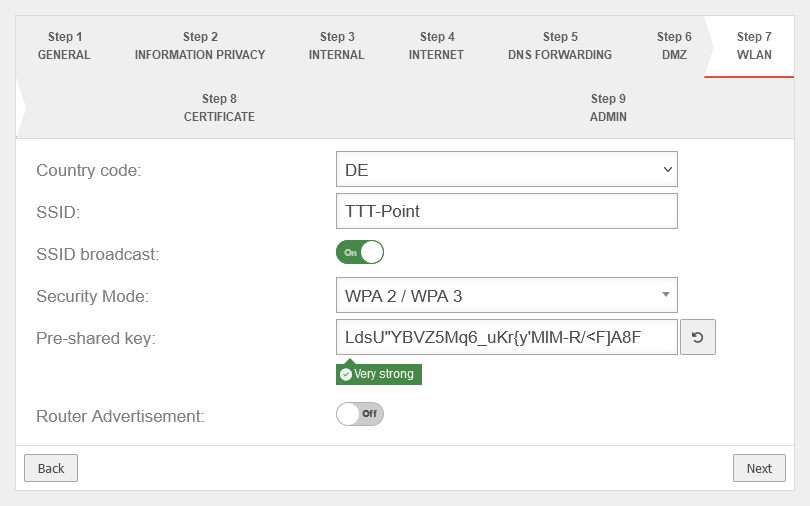 UTM v14.0.1 Installationsassistent Schritt 7b-en.png 810 × 506; 31 KB
-
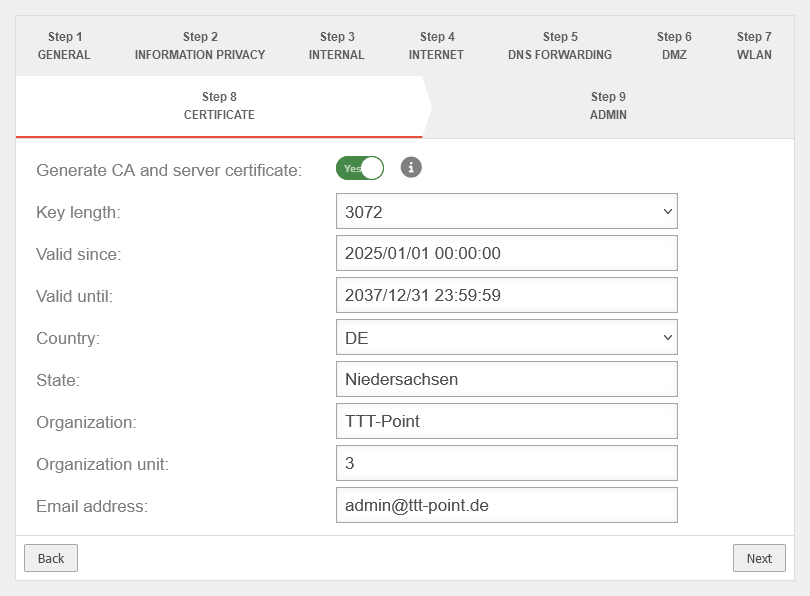 UTM v14.0.1 Installationsassistent Schritt 8-en.png 810 × 596; 36 KB
-
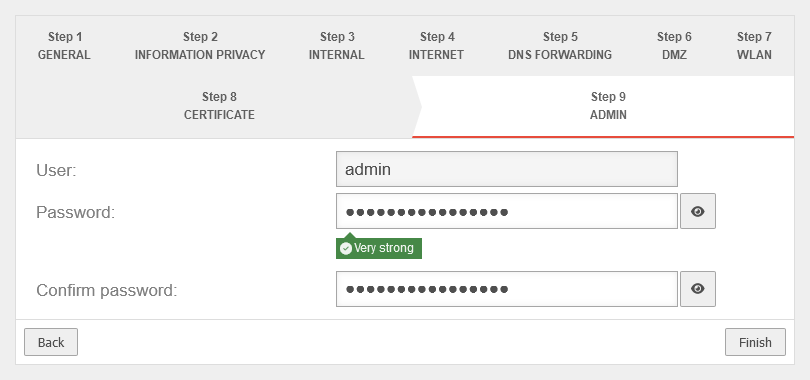 UTM v14.0.1 Installationsassistent Schritt 9-en.png 810 × 380; 20 KB
-
 UTM v14.0.1 Paketfilter Hidenat Exclude-Regelübersicht-en.png 1.115 × 128; 24 KB
-
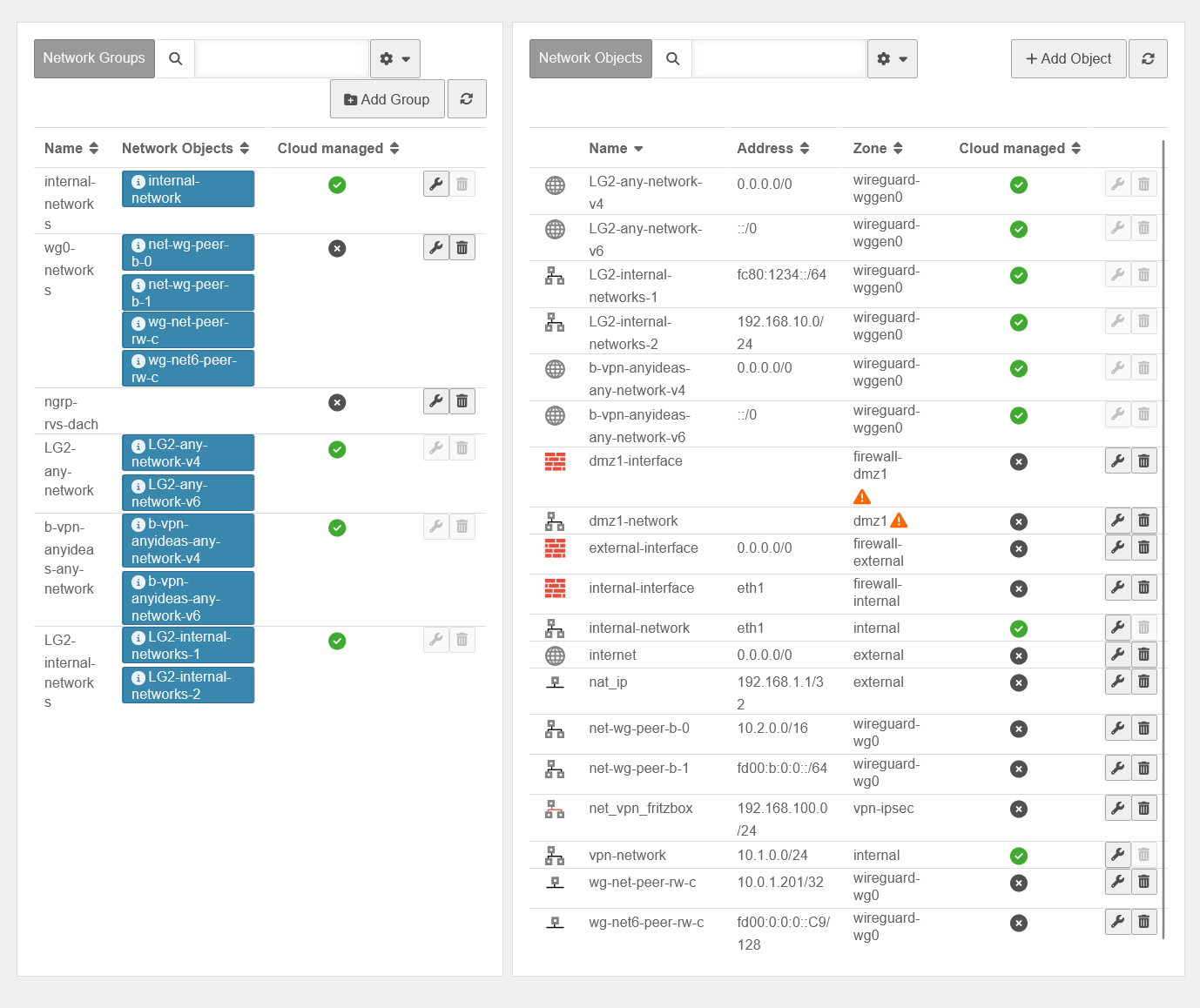 UTM v14.0.1 Paketfilter Netzwerkobjekte Uebersicht-en.png 1.378 × 1.158; 172 KB
-

-
 UTM v14.0.0 Widgets Dashboard-en.png 1.411 × 730; 101 KB
-
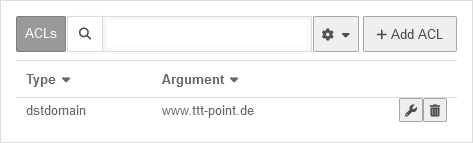 UTM v14.0.1 Reverse-Proxy ACL Set mit destdom-en.png 473 × 143; 6 KB
-
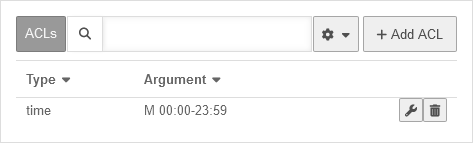 UTM v14.0.1 Reverse-Proxy ACL Set ohne destdom-en.png 473 × 143; 6 KB
-
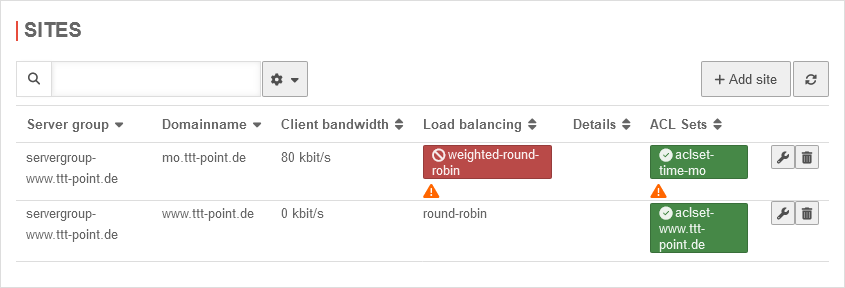 UTM v14.0.1 Reverse-Proxy Sites Uebersicht ngnix-en.png 845 × 288; 22 KB
-
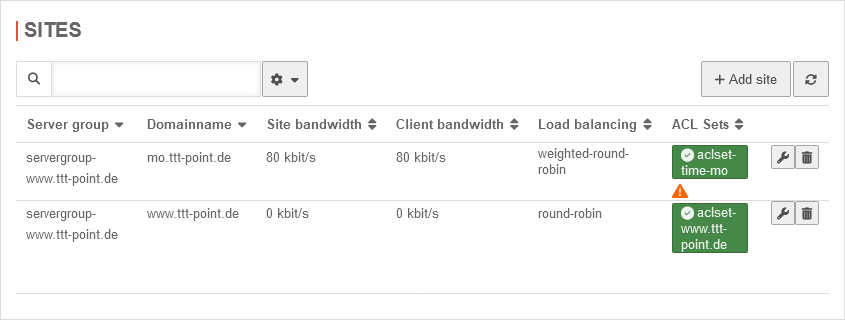 UTM v14.0.1 Reverse-Proxy Sites Uebersicht squid-en.png 845 × 320; 21 KB
-
 Ubuntu Chrome Passwort-en.png 506 × 173; 12 KB


