Unten werden bis zu 50 Ergebnisse im Bereich 9.851 bis 9.900 angezeigt.
-
-
-
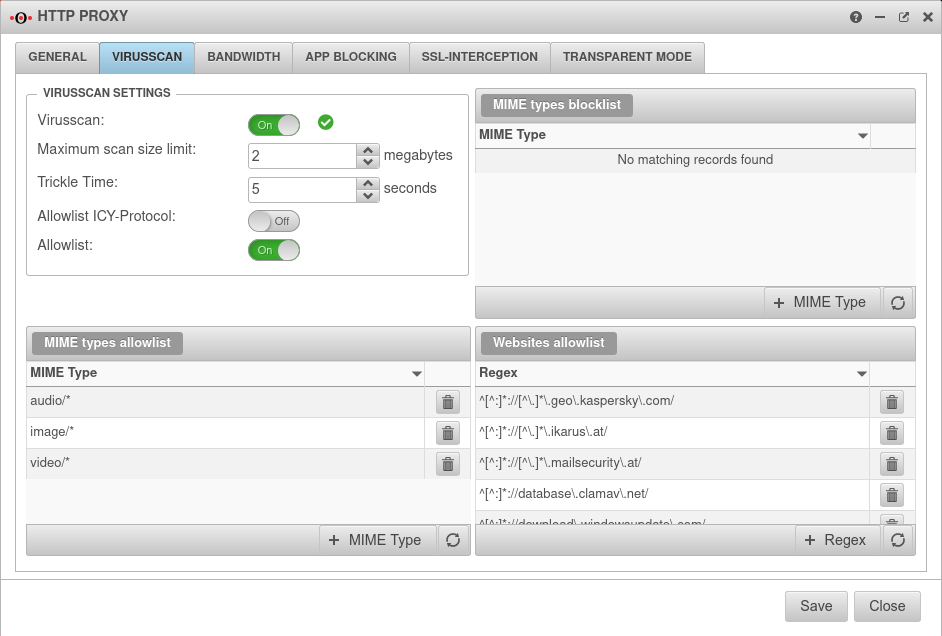 UTM v12.3 HTTP-Proxy Virenscanner-en.png 942 × 636; 84 KB
-
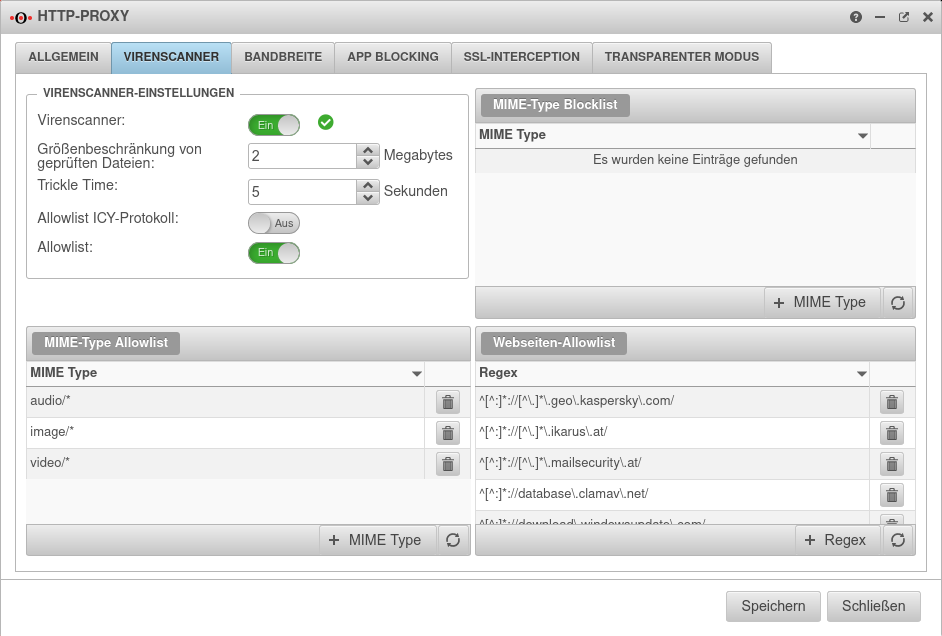 UTM v12.3 HTTP-Proxy Virenscanner.png 942 × 636; 88 KB
-
 UTM v12.3 Video WireGuard mit Fritzbox.png 512 × 288; 116 KB
-
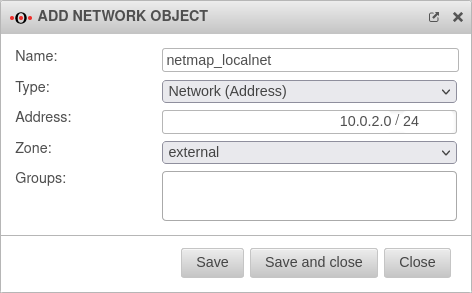
-
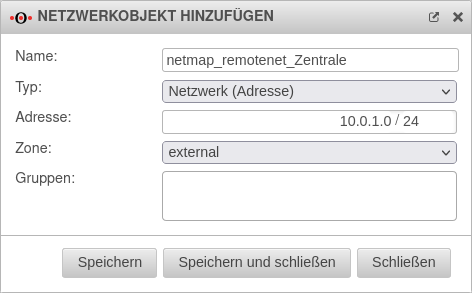
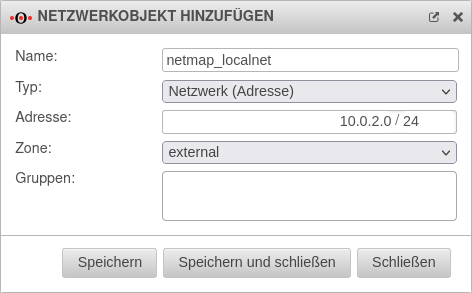 UTM v12.4.0 Firewall Portfilter Netzwerkobjekt Filiale localnet.png 472 × 293; 25 KB
-
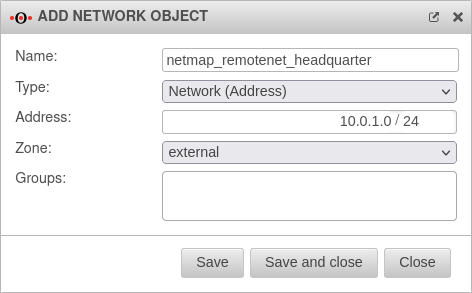
-
-

-
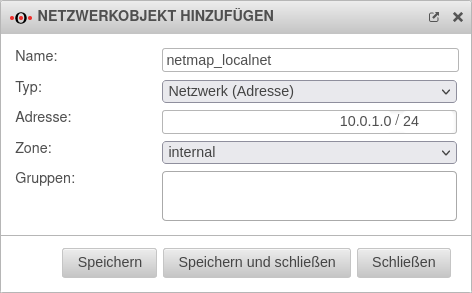 UTM v12.4.0 Firewall Portfilter Netzwerkobjekt Zentrale localnet.png 472 × 293; 25 KB
-
-
-
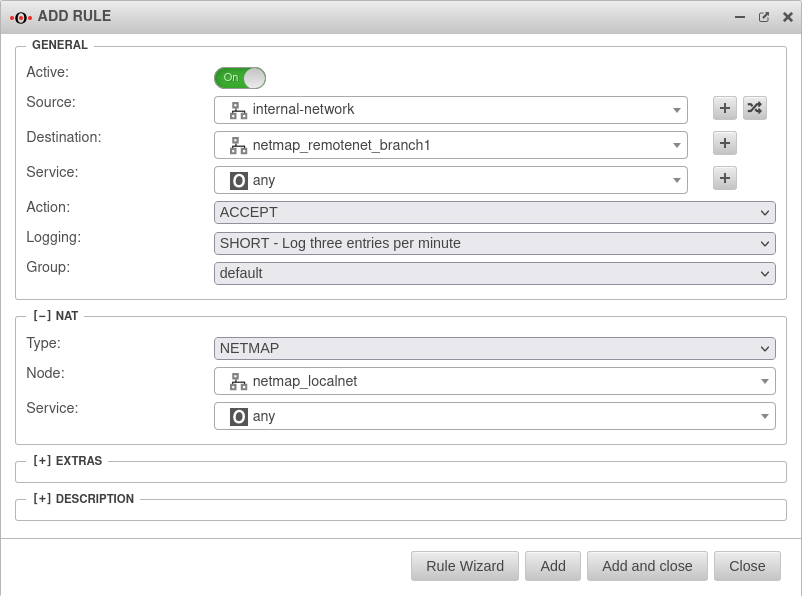 UTM v12.4.0 Firewall Portfilter Regel Zentrale-en.png 802 × 596; 54 KB
-
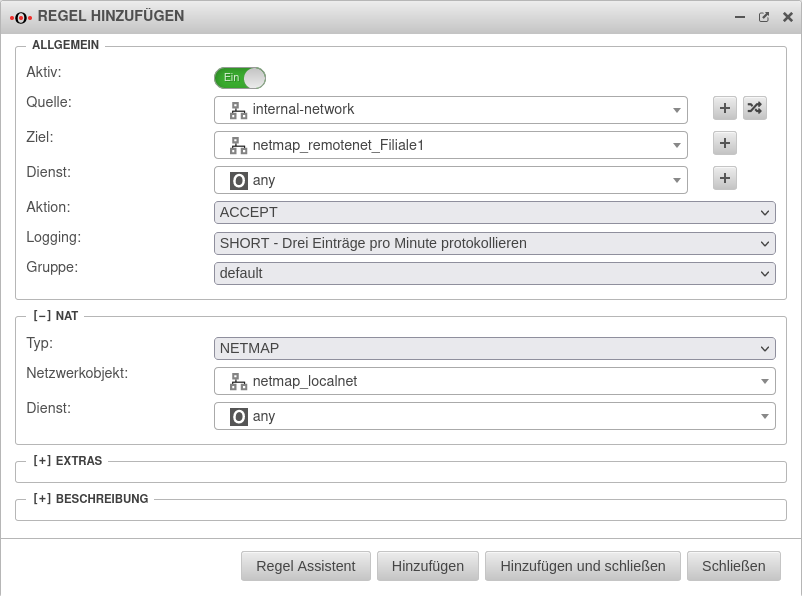 UTM v12.4.0 Firewall Portfilter Regel Zentrale.png 802 × 596; 57 KB
-
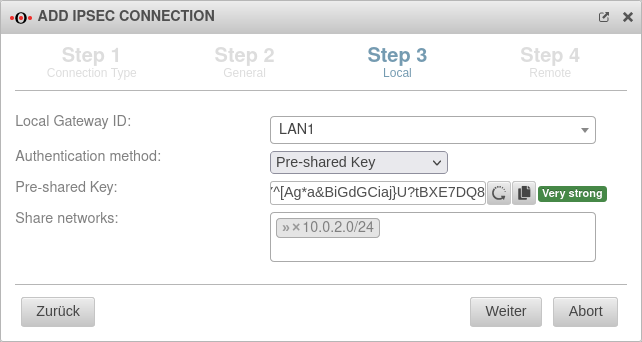 UTM v12.4.0 VPN IPSEC-Verbindung Filiale Schritt3-en.png 642 × 342; 37 KB
-
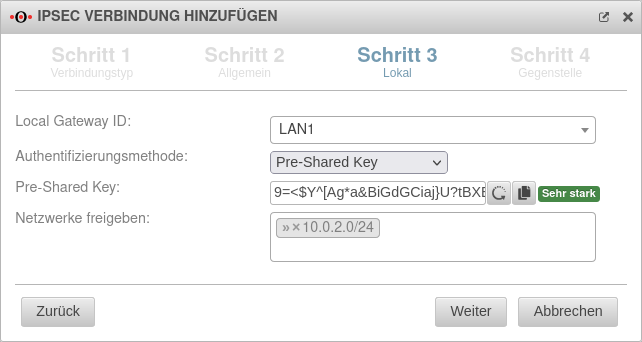 UTM v12.4.0 VPN IPSEC-Verbindung Filiale Schritt3.png 642 × 342; 38 KB
-
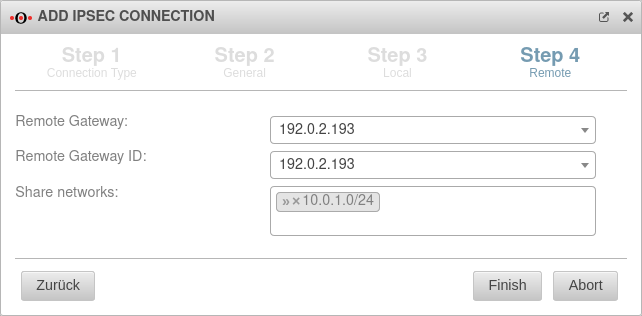 UTM v12.4.0 VPN IPSEC-Verbindung Filiale Schritt4-en.png 642 × 316; 29 KB
-
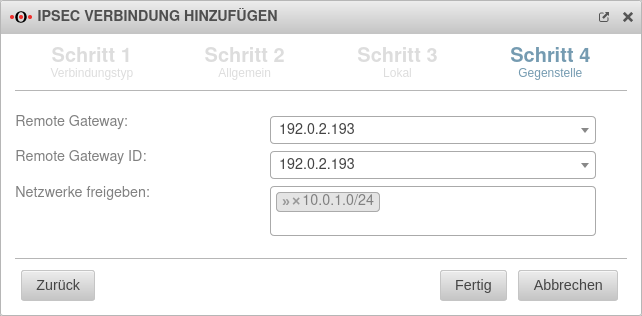 UTM v12.4.0 VPN IPSEC-Verbindung Filiale Schritt4.png 642 × 316; 31 KB
-
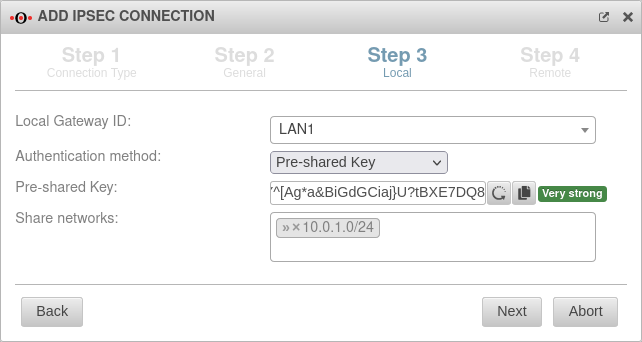 UTM v12.4.0 VPN IPSEC-Verbindung Zentrale Schritt3-en.png 642 × 342; 36 KB
-
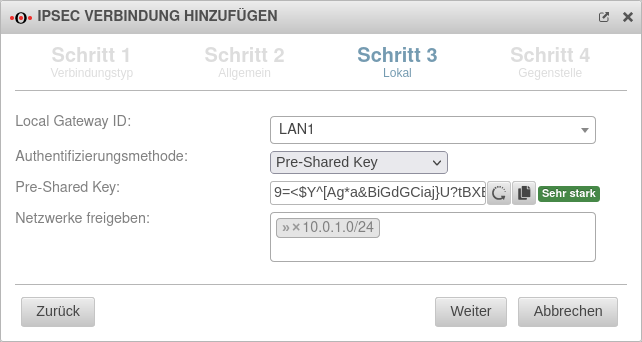 UTM v12.4.0 VPN IPSEC-Verbindung Zentrale Schritt3.png 642 × 342; 38 KB
-
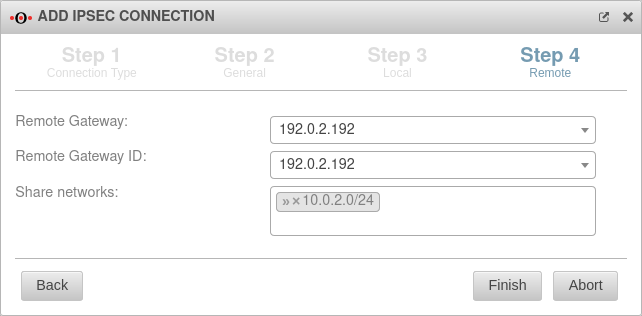 UTM v12.4.0 VPN IPSEC-Verbindung Zentrale Schritt4-en.png 642 × 316; 29 KB
-
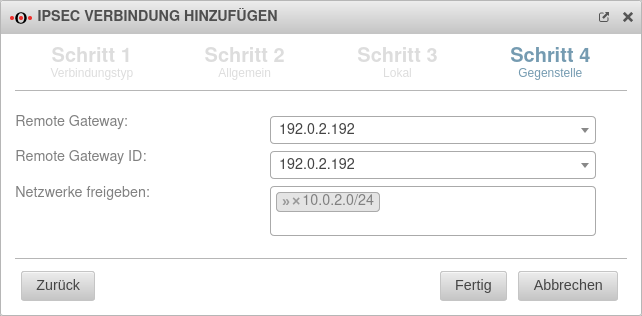 UTM v12.4.0 VPN IPSEC-Verbindung Zentrale Schritt4.png 642 × 316; 30 KB
-
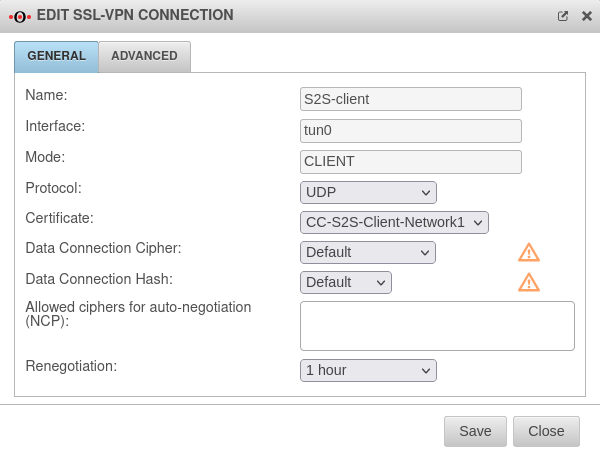 UTM v12.4.1 SSL VPN S2S Client Allgemein-en.png 600 × 455; 44 KB
-
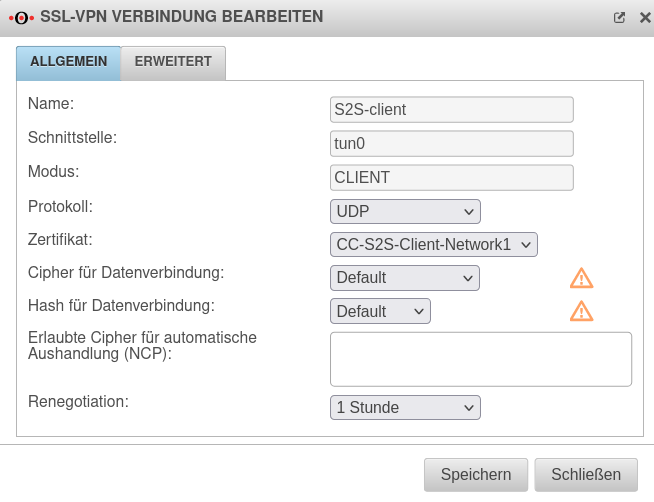 UTM v12.4.1 SSL VPN S2S Client Allgemein.png 654 × 502; 56 KB
-
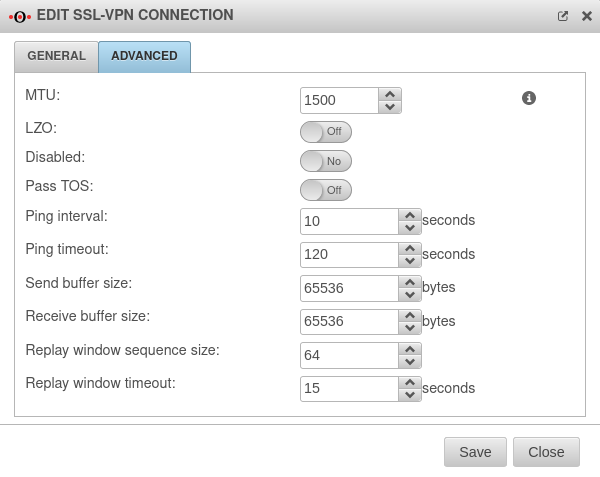 UTM v12.4.1 SSL VPN S2S Client Erweitert-en.png 600 × 477; 47 KB
-
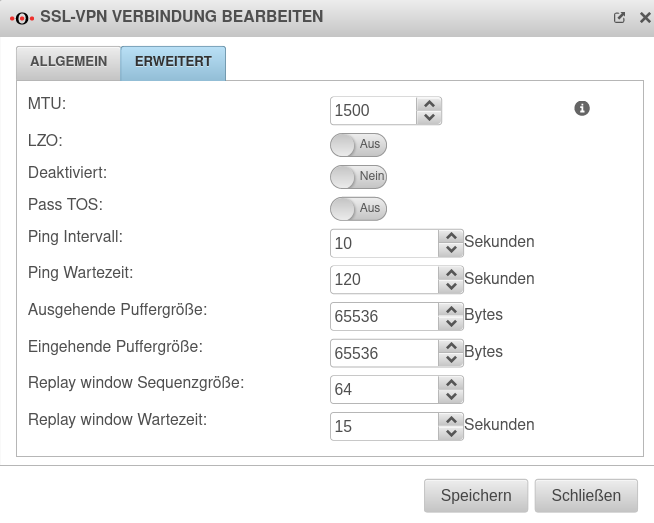 UTM v12.4.1 SSL VPN S2S Client Erweitert.png 654 × 523; 60 KB
-
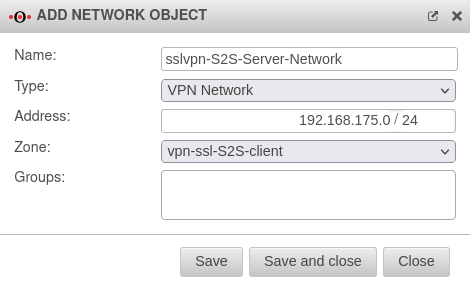 UTM v12.4.1 SSL VPN S2S Client Netzwerkobjekt hinzufügen-en.png 470 × 287; 25 KB
-
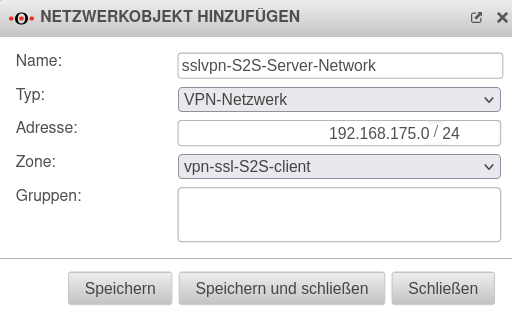 UTM v12.4.1 SSL VPN S2S Client Netzwerkobjekt hinzufügen.png 512 × 314; 31 KB
-
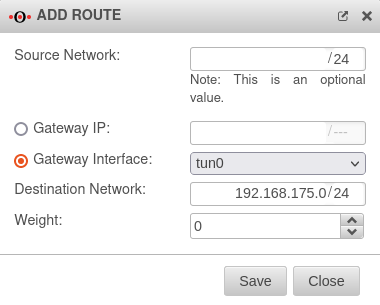 UTM v12.4.1 SSL VPN S2S Client Route hinzufügen-en.png 380 × 305; 24 KB
-
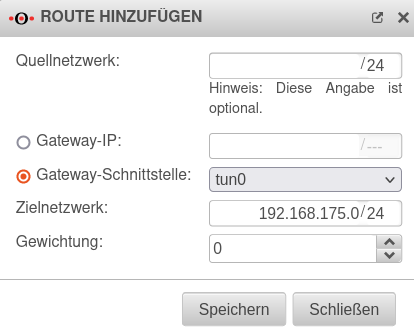 UTM v12.4.1 SSL VPN S2S Client Route hinzufügen.png 414 × 336; 30 KB
-
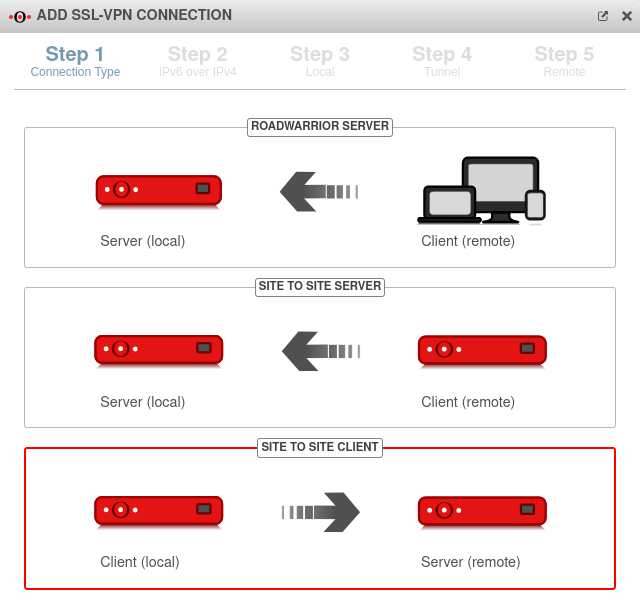 UTM v12.4.1 SSL VPN S2S Client Schritt 1-en.png 640 × 613; 51 KB
-
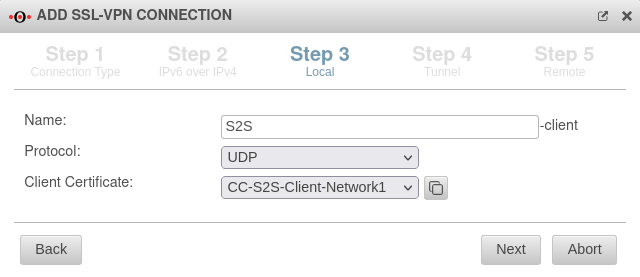 UTM v12.4.1 SSL VPN S2S Client Schritt 3-en.png 640 × 277; 27 KB
-
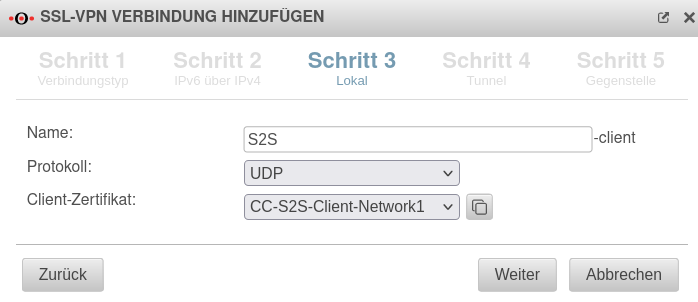 UTM v12.4.1 SSL VPN S2S Client Schritt 3.png 698 × 302; 34 KB
-
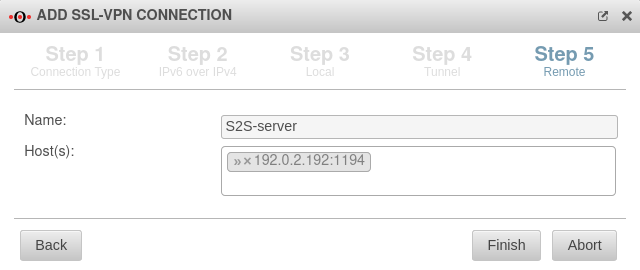 UTM v12.4.1 SSL VPN S2S Client Schritt 5-en.png 640 × 270; 24 KB
-
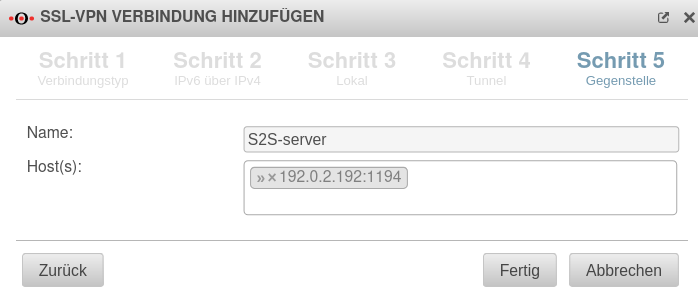 UTM v12.4.1 SSL VPN S2S Client Schritt 5.png 698 × 300; 29 KB
-
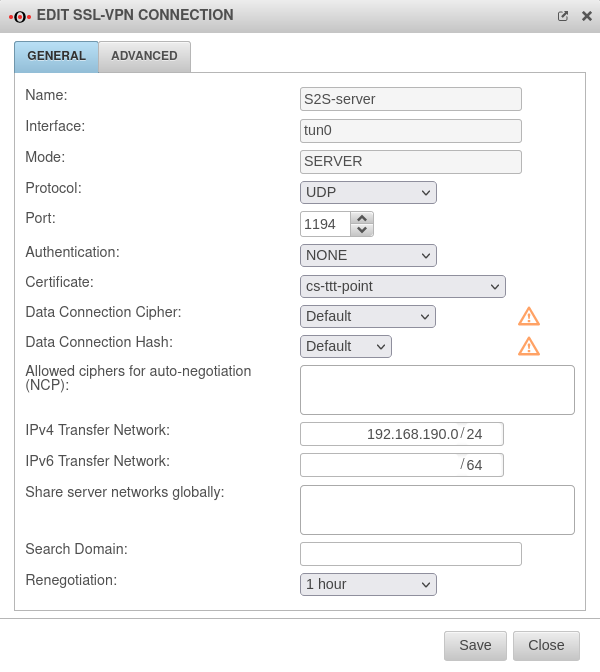 UTM v12.4.1 SSL VPN S2S Server Allgemein-en.png 600 × 672; 63 KB
-
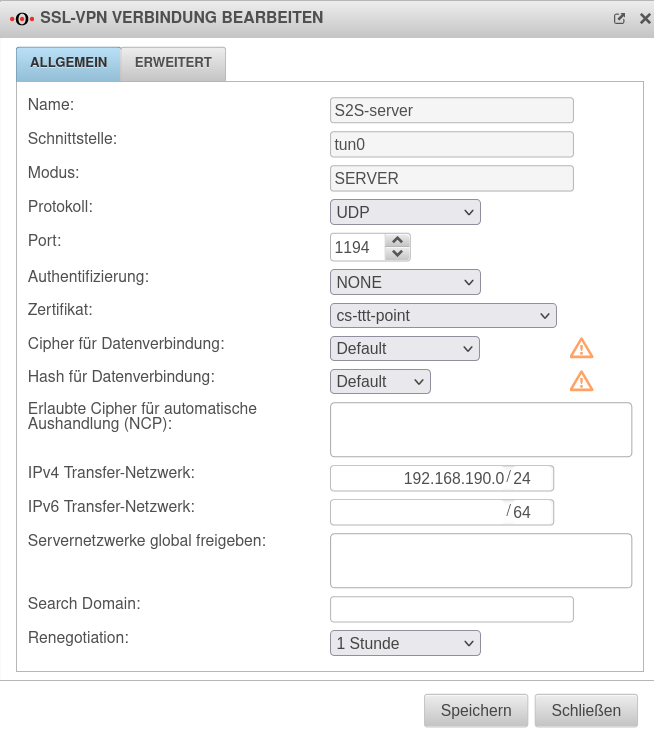 UTM v12.4.1 SSL VPN S2S Server Allgemein.png 654 × 736; 78 KB
-
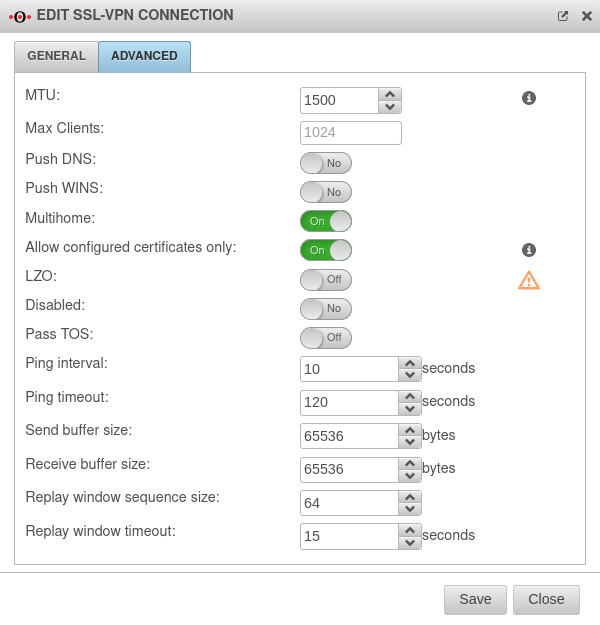 UTM v12.4.1 SSL VPN S2S Server Erweitert-en.png 600 × 625; 64 KB
-
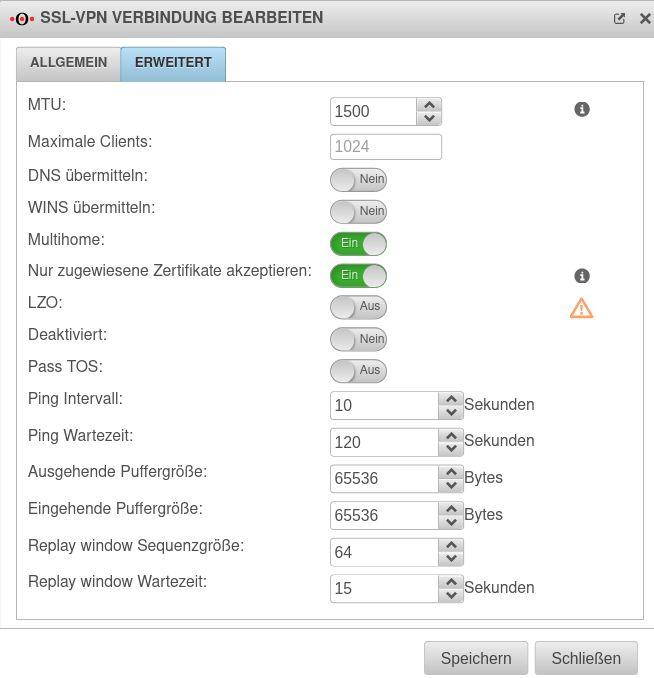 UTM v12.4.1 SSL VPN S2S Server Erweitert.png 654 × 678; 81 KB
-
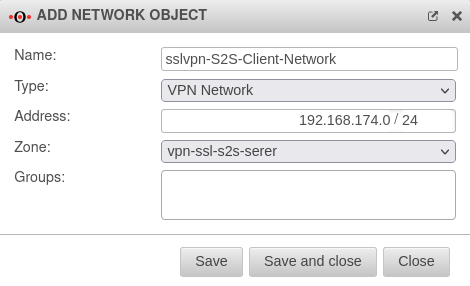 UTM v12.4.1 SSL VPN S2S Server Netzwerkobjekt hinzufügen-en.png 470 × 286; 24 KB
-
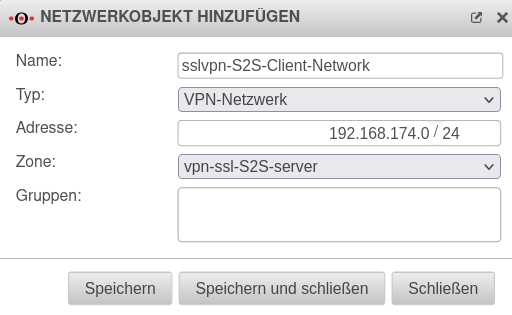 UTM v12.4.1 SSL VPN S2S Server Netzwerkobjekt hinzufügen.png 512 × 315; 31 KB
-
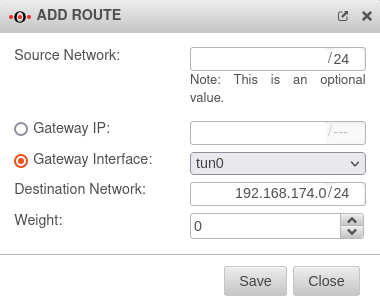 UTM v12.4.1 SSL VPN S2S Server Route hinzufügen.-en.png 380 × 308; 24 KB
-
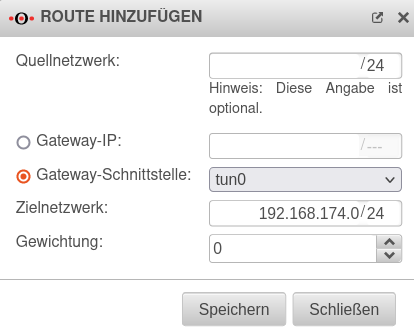 UTM v12.4.1 SSL VPN S2S Server Route hinzufügen.png 414 × 336; 30 KB
-
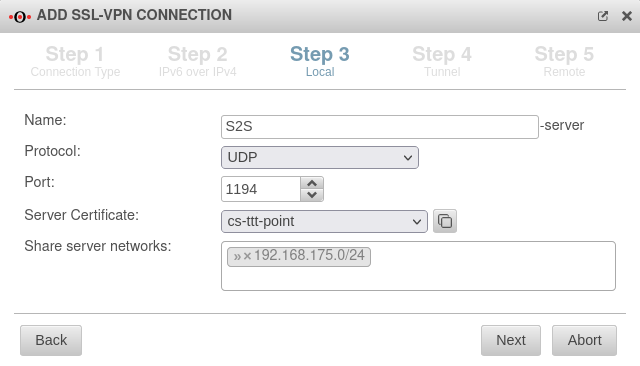 UTM v12.4.1 SSL VPN S2S Server Schritt 3-en.png 640 × 366; 34 KB
-
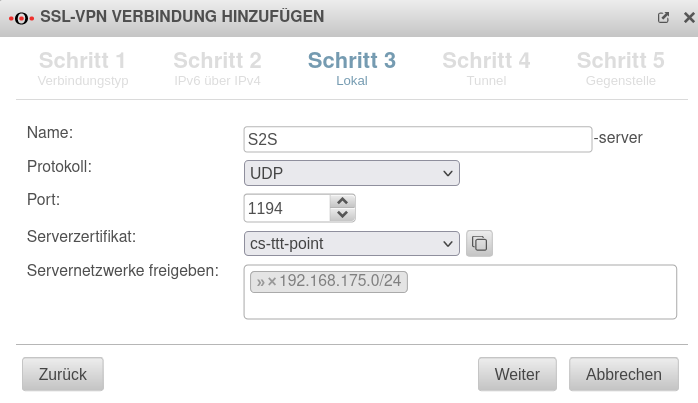 UTM v12.4.1 SSL VPN S2S Server Schritt 3.png 698 × 403; 41 KB
-
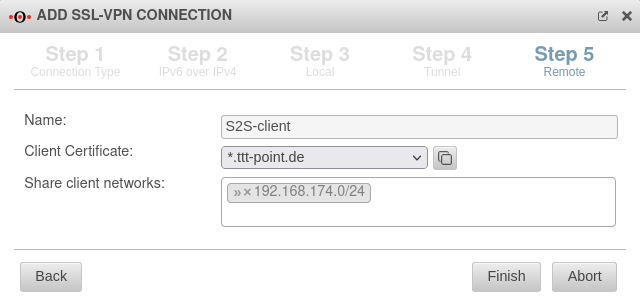 UTM v12.4.1 SSL VPN S2S Server Schritt 5-en.png 640 × 303; 30 KB
-
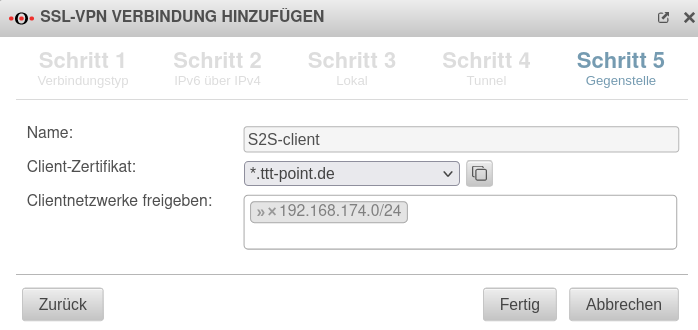 UTM v12.4.1 SSL VPN S2S Server Schritt 5.png 698 × 330; 36 KB
-
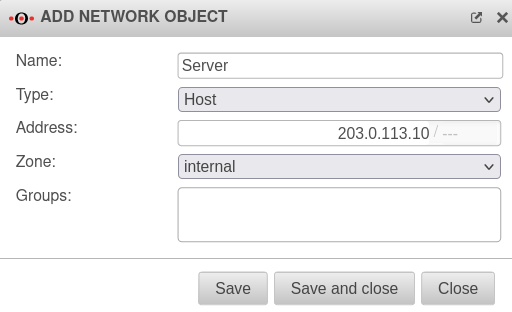 UTM v12.4.2 Portfilter Netzwerkobjekt hinzufügen Server-en.png 512 × 312; 24 KB
-
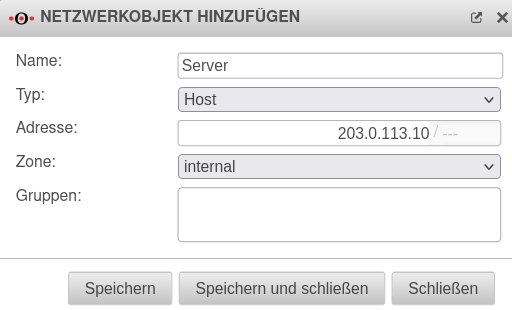 UTM v12.4.2 Portfilter Netzwerkobjekt hinzufügen Server.png 512 × 310; 26 KB


