In dieser Seite werden die Variablen für unterschiedliche Sprachen definiert.
Diese Seite wird auf folgenden Seiten eingebunden
Update Windows Agents via the Agent Upgrade Center
notemptyThis article refers to a Beta version
-
Introduction
The Agent Upgrade Center can be used to upgrade Windows Agents via the Backup Portal.
This can be done in two different ways.
Route 1 - Computer selection
- Open menu item
- Select one or more computers with
- In the drop-down menu Actions select the action Update agents on the selected computers
|
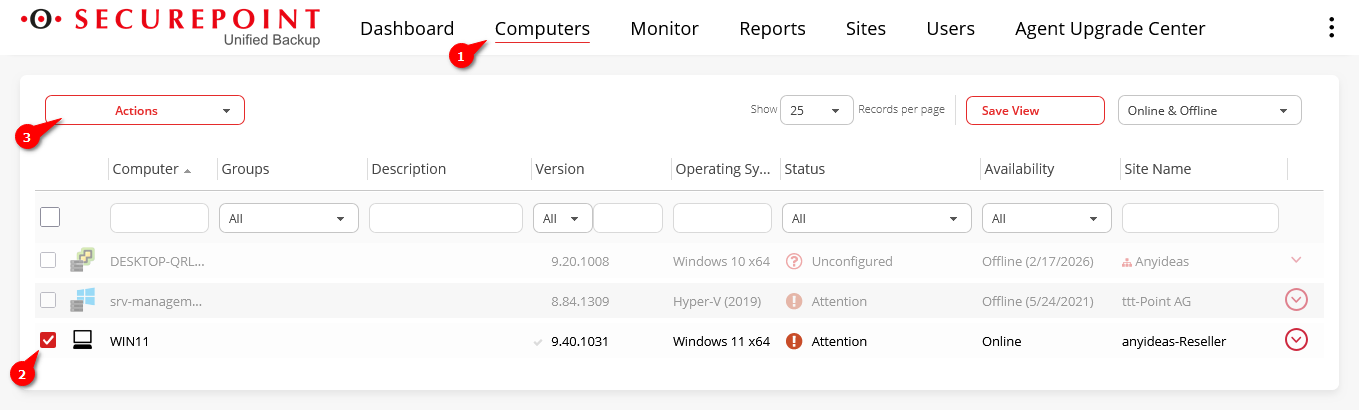 Computer selection in the Computer tab
|
|
|
Route 2 - Agent Upgrade Center tab
|
- Open menu item
- Select the appropriate Windows system for the available agents with
- Select the desired Site
- Then click on the Upgrade selected sites automatically button
|
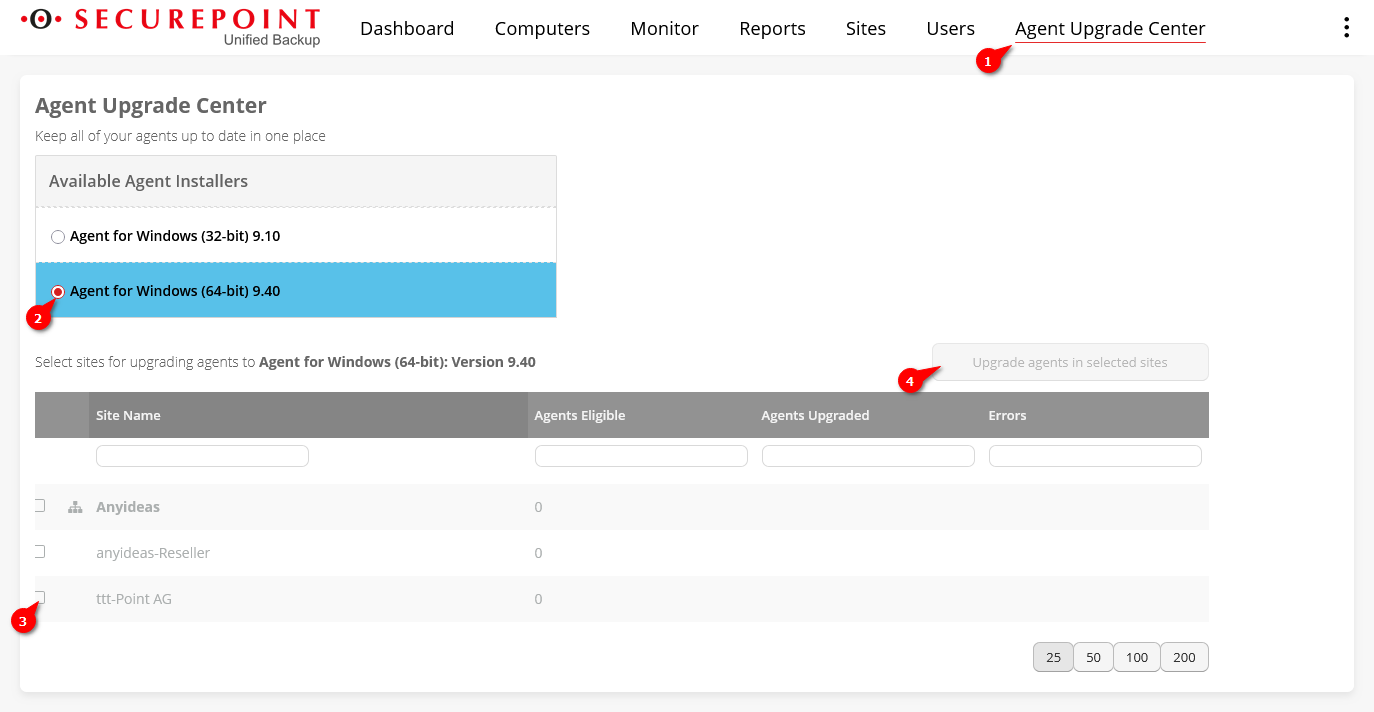 Route 2 - Agent Upgrade Center tab
|
|
|
- Click on the desired update method
- Start update by clicking on Upgrade agents
|
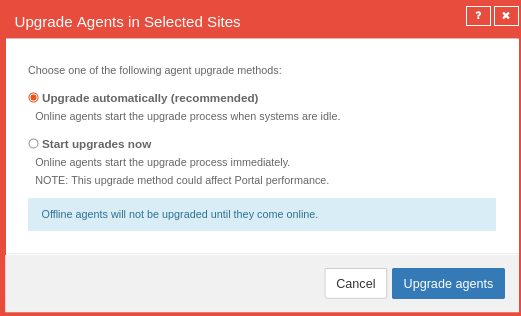 Update note
|
|
|





