


Time profiles of the Packetfilter
Last adaptation to the version: 12.6.0
New:
- Updated to Redesign of the webinterface
notempty
This article refers to a Beta version
Time profiles
UTMuser@firewall.name.fqdn Firewall Time profiles 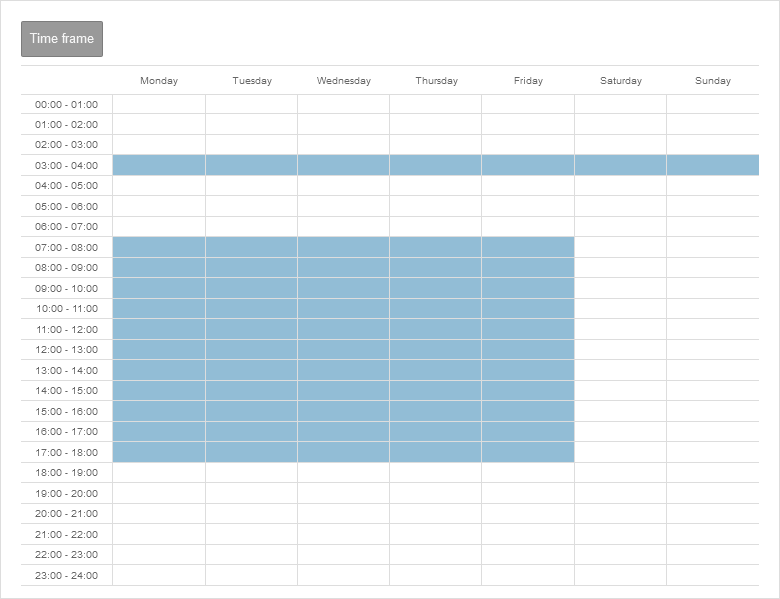

Add time profile
Time profiles are used to activate packet filter rules only at specified times. In the example shown, the profile takes effect between 3:00 a.m. and 3:59:59 p.m. daily and from 7:00 a.m. to 5:59:59 p.m. on weekdays.
Create time profiles
- Create a time profile under button .
- Select times
- Individual fields or time ranges can be selected by clicking the mouse
- Several fields and time ranges can be selected by holding down the mouse button
- Accept the time settings with the button Save and close
Use time profiles
Time profiles can be selected under the
Extras
section when creating or editing packet filter rules.