


Create and edit a subsite for end customers
Last adaption: 02.2026
New:
notempty
This article refers to a Beta version
-
Preliminary note
End customers are organized into so-called subsites.
The reseller's hosts are handled (under an NFR license) in the same way in a subsite as an end customer.
notempty
For data protection reasons, different end customers must not be organized in the same subsite!
Login
Login on the page https://backup.securepoint.cloud 
As soon as the login credentials have been created for the first login, a notice will appear in the Reseller Portal after log-in displaying these credentials. The password must be changed during the first login.

Create a new site
Menu Sites / button



notempty
New: 2026.02

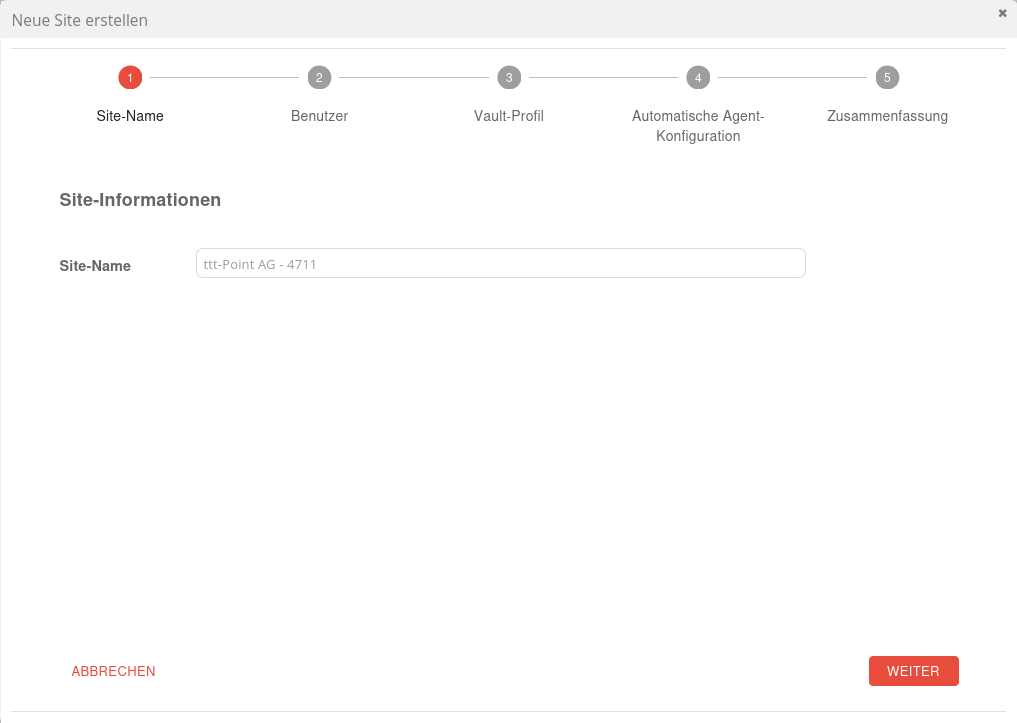
Schritt 1
Site-Name vergeben

Schritt 2
Optional:
Neuen Benutzer erstellen
Bei Bedarf kann ein neuer Benutzer mit E-Mail-Adresse, Kennwort und einer Rolle angelegt werden.
Zusätzlich kann eingestellt werden, daß der Benutzer das Kennwort ändern muss.
Neuen Benutzer erstellen
Bei Bedarf kann ein neuer Benutzer mit E-Mail-Adresse, Kennwort und einer Rolle angelegt werden.
Zusätzlich kann eingestellt werden, daß der Benutzer das Kennwort ändern muss.

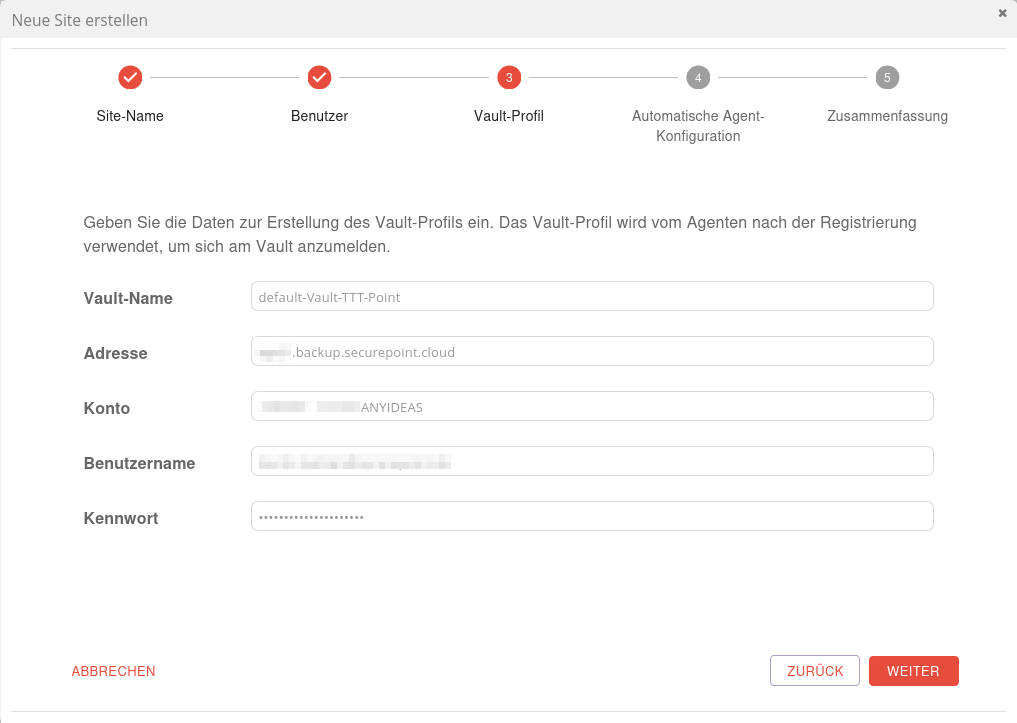
Schritt 3
Vault-Name
Frei wählbarer NameAdresse
Vault-AdresseKonto
Frei wählbarer NameBenutzername
Benutzername für den gewählten VaultKennwort
Frei wählbares Kennwort
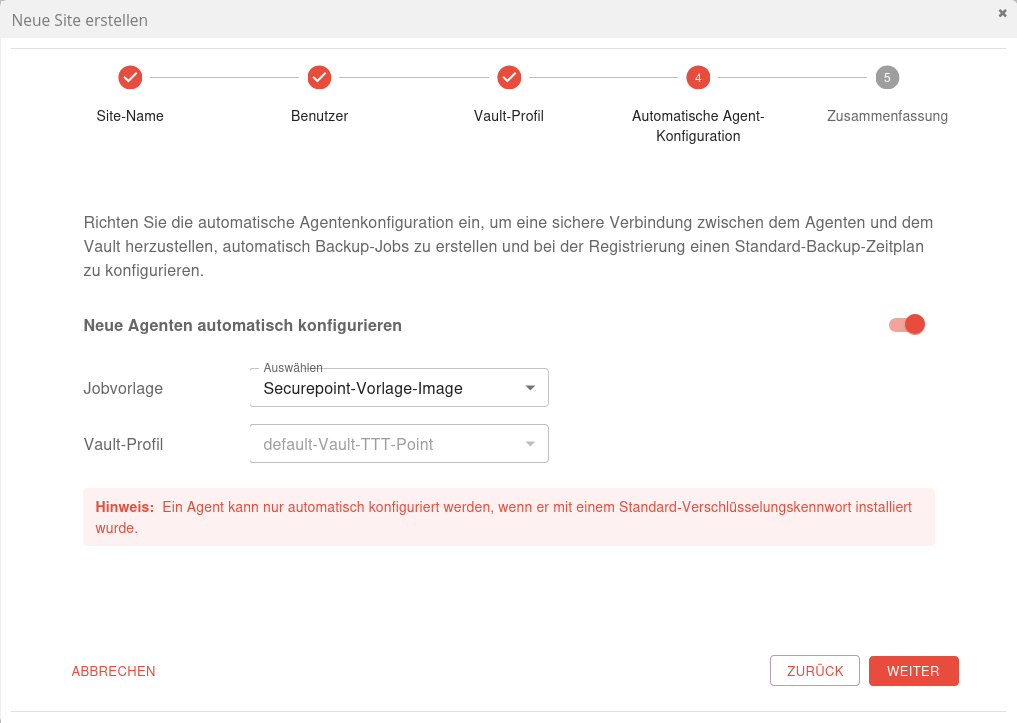
Schritt 4
Optional:
Neue Agenten automatisch konfigurieren
Neue Agenten automatisch konfigurieren
Jobvorlage
Jobvorlage wählenVault-Profil
Vault-Profil wählen
Schritt 5
Zusammenfassung
Name und Kennwort des Registrierungsbenutzers werden erstellt und angezeigt, sobald Site erstellen angeklickt wurde
Name und Kennwort des Registrierungsbenutzers werden erstellt und angezeigt, sobald Site erstellen angeklickt wurde

Schritt 5 - mit erstellten Zugangsdaten
Zusammenfassung mit erstellten Zugangsdaten.
Der Registrierungsbenutzer
Abschluss mit Schließen
Der Registrierungsbenutzer
notempty
hat ausschließlich die Berechtigung einen neuen Agent an der Site zu registrieren. Sie werden bei der Installation des Agenten als Benutzername/Kennwort (Windows/Hyper V) bzw. Portal username/Portal password (Linux) eingegeben.New as of 02.2026
Abschluss mit Schließen
This creates a new customer site within which users and computers can now be set up.
Site bearbeiten / anzeigen
Site Details
| Caption | Description |  |
|---|---|---|
| Site informations | Site-Name ttt-Point GmbH - 4711 To ensure uniqueness, the site name should include an internal customer number | |
| Contact information Site mailing address |
Optional details that are not mandatory for the operation of Securepoint Unified Backup. | |
| Save site | Save the details. | |
| Site entfernen | Durch das Entfernen der Site werden auch alle Benutzer und Agenten auf der Site entfernt.
Diese Agenten können nur dann im Portal verwaltet werden, wenn diese bei einer neuen Site und einem Benutzer erneut registriert werden. notempty
Hyper-V-Agenten auf dieser Site können nicht erneut registriert bzw. wiederhergestellt werden. |
Benutzer
| Caption | Description |  Sites-Reiter Benutzer
|
|---|---|---|
| Registrierungsbenutzername notempty New as of 02.2026 |
Kopiert den Registrierungsbenutzernamen in die Zwischenablage. Dieser Benutzer hat ausschließlich die Berechtigung einen neuen Agent (und damit ein neues Gerät) an der Site zu registrieren. | |
| Kennwort für die Registrierung notempty New as of 02.2026 |
Kopiert das dazugehörige Kennwort in die Zwischenablage | |
| Öffnet den Dialog, um einen neuen Benutzer für die Site anzulegen. | ||