Keine Bearbeitungszusammenfassung |
Keine Bearbeitungszusammenfassung |
||
| Zeile 5: | Zeile 5: | ||
<templatestyles src="Vorlage:Styles-Startseiten.css" /> | <templatestyles src="Vorlage:Styles-Startseiten.css" /> | ||
{{var2 | | {{var2 | Neu im Wiki | ||
| | | Neu im Wiki | ||
| | | New in the wiki }} | ||
{{var2 | neu--Voraussetzung VPN Konfiguration | {{var2 | neu--Voraussetzung VPN Konfiguration | ||
| VPN-Konfigurationen mit der USC erfordern eine UTM v14.0 oder höher. | | VPN-Konfigurationen mit der USC erfordern eine UTM v14.0 oder höher. | ||
| VPN configurations with the USC require a UTM v14.0 or higher. }} | | VPN configurations with the USC require a UTM v14.0 or higher. }} | ||
<!-- 2. | <!-- 2.18 --> | ||
{{var2 | neu-- | {{var2 | neu--ZT UTM-Update ohne Konfig | ||
| | | Ab UTM-Version 14.2.0 wird beim UTM Zero-Touch-Enrollment jetzt auch [[USC/Zero-Touch|ohne beigefügte Konfiguration ein Update auf die aktuellste UTM-Version]] durchgeführt | ||
| }} | | }} | ||
{{var2 | neu-- | {{var2 | neu--Cloud-Backup-Passowrt einmalige Anzeige | ||
| | | Das [[USC/Profile|Cloud-Backup-Passwort in den UTM-Profilen]] wird aus Sicherheitsgründen nur noch einmal bei der Eingabe angezeigt | ||
| }} | | }} | ||
</div>{{DISPLAYTITLE:USC - Unified Security Console}}{{Select_lang2|en}}__NOTOC__ | </div>{{DISPLAYTITLE:USC - Unified Security Console}}{{Select_lang2|en}}__NOTOC__ | ||
| Zeile 32: | Zeile 24: | ||
<div class="startbox-flex"> | <div class="startbox-flex"> | ||
<div class="startbox breit new star" style="display:flex; flex-direction: column;"<!--style="height: min-content;"--> ><div class="startbox-head"> | <div class="startbox breit new star" style="display:flex; flex-direction: column;"<!--style="height: min-content;"--> ><div class="startbox-head"> | ||
==== {{spc| | ==== {{spc|star|o|{{#var:Neu im Wiki}}|icon-c=green}} ==== | ||
</div> | </div> | ||
<div class="startbox-body-breit" style="column-count: 1;"> | <div class="startbox-body-breit" style="column-count: 1;"> | ||
<!--<div class="startbox">--><div class="inline-block" <!--style="float:right;"--> > | <!--<div class="startbox">--><div class="inline-block" <!--style="float:right;"--> > | ||
; {{#var:Neu im Unified Security Portal}} 2. | ; {{#var:Neu im Unified Security Portal}} 2.18 | ||
* {{#var:neu-- | * {{#var:neu--ZT UTM-Update ohne Konfig}} | ||
* {{#var:neu-- | * {{#var:neu--Cloud-Backup-Passowrt einmalige Anzeige}} | ||
</div> | </div> | ||
</div> | </div> | ||
| Zeile 81: | Zeile 72: | ||
<div style="display: flex; justify-content: space-between;> | <div style="display: flex; justify-content: space-between;> | ||
{{spc|fa|o|<small>'''Legende:'''</small>|class=fas fa-star|icon-c=green}} | {{spc|fa|o|<small>'''Legende:'''</small>|class=fas fa-star|icon-c=green}} | ||
{{Neu-Legende}} | {{Neu-Legende|Startseite=true}} | ||
</div> | </div> | ||
</div> | </div> | ||
| Zeile 117: | Zeile 108: | ||
; {{spc|server|o|{{#var:UTMs im Portal}} }} | ; {{spc|server|o|{{#var:UTMs im Portal}} }} | ||
* {{#var:UTMs im Portal--desc}} | * {{#var:UTMs im Portal--desc}} | ||
* {{#var:Zero-Touch--desc}} {{Hinweis-box||gr|2. | * {{#var:Zero-Touch--desc}} {{Hinweis-box||gr|2.18|status=update}} | ||
** {{#var:Websessions--Link}} | ** {{#var:Websessions--Link}} | ||
** {{#var:Websessions mit IPv6 hinter NAT-Router}} | ** {{#var:Websessions mit IPv6 hinter NAT-Router}} | ||
| Zeile 129: | Zeile 120: | ||
</div> | </div> | ||
<div class="startbox-body"> | <div class="startbox-body"> | ||
* {{#var:UTM Profile--val}} | * {{#var:UTM Profile--val}} {{Hinweis-box||gr|2.18|status=update}} | ||
** {{#var:Profiltypen--desc}} | ** {{#var:Profiltypen--desc}} | ||
** {{#var:Cloud-Backups--desc}} | ** {{#var:Cloud-Backups--desc}} | ||
Aktuelle Version vom 23. Juni 2026, 14:01 Uhr
 |

 |
|
Neu im WikiNew in the wikiNew in the wiki
- Neu im Unified Security PortalNew in Unified Security PortalNew in Unified Security Portal2.18
- Ab UTM-Version 14.2.0 wird beim UTM Zero-Touch-Enrollment jetzt auch ohne beigefügte Konfiguration ein Update auf die aktuellste UTM-Version durchgeführtAb UTM-Version 14.2.0 wird beim UTM Zero-Touch-Enrollment jetzt auch ohne beigefügte Konfiguration ein Update auf die aktuellste UTM-Version durchgeführtAb UTM-Version 14.2.0 wird beim UTM Zero-Touch-Enrollment jetzt auch ohne beigefügte Konfiguration ein Update auf die aktuellste UTM-Version durchgeführt
- Das Cloud-Backup-Passwort in den UTM-Profilen wird aus Sicherheitsgründen nur noch einmal bei der Eingabe angezeigtDas Cloud-Backup-Passwort in den UTM-Profilen wird aus Sicherheitsgründen nur noch einmal bei der Eingabe angezeigtDas Cloud-Backup-Passwort in den UTM-Profilen wird aus Sicherheitsgründen nur noch einmal bei der Eingabe angezeigt
Das Securepoint Unified Security Portal:
Mobile Security | Cloud Shield | Unified Reporting | Unified Security Console
ÜbersichtOverviewOverview
- Inhaltsangabe:Summary:Summary:
- Dashboards
- UTMs im USC PortalUTMs in the USC portalUTMs in the USC portal
- UTM ProfileUTM ProfilesUTM Profiles
- VPN-Konfiguration – Adaptive Secure ConnectVPN-Configuration – Adaptive Secure ConnectVPN-Configuration – Adaptive Secure Connect
- Windows VPN
- AllgemeinesGeneralGeneral
- Weitere Informationen:Further information:Further information:
- Youtube-Channel
- Forum
- Reseller Portal
- Unified Security Portal
- Changelog Unified Security Portal
- FAQ
Legende:
Neue Artikel
New articles
New articles
Aktualisierte Artikel
updated articles
updated articles
- Neue Artikel sind Artikel, die neu im Wiki sind
- Aktualisierte Artikel sind Artikel, deren Inhalt aktualisiert wurde
New articles
New articles
Dashboards
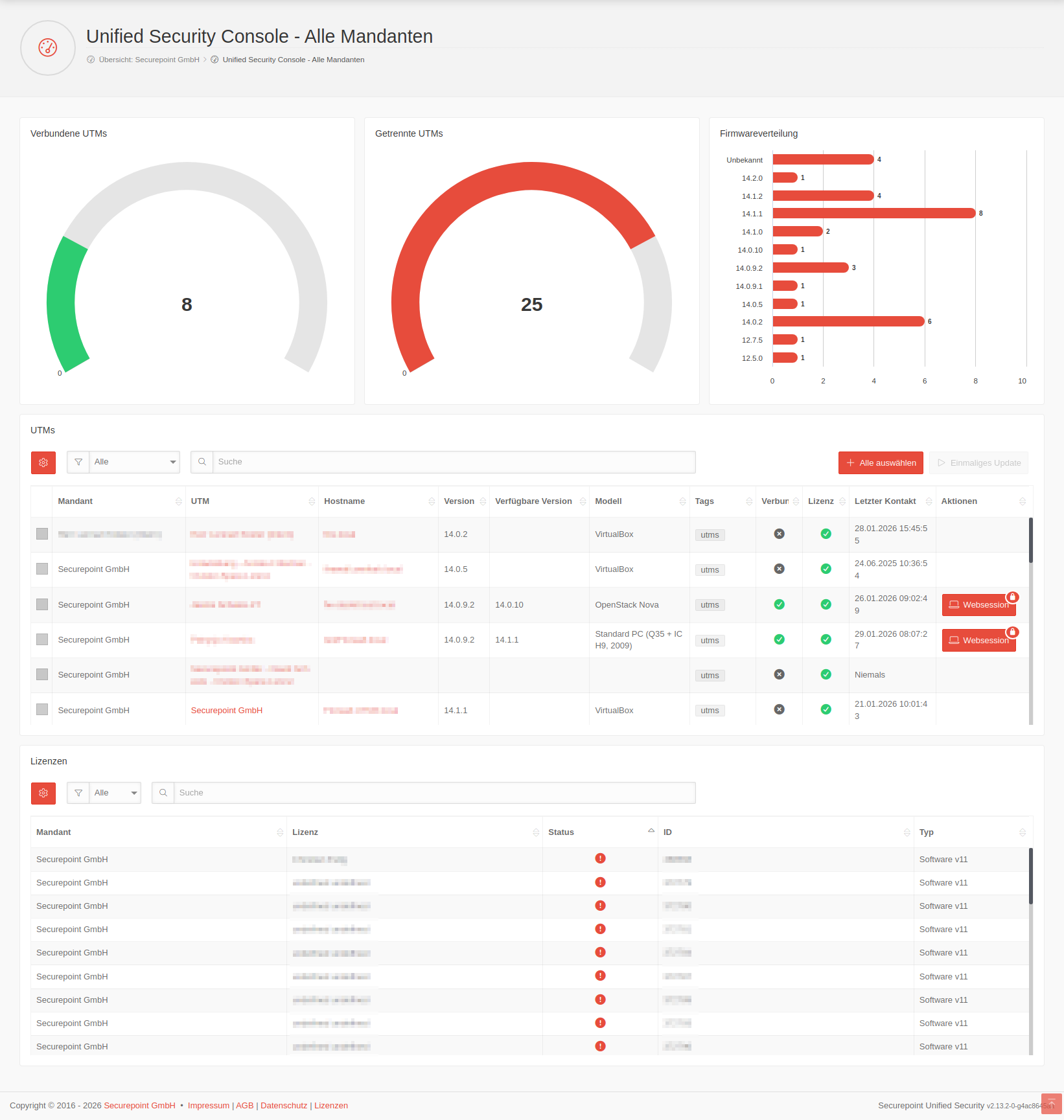
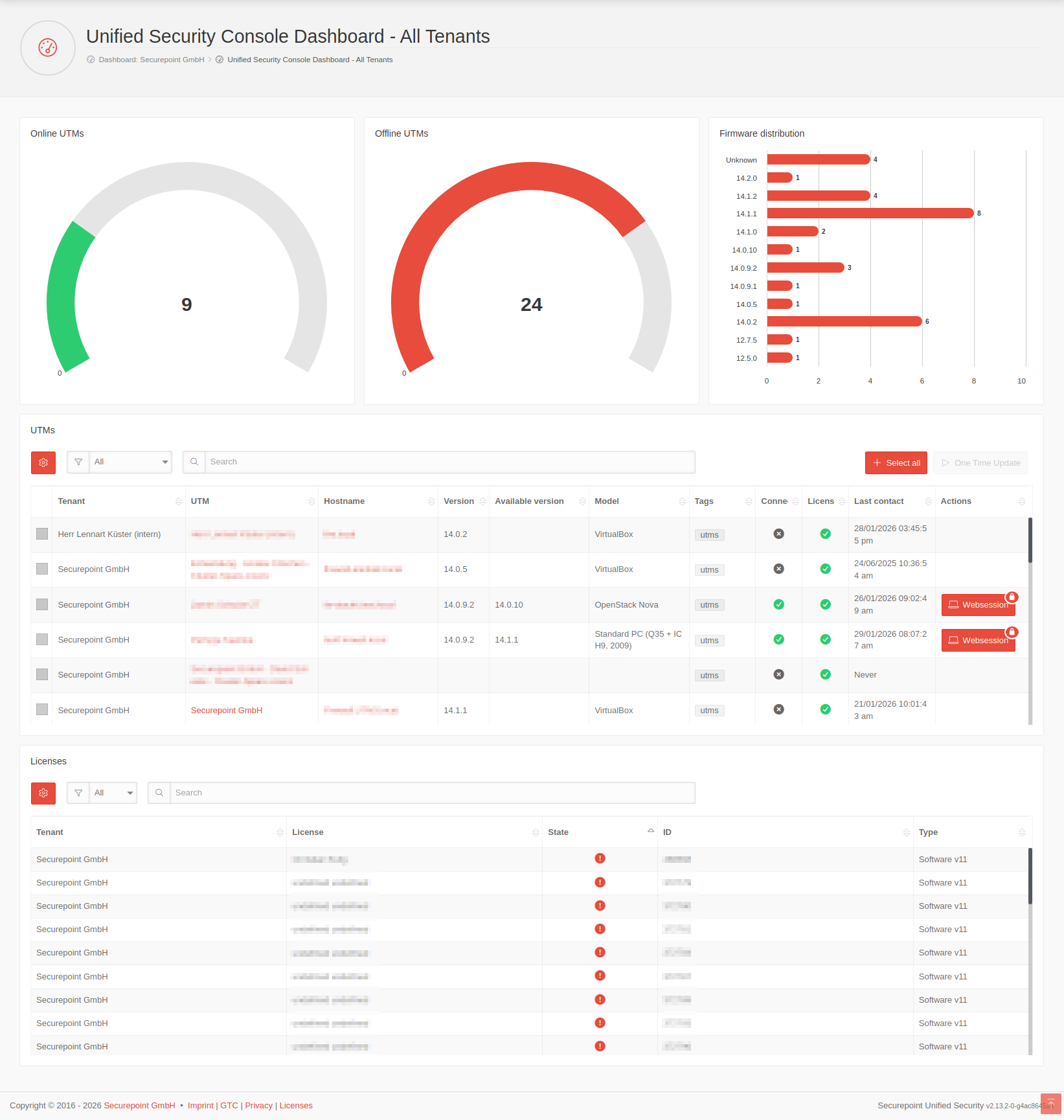
UTMs im USC PortalUTMs in the USC portalUTMs in the USC portal
- Voraussetzungen & VorbereitungenRequirements & PreparationsRequirements & Preparations
- UTMs im USC PortalUTMs in the USC portalUTMs in the USC portal
UTM ProfileUTM ProfilesUTM Profiles
-
- Firmware Updates
(Automatische Aktualisierungen)
VPN-Konfiguration – Adaptive Secure ConnectVPN-Configuration – Adaptive Secure ConnectVPN-Configuration – Adaptive Secure Connect
notempty
VPN-Konfigurationen mit der USC erfordern eine UTM v14.0 oder höher.
VPN configurations with the USC require a UTM v14.0 or higher.
VPN configurations with the USC require a UTM v14.0 or higher.
- Unverwaltete GeräteUnmanaged devicesUnmanaged devicesnotemptyNeu ab: 2.9
Windows VPN in der USCWindows VPN in the USCWindows VPN in the USC
AllgemeinesGeneralGeneral
- API-KeysAPI-KeysAPI-Keys
- Allgemein
-
- Weitere Informationen sind im Wiki-Abschnitt Unified Securtiy Console zu findenFurther information can be found in the Wiki section Unified Securtiy ConsoleFurther information can be found in the Wiki section Unified Securtiy Console
-